











『アドビコミュニティフォーラム』に質問/トピックを投稿する方法
Questions
新着順
Dears,since Debugmode Frameserver is not working in Premiere CS5, also Avisynth is not working with CS5 version nor ProCoder and CCE doesn't have export plugin for Premiere CS5, my question is do we have option to frameserve Premiere timeline to some external coder or only encoding workflow (for DVD - MPEG2) is using Adobe Media Encoder?Please, share your experience with encoding and frameserving.Thanks.
I got a call from a shooter yesterday saying he plans to getone of these cameras (because he can use the lenses from his 16mm).He was asking for my opinion, and I couldn't offer one.Does anyone have any direct experience with this camera?http://www.bhphotovideo.com/c/product/964117-REG/blackmagic_design_blackmagic_pocket_cinema_camera.htmlhttp://www.blackmagicdesign.com/products/blackmagicpocketcinemacamera
I am cutting a 30 second healthy option lite bread TVC . Shot yesterday...and a 15 second cut down of the same.And a 15 second cut down of a 30 second cycle TV I produced 2 months ago.Also In preprod for 2 garden product TVCs. (live shoot plus 2 & 3D animation)Fixing my out-of-phase Wang Banger.Wasting time and procrastinating on the Adobe ForumsIts raining and cold outside!
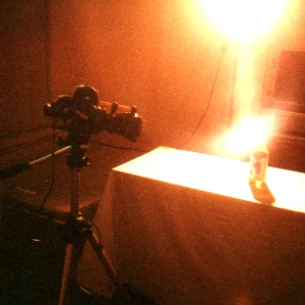
OK, so I actually bought a house that has a garage. Same thing, right? Just think, a place to hang a green screen and attach lights to the ceiling. And just think, an office without a bed in it, just like the old days before I moved back to California over four years ago. There isn't really a way to put in a permanent smooth transition from wall to floor like I had hoped, but I can hang a cloth in a place where I will be able to control the light. I may even bite the bullet and bring in an electrician to put some heavier electrical wiring into a new heavy duty breaker box run from the main.Finally, someone accepted our offer and didn't hold my need for a VA loan against me. These folks have both daughters in the service and preferred to sell to a veteran instead of complaining that it is harder to deal with a VA loan. The Veterans Administration does make it tougher, but not that bad if you don't have termites or black mold, or dry rot.It will be a few weeks before we can close,
Well, I was a nervous wreck today ( this morning up to now ....cause now its BEER THIRTY YIPEE ! TIME to relax )Reason for nervous wrecklessness is I went to micro center in MN. area to pick out new computer components and see if they could build it for me, and be within my tight budget.It took about 3 hours . But luckily the sales guy I met up with was fantastic and very cool.. and knew a LOT of stuff about high end machines and monitors etc.. through his own computer use ( serious gamer but aware of video editing and photoshop on pro level ). He did a lot to lessen my anxiety... and between us we think we got a good system for starting out. I can add stuff ( drives and better monitor(s) later as needed ).This is what I got...and I will pick it up in 3-4 days from now...and it will weigh about 40 pounds ! Yikes ! It's HUGE !After I pick it up and bring home I'm gonna install cs6 hard copy creative suite... update both windows and CS6 to newest versions and patches and fixe
Per Craig's suggestion, here is the thread for discussing photographing an egg.I had no idea it would be as engrossing as it was, and it is getting late, but here are the shots, completely unedited. I will resize them and post them to my web site for discussion later. I should have time tomrrow night.These are just screen prints from Bridge. Some repeats, and some that just didn't work. But these are the shots I took.Funny thing is, I shot RAW plus JPG so I would not have to "fix" anything to show the pictures. I decided to shoot Monochrome since it is an egg, and I put it on a white foam core with a different style foam core behind it. The camera showed me monochrome. But when I transferred the images to my PC, I looked in Bridge and could clearly see that the color balance on the RAW files was horrid. So, my next investigation is to determine if that has any bearing on the monochrome image. Do I need to white balance for the lights I am using before I shoot monochrome? I would not th
If I select within Pr (CS6): Help > Updates...here is the resulting update check (as expected):.But...if I directly run Application Manager either from the Start Menu shortcut,or by running the executable file (PDapp.exe) in this location:C:\Program Files (x86)\Common Files\Adobe\OOBE\PDApp\core\Here is the message I get:(Not logged in with my Adobe ID.)'Sup with that?notes:This is the first time I have tried to run AAM since this series of eventson 7/6 (I was logged in with my Adobe ID at the time)The steps I took on 7/6:- Ran Adobe Application Manager from the Start Menu shortcut.- Normal AAM interface appeared (as pictured in first image above).- Once connected, the AAM interface immediately disappeared,and a small progress bar appeared stating:"Updating Adobe Application Manager".(No screen shot available)- At about 50-75% completion of the progress bar, an icon appearedon my desktop called: "Adobe Creative Cloud".- At about 95% completion of the progress bar, the update stalled
Perpetual License version (Not Creative Cloud rental)Creative Suite Help / CS6 product downloadshttp://helpx.adobe.com/x-productkb/policy-pricing/cs6-product-downloads.htmlIgnore the erroneous message stating:"If you purchased a CS6 product...""You'll need your CS6 serial number to complete the installation."This is a trial. No previous purchase is required, and noexisting serial number is required to complete installation.No Adobe ID or login is required for download.http://forums.adobe.com/message/5437370#5437370_______________________________________________________Here is an alternate, slightly more complicated download location:Adobe CS6 Trial Downloads: Direct Linkshttp://prodesigntools.com/adobe-cs6-direct-download-links.htmlBe sure to read "Note: Very Important Instructions".(Requires Adobe ID for download)If you do already own a license for C6, all of these trial downloadscan be authorized online by using your existing serial number(s).Perfect for backing up your boxed D
Well, I saw some hot sunlight coming in window and liked the bounce of orange off the bag on floor..and the other stuff going on ( light on wheel etc ) so I got camera out and shot raw...2nd time doing it.. so am learning..I did adjust the F stop in preview ( live view of nikon d800 ) and put mirror up cause I was uncertain about vibration of mirror on the shutter spd... I sorta am impatient about dealing with these tests now...but that's only cause I've been moving for the past few weeks and am fed up with a lot of stuff.However, I am not fed up with having my bicycle in my bedroom... oddly enough.. that is the least of my worries.Part of why I'm doing this post is to see what adobe does to the image quality ( as I like what I see on computer, but have feeling it's gonna degrade here just due to being interpreted via web and stuff..who knows.. its why I'm posting....so I can look at it and what happened.Full imageHot Window sillWheelOrange bag and reflection...Hmmmm
I have bought into this photography thing hook, line and sinker. Can you believe this?I went out and bought a new laptop that would fit into my new camera bag. How sick is that?The bag maker said that it could hold a laptop with a 15.3" screen. Unfortunately laptops have 15.6" screens. Even the 14" screens would not fit because the pocket, while wide enough, is not deep enough.Oh well, now I have Windows 8 to play with, and a touch screen to boot. So I guess I need to try writing touch apps since the Adobe software for that comes with the Creative Cloud.
I want the best, least compressed, 1080p HD video available from a DSLR camera at the under $3000 price point (including one lens).How do I get it? Is Canon the best way to get HD video, or the Nikon even better?Or is the Panasonic Lumix DMC-GH3 Mirrorless worth waiting for?I am so confused. There are too many choices and I am tired of reading camera specs when what I really want to know is which one produces the highest quality HD video? I can't seem to find that comparison. Are they all storing at about the same compressed rate, or is the advertising about 72Mb/s and/or I-Frame only what I should be looking at?Is it important to have a high number of focus points like the Nikon? It sounds like it to my untrained brain.Comparing the three leads me to the Nikon except for the videography notes on the Canon make it seem like I can store less compressed video. But even totally uncompressed video is useless if the focus isn't perfect. Right?http://www.dpreview.com/products/compare/side-by
I have been a Final Cut Pro user for more than 10 years (starting with version 1.2 on a 500 MHz G4). Final Cut Pro X is a disaster, but that’s a well-covered topic for a different forum. After experimenting with Premiere Pro CS5.5 for a few months, I am ready to make the switch for all of my future projects.I make a living editing video. I don’t, however, work for a big company, and I don’t have a lot of money to spend on third-party software or hardware. Much of my work is shot on DSLRs and delivered online. That may put me in the category of “pro-sumer” to some, but I wouldn’t be making the switch if I didn’t require a more professional alternative to FCPX to do my job.I also don’t think “pro” has to be synonymous with clunky and ugly. (I’m looking at you, Avid.) When Final Cut was young, it was fun, intuitive, and sturdy. It became a robust, professional NLE over time. I think Premiere Pro is on that path now.I like the look, the
Which material is better for Green Screen? Polyester or Muslin??
All of this comes down to the fact that Adobe is a very oldfashioned company who simply refuses to support Matroska even though everyone knows it's the best video container out there.But if you insist on using PrPro instead of a free tool, you gotta work around this issue. No reason to blame your brother. He is just using the best end user container format for lossless video there is. MP4 is primitive in comparison, and any other format is even worse due to all too many content restrictions and technical limitations.Here's a workaround:Use the freeware tool Avidemux to extract the H.264 AVC video stream from the MKV container.Hopefully Premiere Pro will let you import that H.264 video file. Edit it and export it as a video stream again afterwards.Then remux the H.264 stream with MKVmerge (also free). Open the original MKV file in MKVmerge and replace the old video stream with your edited version.That way you may be able to preserve the advanced indexing and multiple audio+subtitle trac
Is there any way to get Adobe Premiere to support MKV files or it simply just doesn't support it?
Who are they and what's your favorite ??More experience than our name impliesKeep climbingFly the friendly skiesWork hard, fly rightFly smartThe joy of flyingNo ordinary airlineUp up and away
Some members of the Adobe CS team(Dennis Radeke and 2 others - sorry, forgot their names, but they were PPro/AME team people) were in attendance at the Atlanta Cutters meeting last night. You'll all be happy to know that they revealed quite a bit about the next version - CS6. Here's the quickie info on CS6, I've quoted as carefully as I can:- "It's coming in 2012"- "It's going to be amazing"- "It's pretty exciting"I hope they don't get fired for revealing all of that info. I'm sure you all are very excited, as I was last night, to be able to gain such an early look at the next generation of video editing.In all seriousness, they were very good at the one thing they were really there to do - convert FCP dissidents - and answered a few questions people had - again, mostly about migrating from FCP. Quite nice to hear my FCP friends talking afterward about how it's a done deal, Adobe is the here-and-now. All this in spite of the fact that Media Composer 6 is basically here now as well.Sorr
Hi everyone,This week I've launched free high quality transitions for Premiere Pro CS5 & 5.5!And I would like to share them with you. They are both Mac & Windows compatible.Please tell me what you think.Visit:<a href="http://www.filmimpact.net/" target="_BLANK">http://www.filmimpact.net/</a>Cheers,Jaap
Please download the attached file to view this post
http://www.adobe.com/products/premiere.html
In considering which frame rate to standardize on for this series, I'm pondering the benefits, if benefits there are, to 24p vs. 30p. What I see most often in documentation is that 24p gives "that coveted film look."Of course, I plan on doing some shooting this weekend to see how much of a difference I can tell from an emperical perspective, but I thought I'd see if there was a general sense around here of the whens and wheres to use 24p over 30p. I'm assuming that Sony included this option because there are reasons to choose it. But then, it may just be that Marketing wanted more bells and whistles. One never knows.Any thoughts on the benefits of 24p?
I need to reorder blank media I use to create my Client's DVDs. I do weddings, corporate and other event type productions. I've used various name brand media, but many times over the years I've always noticed on *some* burned DVDs a stutter or even a freeze when played. Since my source and Premiere Pro (CS4) edited files all play perfectly on my computer, as do the Encore previews, I've contributed any problems to the DVD media. When there is a problem (guessing 5% of the time) it occurs on more than one player, but almost never at the exact same time code. Anyway, does anyone one have an opinion on blank DVD Media Name Brands you prefer that give a professional result? TIA, jd
Remix with Firefly Community Gallery
Thousands of free creations to fall in love with and remix in Firefly.
すでにアカウントをお持ちですか?ログイン
アカウントをお持ちではありませんか? アカウントを作成
Enter your E-mail address. We'll send you an e-mail with instructions to reset your password.