Answered

This topic is closed to new replies. Start a new post to keep the conversation going.
Make a dark background and put the text on a new layer on top, convert the text to MovieClip, make a copy of the text layer and put it above the original, go to the properties and add a 'Glow' filter and set the Blending mode to "Add".
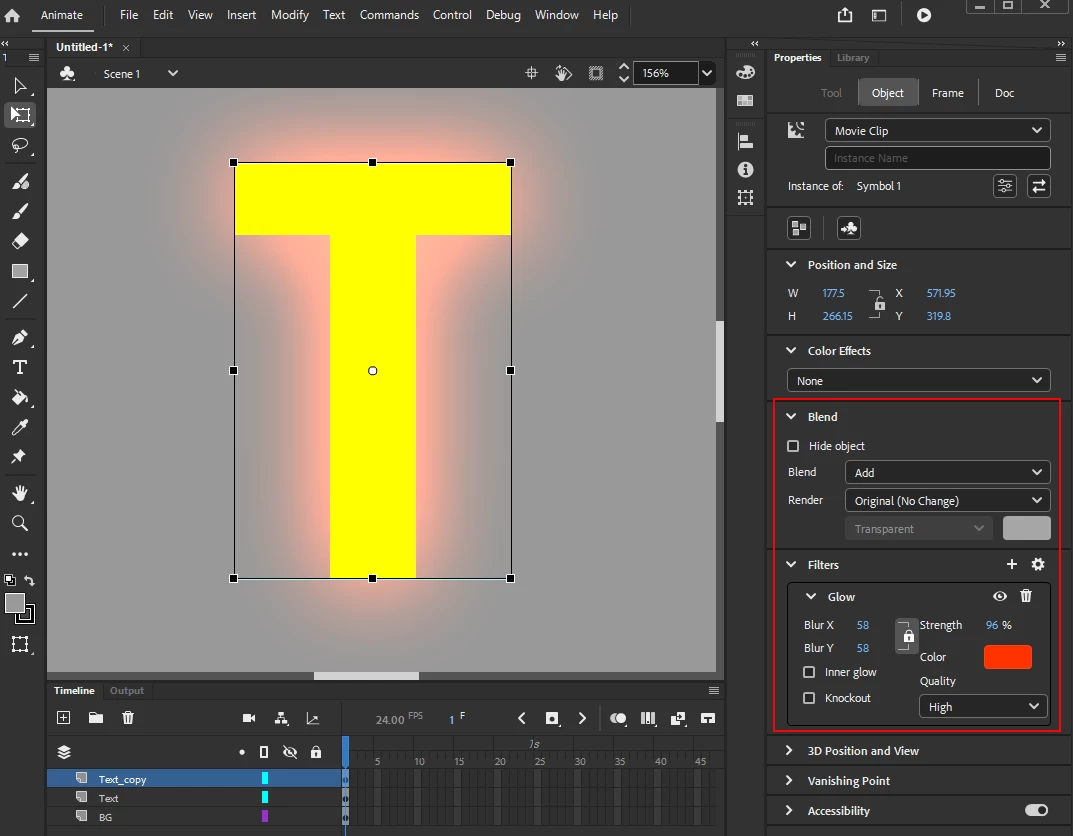
I know the screenshot is from Animate but this should work on Flash 8.


Sign up
Already have an account? Login
To post, reply, or follow discussions, please sign in with your Adobe ID.
Sign inSign in to Adobe Community
To post, reply, or follow discussions, please sign in with your Adobe ID.
Sign inEnter your E-mail address. We'll send you an e-mail with instructions to reset your password.
 AdChoices