
Inspiring
August 10, 2021
Question

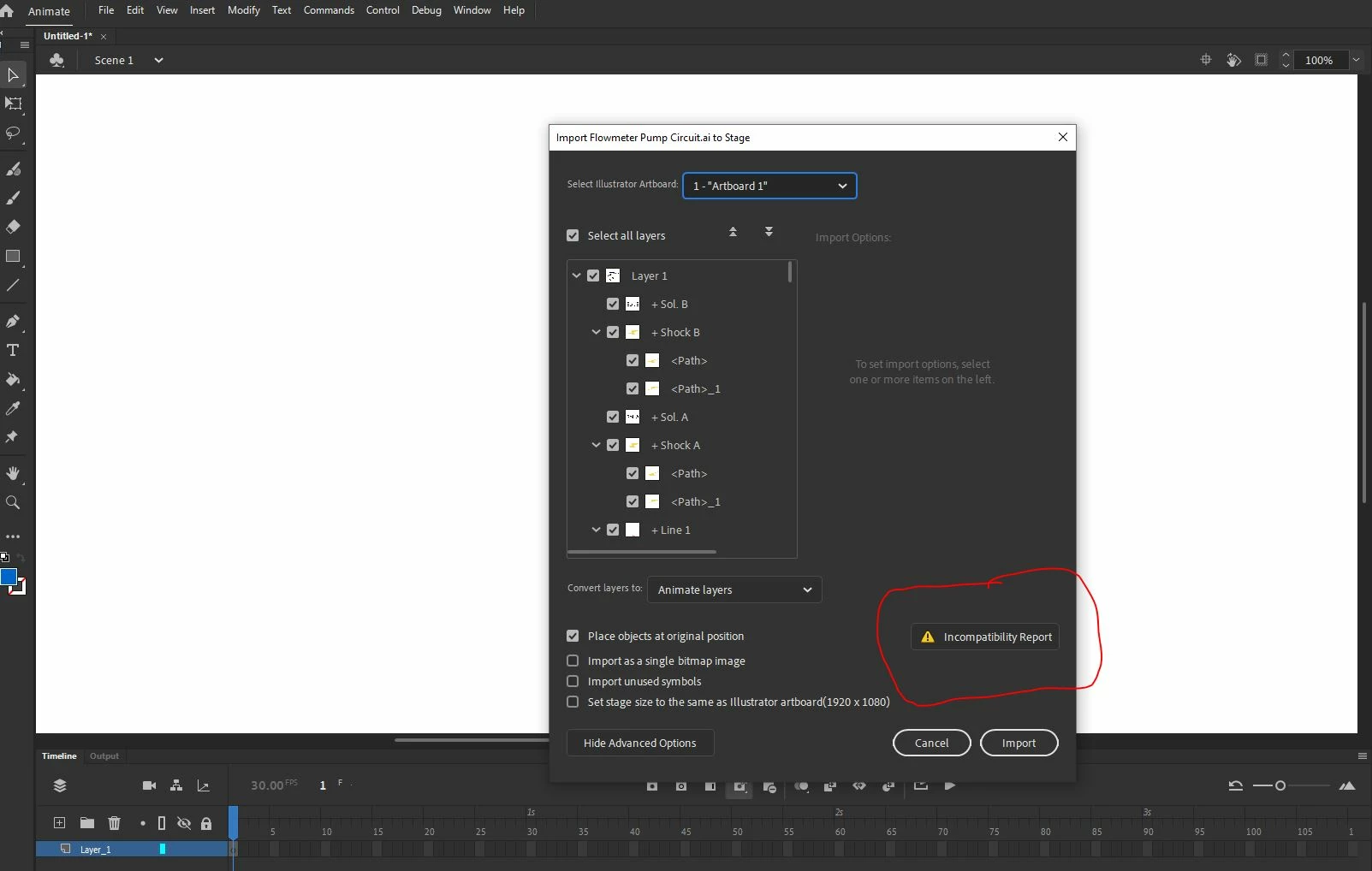
Why am I getting incompatibility report and can't open an Illustrator file in Animate?

  • August 10, 2021
  • 2 replies
  • 807 views

So I never worked with Animate before, and I am exploring it for some project.


Right away I can't open an Illutrator file.  Why is that happening? 


The Illustrator file is 1920x1080 which is the same size file I am trying to open in Animate.
 

This topic has been closed for replies.

2 replies

Community Expert
November 28, 2021

I found the best way to get items from illustrator to adobe animate is to just literally copy the files inside illustrator and then paste it right into enemy it will paste with all the layers and work just fine. 

Mario_CR
Community Expert
Community Expert
August 11, 2021

Some Illustrator effects like feathers, advanced gradients, complex text/stroke styles and so on aren't fully compatible with Animate, that's what the warning is about. See this page for more information. Clicking the incompatibility report generally lists the problematic items in the AI file, some of them can be corrected by using the recommended settings suggested in the Import options area of the AI Import dialog box.

If this fails you can still ignore the warnings and import the file to the stage anyway to see what elements are causing problems and fix them in Illustrator either by removing effects, convert text and stroke styles to outlines or in the worst of cases import them as bitmap.


Note: You don't need to re-save the Ai file, you can just copy-paste the objects into Animate after you edit them.

Participant
November 28, 2021

I am getting a similar issue, but when I click the incompatibility report to open it, nothing happens. Do you  know why?