



Grito Comunicação
Participant
August 2, 2022
Answered

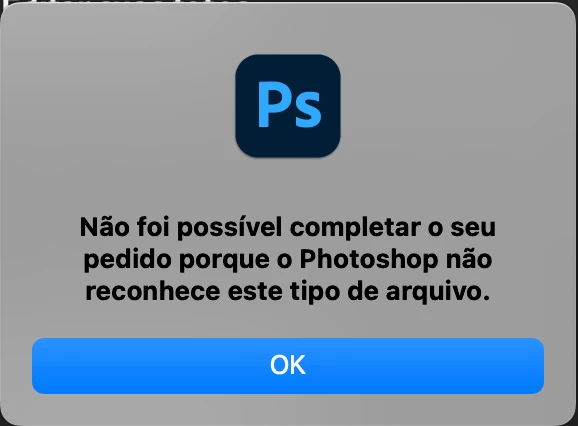
Não foi possível completar o seu pedido porque o Photoshop não reconhece este tipo de arquivo. CR2

  • August 2, 2022
  • 2 replies
  • 748 views

Olá pessoal, tudo bem?

Estou tendo problemas em abrir arquivos .CR2, arquivos de câmeras digitais. 

Quando tento abrir, aparece este erro abaixo. Utilizo Imac, meus programas adobe (photoshop e camera raw) estão atualizados.


Alguém conseguiria me ajudar?


This topic has been closed for replies.
Correct answer Grito Comunicação

Resolvido: O problema não era o Camera Raw, sim as fotos que estavam corrompidas.

2 replies

Grito Comunicação
Grito ComunicaçãoAuthorCorrect answer
Participant
August 8, 2022

Resolvido: O problema não era o Camera Raw, sim as fotos que estavam corrompidas.

Participant
November 15, 2024

e como resolveu o problema das fotos estarem corrompidas? estou passando pelo mesmo problema.

Community Manager
December 2, 2024

Hey @Dáphine30170463n2fx! Could you share more details about the issue you're facing? You can create a new post or reply here. What's the exact problem, and where are the files stored?

In the meantime, we can try these steps:

  • Check Compatibility: Ensure your Photoshop or Photoshop Elements version is compatible with the Camera Raw plug-in required for your camera. Check the supported cameras here: https://adobe.ly/4ifKOuS

  • Install Latest Plug-in: Ensure the latest Camera Raw plug-in is installed. Check for updates via Help > Updates.

  • Use DNG Converter: If your camera isn't supported, use the Adobe DNG Converter to convert files to DNG: https://adobe.ly/49eGKqV

  • Upgrade Photoshop: If your Photoshop version is outdated, consider upgrading to the latest Photoshop version, which supports a wider selection of cameras.

  • Reinstall Photoshop: If issues persist, try reinstalling Photoshop or Photoshop Elements.

For more detailed steps, check out the Troubleshooting Camera Raw guide: https://adobe.ly/49mZzIj Feel free to tag me with an @ when you respond, thank you!

- Alek

*(If you mention me with an @, like @Aleke, I’ll get a notification and can respond faster.)*
TheDigitalDog
Inspiring
August 4, 2022

Try resetting the Camera Raw preferences:
Hold down the Command key and select Photoshop > Preferences > Camera Raw (macOS) or hold down the Ctrl key and select Edit > Preferences > Camera Raw (Windows).
Click Yes in the dialog that asks "Delete the Camera Raw Preferences?"
See also:
https://helpx.adobe.com/camera-raw/using/camera-raw-settings.html 

Author “Color Management for Photographers" & "Photoshop CC Color Management/pluralsight"