TheArchenix
Participating Frequently
June 8, 2020
質問

Issue with color settings in Photoshop

  • June 8, 2020
  • 返信数 2.
  • 1341 ビュー

Hey guys! 

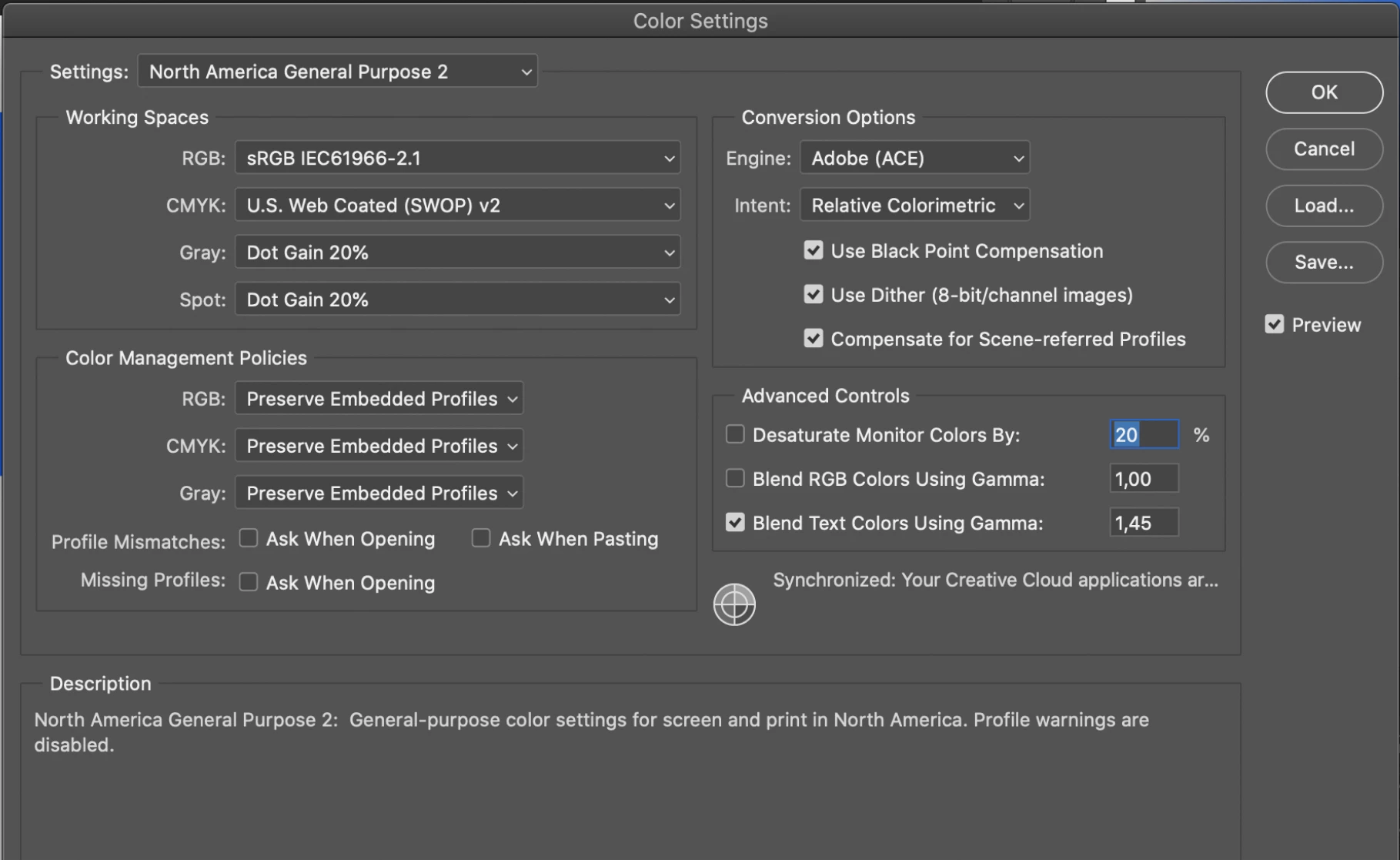
I have noticed that recently something bad happened with my color settings in Photoshop 2020 (and Illustrator). All of the colors there are washed out and there is no difference when I swap colors from RGB to CMYK (cmd+y). Both modes look the same. I have made a few other tests and colors in other software like After Effects, Figma, or Affinity Designer looks fine. Can anyone have the same issue? I already have tried to reinstall PS and erase the settings but it didn't help. Here you got my settings: 
 

このトピックへの返信は締め切られました。

返信数 2

D Fosse
Community Expert
Community Expert
June 8, 2020

Neil is spot on. You are working with untagged images. They don't have a color profile. Never do that.


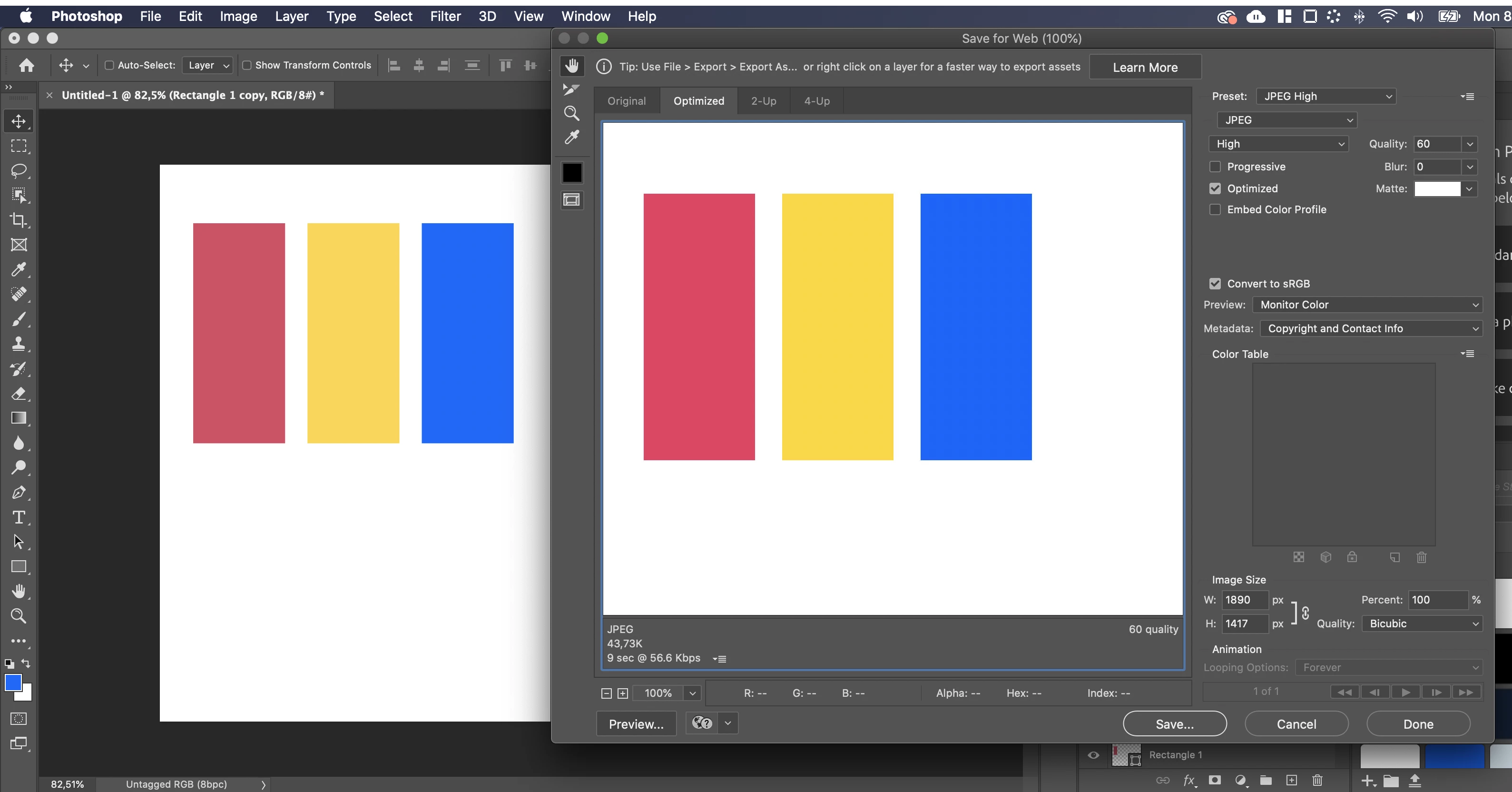
In Save For Web, all color management is by default disabled, for some reason. You have to manually turn it on:


First, check "embed color profile". Always keep this checked. Then, set Preview to "Use Document Profile". Not "Monitor Color" or any of the others. Always keep this setting too.


With these settings, Save For Web will match Photoshop, they both have full color management.

TheArchenix
TheArchenix作成者
Participating Frequently
June 8, 2020

Ok, got it. I did that and now I have the same results in Photoshop & in Save For Web window. Even if the results are consistent, all of the colors in Photoshop (and in Illustrator, where I didn't change anything) are washed out, when the same values look fine in other software like After Effects, Affinity Designer, or Figma. 

TheArchenix
TheArchenix作成者
Participating Frequently
June 8, 2020


NB, colourmanagement
Community Expert
Community Expert
June 8, 2020

Hi

Very helpful to have those screen shots


Are you in the US? is that why you have chosen those color settings?

An untagged document will misbehave if reopened after 'color settings' are changed - that’s because the untagged RGB document profile is presumed to be from the default RGB color space (currently sRGB) as set in color settings as default. 

That’s one reason why one must always embed an icc profile in a document.

IF you use " for web" I suggest you always check "embed profile, who knows why Adobe didn’t make that the default. 


To fix the issue - try edit/assign profile = Adobe RGB to the document. 


Additionally, though, you do need ideally to calibrate the screen to achieve accurate colour preview.

For that you need a sensor like the X-Rite i1 display pro

I prefer basICColor display as a calibration software but the software that comes free with the i1 display pro will get you started. 

something about that software here https://www.colourmanagement.net/products/basiccolor/basiccolor-display-software

I hope this helps

if so, please "like" my reply and if you're OK now, please mark it as "correct", so that others who have similar issues can see the solution

thanks

neil barstow, colourmanagement.net :: adobe forum volunteer

[please do not use the reply button on a message in the thread, only use the one at the top of the page, to maintain the thread title and the chronological order]

TheArchenix
TheArchenix作成者
Participating Frequently
June 8, 2020

Thanks for the answer! 😉 

1. These colors settings were always the default one for any of my Photoshop installation. I also have checked them with 2 other designers in my company and they use them as well. 

2. This issue appears in new and old files.

3. I don't think that a color sensor is needed for that. I assume that there is something wrong with the color profiles (they are corrupted or I picked something wrong). It's strange that colors look fine in different software, where I got an issue in Photoshop and Illustrator.

4. I have tried to reassign profile to Adobe RGB, but after that colors become oversaturated.  

c.pfaffenbichler
Community Expert
Community Expert
June 8, 2020

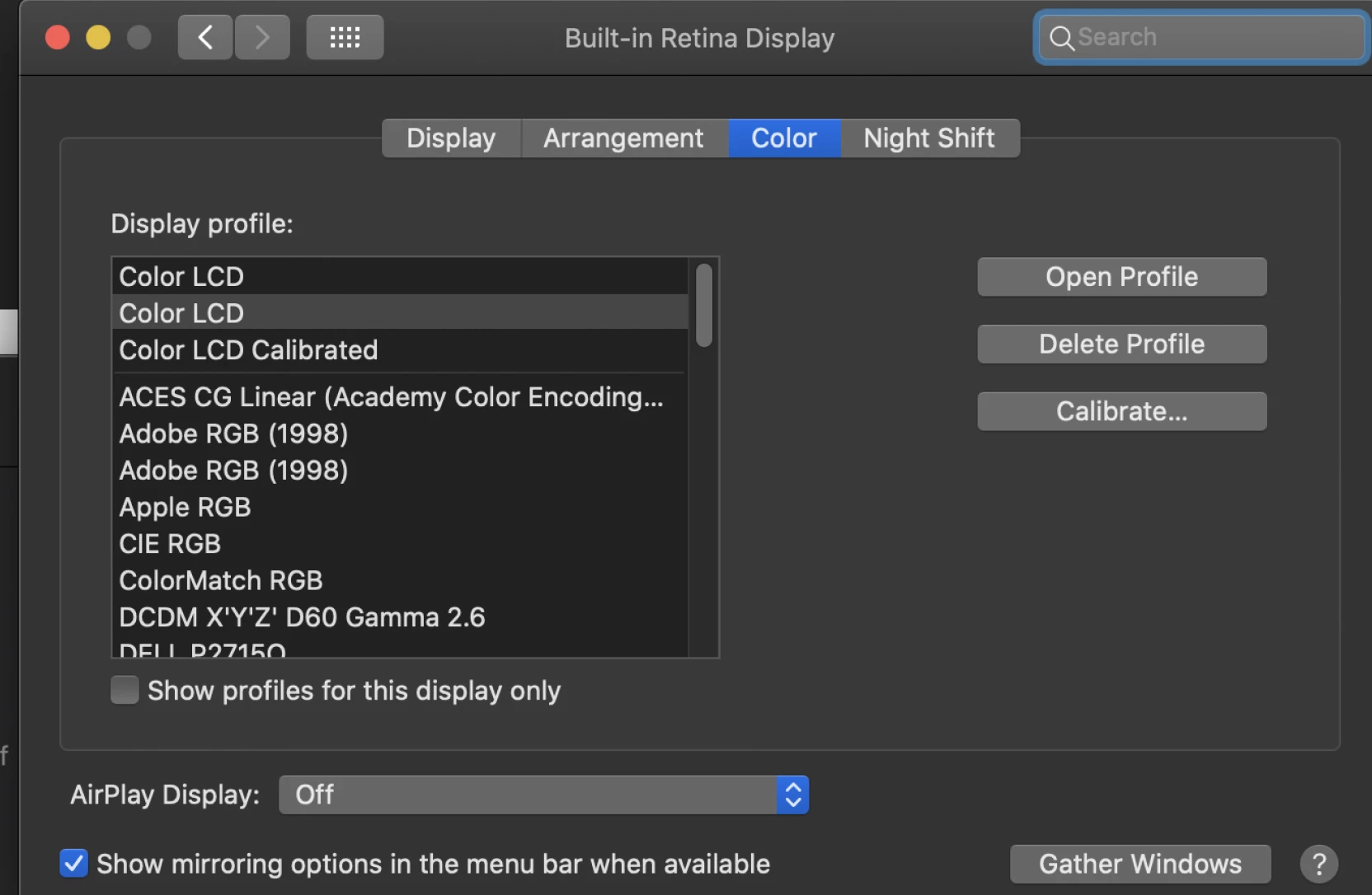
Did you maybe use the »Color LCD Calibrated« previously? 

What are the color fields’ values?