

Chris Tammar
Participating Frequently
January 23, 2024
Answered

Error when updating share for review link - There Was an Error Updating the Artifact

  • January 23, 2024
  • 42 replies
  • 28251 views

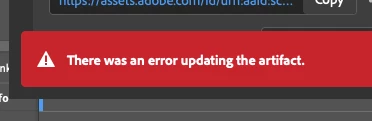
When I go to update a review link in InDesign, I keep getting this error message "there was an error updating the artifact". After that, the link does not work for most people. I am signed in to Adobe. Everything is up-to-date.... But this issue still persists. Can Adobe please fix this issue? It's emarassing when I go to send the review link to my leaders and they just get an error message when they try opening it.
 

<Title renamed by moderator>

Correct answer Abhishek Rao

Hi everyone,


Thanks for your continued patience and for sharing all the detailed findings here. I understand how disruptive this has been, especially when it affects your review workflow.

I wanted to share an update that the issue related to “There was an error updating the artifact” for larger or more complex documents has been fixed in the latest InDesign Prerelease build 21.4.0.49.

Could you please try this latest Prerelease version from Creative Cloud Desktop under the Apps tab and test the Share for Review update workflow again? This will help confirm if the fix resolves the issue in your case.

If you are not part of the Prerelease program, you can join following the links below:
https://blog.developer.adobe.com/how-to-join-creative-cloud-prerelease-programs-ccecc10ae7d3
https://www.adobeprerelease.com/beta/C6DFA254-C40C-4EEB-8F6D-F4AEDA2E6171
https://community.adobe.com/t5/indesign-discussions/invitation-to-indesign-prerelease/td-p/12371924

Once installed, please test and share your observations. If you still notice the issue, let me know with your document details so I can take it further with the team.


Looking forward to your update.

Abhishek


42 replies

Zane_E
Participant
November 27, 2024

me too. All was fine until I tried to edit a reply I had made to my own comment. It wouldn't save the edit, so I cancelled it, and then I started getting the same 'There Was an Error Updating the Artifact' error. The only other thing I did at that time was insert a QR code and the hyperlink to the QR code (for desktop users to click on). nb. I deleted the reply I was trying to edit, but didn't help.

Participant
November 7, 2024

I am having the exact same error message. I've restarted InDesign and the message continues.

Participating Frequently
August 12, 2024

While this error is incredibly frustrating and I've reported it many times, it does seem to update the review link regardless of the error.


There's been some folks that described it potentially happening when there's an unmapped comment but I haven't successfuly confirmed that. It seems to be very random for myself.


Also, how hard would it be to allow us to copy text entered in reviews?

NOcreationsBE
Inspiring
August 14, 2024

@Leon1982-2ypu are right, the updates happen, regardless of the error. The only problem is that sometimes (or most of the time) it takes some time before others can see the updates. Refreshing the screen can help or just coming back later. Not ideal, if you have no time to lose, but it does mean you do not always need to create a new link. (In bold, so other readers, who think they do, will notice 😉)


Btw, I wonder why you are unable to copy text from reviews, because I don't have this problem.

Participating Frequently
August 12, 2024

So, it looks like this thread is the same pointless unending runaround I get when I contact Adobe "support" for help with this exact issue. I just spent over an hour repeating the same problem to 5 different "support" techs, until each in turn announced that they were not the right person to address it and transferred me to the next. Until I got tired of the runaround and ended the chat.

It's not user error. It's Adobe - period. Your cloud services are *broken* and you don't seem to have the ability to fix them.

I have already reset the link to get around this problem multiple times, which means everyone that I've previously shared the URL with has now has a broken link, and anyone they've shared it with, etc.

This defeats the entire purpose of having a stable link where folks can go to see the latest version of a layout and make comments.

I'm so tired of Adobe fumbling like a bunch of children to figure out why their own products don't work, and attempting to blame the user.

The idea that *anyone* would trust all of their work files to Adobe's cloud services (i.e. storing all their original files in Adobe's cloud, without a local backup) is utter insanity, given Adobe's poor track record in this area.

So I'll ask again: does ANYONE at Adobe actually understand what is causing this problem and are they working on an actual fix that doesn't require users to run around logging in and out, uninstalling and reinstalling, deleting library files, etc. to try and compensate for Adobe's incompetence?

Amberg Art
Inspiring
July 16, 2024

Hallo
Ich arbeite oft mit der Review-Funktion in InDesign und erhalte immer wieder mal diese Fehlermeldung wenn ich den Inhalt aktualisiere. Die Änderungen sind dann doch online sichtbar. Aber die Meldung kommt dann bei jeder Aktualisierung wieder.  Die Auskunft der Fehlermeldung ist irgendwie dürftig...

Weiss jemand mehr als ich?


Grüsse - Oliver

Participating Frequently
July 15, 2024

Same exact issue here. My solution has been to save as a new file and that seems to usually work, but I'd rather not have to do that.

Participating Frequently
July 13, 2024

Please fix this already! For how much we all pay on a monthly basis, it's ridiculous that this continues to be a well documented issue that doesn't get resolved in new releases.

Chris Tammar
Participating Frequently
July 15, 2024

@Leon1982-2 After countless attempts to get Adobe to fix this, I'm realizing they don't want to fix it. They just don't care enough. As an alternative solution, I reccomend you look into Ziflow or PageProof. It pretty much does the same thing, but better. Both are very affordable! cc: @HARSHIKA_VERMA 

CeciliaSande
Participant
June 28, 2024

Hi there! I am experiencing the same issue since I started using the "Share" feature a few weeks ago, this is the first time I do a search to see if this is a known problem. I was wondering if Adobe found any solution for it? I am also using the latest InDesign version, file is saved, no unmapped comments, tried restarting sofware, computer, etc, but problem remains. Many thanks!

Participant
July 4, 2024

I have the same problem, a big mess with customers!


Harshika Verma
Community Manager
Community Manager
July 5, 2024

Hi @Desig4People & @CeciliaSande


I'm sorry to hear you're experiencing the issue. Could you please check if your file has any unmapped comments? Could you please share a recording showing the issue for better investigation? If possible, please also share the Packaged InDesign file with me via a private message so we can escalate it to the product team for investigation. 


As the issue is intermittent, it may work on the next or subsequent tries. However, we would need files and recordings to investigate the issue.


Thanks,

Harshika

Good Venture
Known Participant
May 2, 2024

Hi, 


Is anyone else having the same issue with Adobe review in InDesign? 

I never had problems with the older version, but with new updates, this error just keeps coming up again and again, causing a massive disruption to the workflow. 


leo.r
Community Expert
Community Expert
May 2, 2024
Good Venture
Known Participant
May 2, 2024

Thanks, I can see the problem is an ongoing issue that Adobe isn't able to fix. 


NOcreationsBE
Inspiring
February 9, 2024

I have been experiencing the same problem for a while. Using InDesign 19.1 at the moment (but have been experiencing this with an earlier version too) on Windows 11. Experiencing this with multiple files (if not all), but not all the time. Every once in a while I do not get the error message (with the same file that does give that error message).

Chris Tammar
Participating Frequently
February 9, 2024

@NOcreationsBE Same! it has a mind of it's own. Sometimes it works.... sometimes it doesn't. It's gotta be some Adobe server issues.

NOcreationsBE
Inspiring
February 12, 2024

Yes, I think so too. Updated to InDesign 19.2 by now, but still getting the error message. 🙄