


Participant
Feb 20, 2024 1:25 AM UTC
Question

Failure to Publish Online Link - Error #18

Hi all,


I've been trying for days to solve an issue with publishing online links from INDD files.


Every time the export reaches 100%, I'm presented with a pop-up that states 'An error occured while uploading your document. Please try again. ERROR #18'


I understand that ERROR #18 refers to a failure to connect with the internet network, but I am 100% connected to the internet - it's just that Indesign fails to export the file. The file is not corrupt, and my INDD app is running smoothly otherwise.
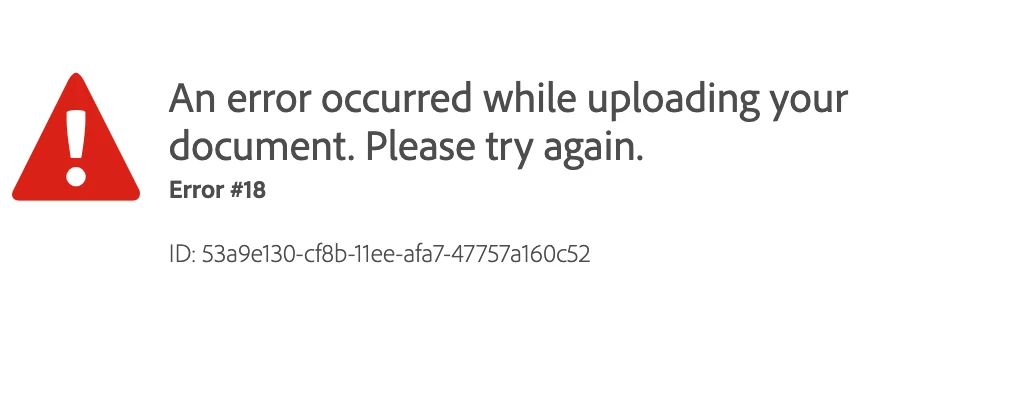
 

I've already tried:

- changing internet networks

- uninstalling INDD

- installing previous versions of INDD and trying to export

- uninstalling/re-installing entire Adobe CC system

- Using the Adobe Clean tool to clean INDD + other CC apps

- checking if the file is corrupt/saving copies of my INDD file to external hardrives

- restarting my laptop


I'm desperate to get this working as it's part of my job, so any help would be greatly recommended. I'm running macOS Monterey 12.1.


Thank you !

28 replies

Participant
Oct 26, 2026 5:08 AM UTC

Hey Abhishek, 


The same thing is still happening for me. 


It occurs with all documents, I’ve tried publishing a one page clean one, disconnecting from my creative cloud, switched networks nothing works; I really need this feature for my work. What do you recommend I do?


Thank you,


Zoë

Translate
Abhishek Rao
Community Manager
Community Manager
Oct 26, 2026 2:56 PM UTC

Hi ​@zoe_6995,


I'm sorry to hear that you're still experiencing Error #18 with Publish Online, especially since it's affecting your work.

According to this Adobe Help documentation, Error #18 indicates that the connection was lost during publishing. However, since the issue occurs with all your documents, even after switching networks, I'd like to explore a few other possibilities, including account authentication and security restrictions.

Could you please try the following steps?

  1. Open the Creative Cloud Desktop app and sign out of your Adobe account. Completely close both Creative Cloud and InDesign, restart your computer, and then sign back in. Try publishing again and let us know if the issue persists.

  2. Visit the Publish Online Dashboard and sign in with your Adobe account. Check whether you can access your previously published documents and whether any errors appear.

  3. If you're using a VPN or proxy, temporarily disconnect it and try publishing again. Also, check whether any firewall or antivirus software might be blocking InDesign's connection to Adobe services. If you're using a company-managed device, your IT team can help verify this.

Additionally, could you please confirm your InDesign version, operating system and version, and whether Error #18 appears when the upload reaches 98–100% or at an earlier stage?


Please let us know how it goes so we can narrow down the cause and assist you further.
Abhishek
 

Translate
Participant
Jul 15, 2026 3:47 AM UTC

Save as an IDML file. Open your new IDML file and publish.

Translate
Thomaslab
Known Participant
Jun 3, 2026 9:02 AM UTC

Here is a simple soultion for you! Takes about 5-10 minutes.

It's adobes servers that probably can't handle the data. I got the error on any of the low, high resolution, jpeg, png. But I did find a workaround;

1. Export to: Adobe export presets (High res)
2. Create new Indesign doc exacly the same size but you don't need to add same amount of pages, just one page. PlaceMultipagePDF.jsx will fix that.
3. In the new Indesign dokument go to Window tab, Utilities, Scripts and a window opens.
4. Click on Applications, Samples, JavaScripts and find PlaceMultipagePDF.jsx
5. Dubble click on PlaceMultipagePDF.jsx and shoose the new Indesign document and click on open.
6, PlaceMultipagePDF.jsx will now open the PDF and creates all pages for you.
6. Now you have all the pages as images and you can use the Publish Online function 😄

Best of luck!

Translate
Abhishek Rao
Community Manager
Community Manager
Sep 11, 2025 3:27 PM UTC

Hi everyone,


I understand how disruptive this error has been for your work. Could you please confirm if you are still experiencing the issue(error 18) when publishing online? This will help me check further with the team and assist you better.


Looking forward to your updates.

Abhishek

Translate
Haley38150896lgjy
Participant
Jun 22, 2026 10:17 AM UTC

I am having this error. I have tried various troubleshooting methods mentioned in this chat. It’s definatley not the internet connection. I need this fixed ASAP.

Translate
Abhishek Rao
Community Manager
Community Manager
Jun 24, 2026 11:23 AM UTC

Hi ​@Haley38150896lgjy,


I'm sorry to hear you're running into this issue, especially when it's impacting your work and you've already spent time trying various troubleshooting steps.

To help narrow down the cause, could you please confirm your InDesign version and operating system? Also, please try publishing a brand-new one-page document and let us know if that succeeds. If the issue is limited to a specific file, export the document to IDML, reopen it, and try publishing again.

Additionally, please check whether the problem occurs with all documents or only a particular one. If you're connected through a VPN, disconnect it temporarily and disable any firewall/security software for testing. If the issue persists, try switching networks (for example, connect through your phone's hotspot) and test again.

It would also be helpful to sign out of the Creative Cloud Desktop app, sign back in, and then retry publishing.

For reference on this error, please refer to:
https://helpx.adobe.com/indesign/kb/upload-error-publishing-indesign-document.html

Let us know the results of the above tests, and we'll be happy to investigate further.


Thanks,
Abhishek

Translate
Participant
Sep 6, 2025 9:21 AM UTC

Can Adobe please help and advise on fixing our online published documents.


Despite thepublished links working perfectly just yesterday, they are now suddenly not loading for anyone, and when trying to republish the documentonline, it gives an error 18 - despite having plenty of storage space left on account, Indesign working perfectly in every other way, and definitely being connected to the internet. 


Urgent help please as it is for presentation today! Not sure if anyone is experiencing this? Thank you!

Translate
Derek Cross
Community Expert
Community Expert
Sep 6, 2025 9:49 AM UTC
Participant
Sep 6, 2025 7:52 AM UTC

All of my documents that I have published online have disappeared and I can't create a new one to replace them either, I get the below messages. I need help urgently as the event is taking place right now. Thanks


Translate
Participant
Sep 6, 2025 9:17 AM UTC

I have the same problem i'm trying to publish online it reaches 98% and then the same message pops-out. Same goes with all the published documents! this is a disaster

Translate
Participant
Sep 6, 2025 9:24 AM UTC

I know, the link I created days ago has disappeared it's a guide to the Italian grand prix which is happening now

Translate
Participant
Mar 17, 2025 9:38 PM UTC

same problem here, has anyone figured this one out??? 

Translate
Harshika Verma
Community Manager
Community Manager
Mar 18, 2025 7:47 AM UTC

Hey @otissssss,


We are sorry to hear you're having trouble publishing the link. Error 18 generally occurs when the connection is lost while publishing. Would you mind checking your network connection and try again?


You may also try switching to a different network and let us know if that helps.


We will be happy to assist you further.


Thanks,

Harshika

Translate
Participant
Sep 6, 2025 3:55 AM UTC

I am having the same issue , I have try different computers and nothing. I could lose my job because of this and no help by Adobe

Translate
Participant
Feb 2, 2025 10:10 PM UTC

I have this same issue since 3 days. Impossible to publish online. Have tried ALL the suggestions but nothing seems to work. This has happened once before, Adobe could not fix it so i had to create a new account. I do hope it's not the same as last time and it can be fixed this time.

Translate
Robert at ID-Tasker
Legend
Feb 2, 2025 11:43 PM UTC

@LK_gleam3207


For some helped making extra free space - by deleting some old documents.


Recently, someone posted, that it helped to turn off firewall: 


https://community.adobe.com/t5/indesign-discussions/can-t-publish-interactive-pdf/m-p/15126733#M608846


Translate
Participating Frequently
Dec 29, 2024 4:00 PM UTC

In the same place. Tried everything you listed in your post. Reached out to the customer support team. They said they'd call me back within 24 hrs. It's been 3 days. This happened a year ago and the problem just went away on its own after a few weeks. Currently need this function for work and it's seriously screwing me over. 

Translate
Abhishek Rao
Community Manager
Community Manager
Dec 30, 2024 5:26 PM UTC

Hi @Dylan R35699255sktd,


I'm truly sorry to hear about the ongoing challenges you're facing with the "Publish Online" feature and the delay in getting support. I completely understand how frustrating and disruptive this must be, especially when it’s impacting your work.  

I’ve flagged your case to the on-call support team and am checking its status for you. I’ll ensure they prioritize this and get back to you as soon as possible.  

Thank you for your patience-hang in there, and I’ll update you as soon as I have more information.  


Best,
Abhishek  

Translate
Participating Frequently
Dec 31, 2024 12:44 AM UTC

Thank you!

Translate
Steve Werner
Community Expert
Community Expert
Feb 20, 2024 2:10 AM UTC

You can also look at this list of Publish Online error codes:


https://helpx.adobe.com/indesign/kb/troubleshoot-publish-online-errors.html


This suggests there could have been a network connection error and to try again.

Translate