johnrellis
Legend
July 2, 2018
Question

P: Truncated fields and font glitches in Metadata panel

  • July 2, 2018
  • 68 replies
  • 6456 views

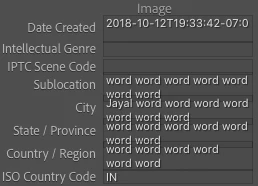
The Metadata panel has some glitches in LR 10 / Mac OS 10.15.5 with the new fonts:
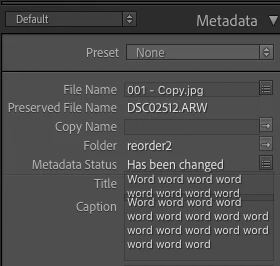


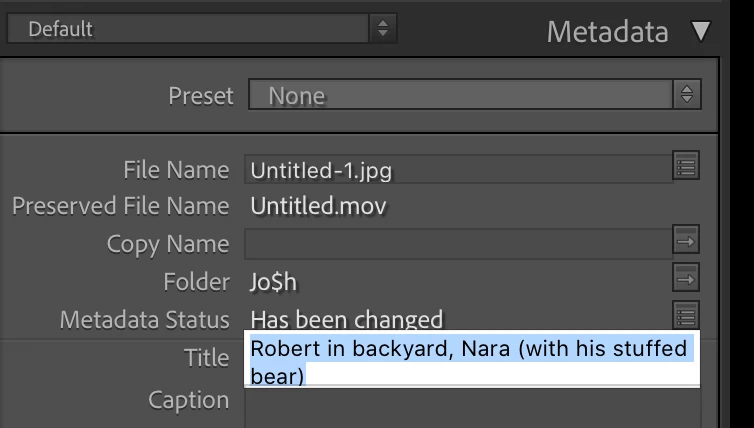
And some fields don't display their last line (off by one error?):
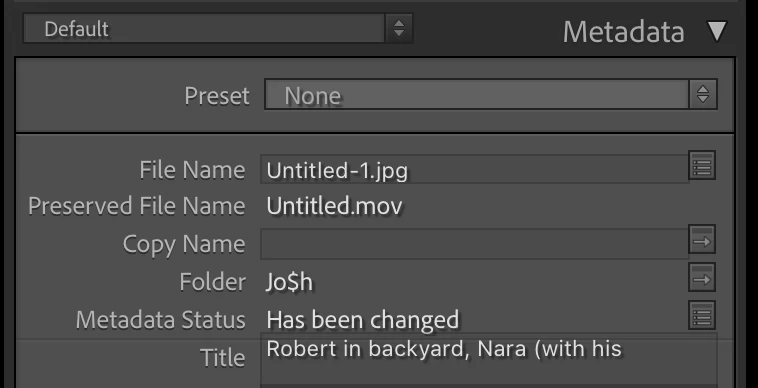
 
To reproduce this, try changing the width of the panel.
 
 
About the fonts in LR 10, the Lightroom Queen wrote: "[T]he font has been updated throughout the app, to use Adobe’s newly standards. While many formatting issues have already been identified and fixed, you might still find a few odd gremlins or spacing issues."
 
 
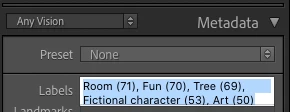
Here's another example, with a custom metadata tagset:
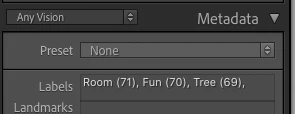
 
Here's the definition of that tagset:
return {title = "Any Vision",id = 'anyvision',items = {
     {"com.johnrellis.anyvision.labels", height_in_lines = -1},{"com.johnrellis.anyvision.landmarks", height_in_lines = -1},{"com.johnrellis.anyvision.locations", height_in_lines = -1},{"com.johnrellis.anyvision.map"},{"com.johnrellis.anyvision.logos", height_in_lines = -1},{"com.johnrellis.anyvision.faces", height_in_lines = -1},{"com.johnrellis.anyvision.text", height_in_lines = -1},{"com.johnrellis.anyvision.safeSearch", height_in_lines = -1},"com.johnrellis.anyvision.dominantColor","com.adobe.separator",{"com.adobe.caption", height_in_lines = -1},"com.adobe.GPS"}}

68 replies

Rikk Flohr_Photography
Community Manager
March 16, 2021

Updates to Lightroom Classic and the Lightroom Ecosystem products for Desktop, Mobile and Web were released today and contain a fix for this issue.

Please refresh your Creative Cloud application and install your update when it becomes available. Thank you for your patience.

Rikk Flohr: Adobe Photography Org
johnrellis
Legend
February 11, 2021

As a palliative to the display bug (which is present on both Mac and Windows, though in different circumstances), you can make the left and right columns arbitrarily wide by holding down Opt while dragging the vertical column divider.  (On Windows, you need to make a small edit to TranslatedStrings.txt to enable this.)

Known Participant
February 10, 2021

@robert_somrak   Yes I am using a Mac Catalina OS. Latest Lightroom Classic.

Inspiring
February 10, 2021

John Ellis (see above) has documented the same issue in Windows.

Bob Somrak
Legend
February 10, 2021

@steve_swayne 

Are you using  Windows?  I think it is a Mac only issue.

M4 Pro Mac Mini. 48GB
Known Participant
February 10, 2021

Odd, as I do not experience problems with the Description field and I often have very long descriptions.  

Inspiring
February 10, 2021

@steve_swayne The description field also behaves the same - it truncated the last line. So most of the fields truncate the last line, if not all.

Known Participant
February 10, 2021

I have exactly the same issue with MacOS Catalina, latest Lightroom Classic. It seems to be a long standing issue. Very disappointing that such a simple interface issue has not been resolved before now. All Adobe needs to do is make the code for Filename and Title fields the same as the code for the Description field, which behaves properly. This is not rocket science, just a lack of adequate task management by those in charge.

johnrellis
Legend
February 10, 2021

Still happening for me on LR 10.1.1 / Windows 10 with Font Size: Automatic: