johnrellis
Legend
July 2, 2018
Question

P: Truncated fields and font glitches in Metadata panel

  • July 2, 2018
  • 68 replies
  • 6456 views

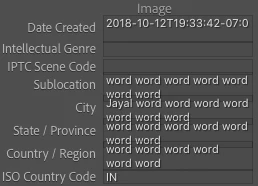
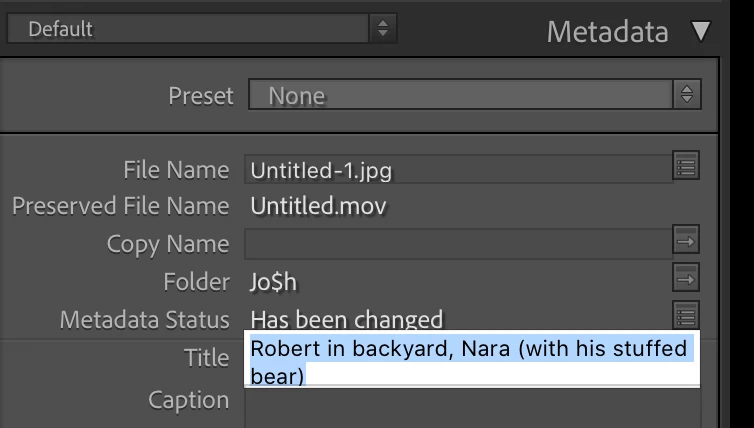
The Metadata panel has some glitches in LR 10 / Mac OS 10.15.5 with the new fonts:
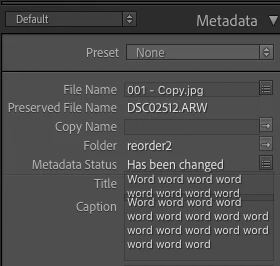


And some fields don't display their last line (off by one error?):
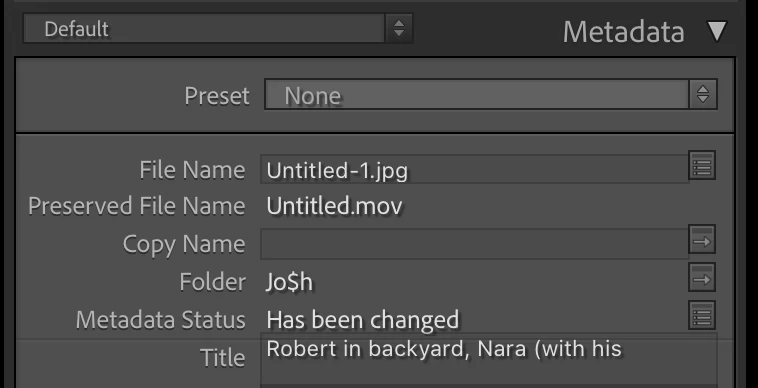
 
To reproduce this, try changing the width of the panel.
 
 
About the fonts in LR 10, the Lightroom Queen wrote: "[T]he font has been updated throughout the app, to use Adobe’s newly standards. While many formatting issues have already been identified and fixed, you might still find a few odd gremlins or spacing issues."
 
 
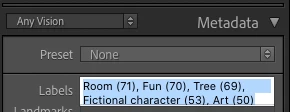
Here's another example, with a custom metadata tagset:
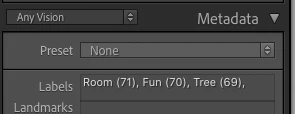
 
Here's the definition of that tagset:
return {title = "Any Vision",id = 'anyvision',items = {
     {"com.johnrellis.anyvision.labels", height_in_lines = -1},{"com.johnrellis.anyvision.landmarks", height_in_lines = -1},{"com.johnrellis.anyvision.locations", height_in_lines = -1},{"com.johnrellis.anyvision.map"},{"com.johnrellis.anyvision.logos", height_in_lines = -1},{"com.johnrellis.anyvision.faces", height_in_lines = -1},{"com.johnrellis.anyvision.text", height_in_lines = -1},{"com.johnrellis.anyvision.safeSearch", height_in_lines = -1},"com.johnrellis.anyvision.dominantColor","com.adobe.separator",{"com.adobe.caption", height_in_lines = -1},"com.adobe.GPS"}}

68 replies

Inspiring
February 10, 2021

I have exactly the same issue v10.1.1. on mac 10.15.7. 

Inspiring
February 9, 2021

Just updated v10.1.1 and this issue is back. I'm on Mac OS 10.15.7. Very annoying.

Known Participant
February 9, 2021

Yes it is only a display problem, the data is saved with the file and the file names can be made long, just it is hard to see what you have typed in.

Bob Somrak
Legend
February 9, 2021

I can confirm this issue on Mac.  It was also confirmed by Jim Wilde with more details on this post

https://community.adobe.com/t5/lightroom-classic/support-for-seeing-long-file-names-and-titles/td-p/11818041

M4 Pro Mac Mini. 48GB
ouiouiphoto
Known Participant
February 9, 2021

Yes W10 😉 generally the length of a filed is linked with the Database and not the OS. Can it be only a display problem. If you type more than 30 and export it. Do you see the full tittle in the exifs of the image


.Sheepdog trying to help Lightroom and Photoshop beginners
Known Participant
February 9, 2021

Maybe I should have said I am using the version for Apple Macintosh.   Are you using Microsoft Windows version?

ouiouiphoto
Known Participant
February 9, 2021
For tittle I don't see the limitation you are talking about. Tittle is Titre in french 😉 

.Sheepdog trying to help Lightroom and Photoshop beginners
Known Participant
February 9, 2021

Currently in the latest version of Lightroom Classic (and all earlier versions) the fields for seeing and editing the File Name and Title are hard fixed at one line of around 30 characters. This is crazy with modern operating systems that allow for loooonnnggg file names, and for people who use long Titles. Can Adobe please allow for the entry fields to be bigger or auto adjustable in size. By comparison, the fixed Keyword Tags displayed content is massive, and the Caption field auto resizes to suit content - which is precisely what File Name and Title should do as well.  Thank you.  If no Adobe person will ever see this, where do I submit corrections for bad interface design?


Not everyone has fond memories of ye olde 8.3    XXXXXXXX.XXX   fixed file name sizes...


Inspiring
December 9, 2020

@Rikk

Alas, my experience is the same as @John_R_Ellis  😞

Both the Title and Caption fields continue to truncate.

Screenshot of Title and Caption fields.  Context suggests both fields are truncated.


Screenshot showing full Title after clicking in the Title field:

Screenshot after clicking in Caption field showing complete Caption:

johnrellis
Legend
December 8, 2020

Unfortunately, I still see the glitch between Title and Caption when I first enter the values into the fields (using auto completion):

And I still see the truncation of the fields as I adjust the width of the right column:
LR 10.1 / Mac OS 10.15.7.