
Known Participant
August 8, 2022
Question

Mixer Brush start white or black, not clean.

  • August 8, 2022
  • 16 replies
  • 4710 views

I usually use a mixer brush to remove wrinkles from clothes.
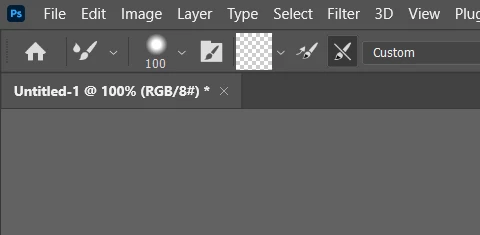
Then set the mixer brush to a clean brush. Reset every stroke

like this.


But, when after update

Each stroke starts in black or white.

And when you start painting the brush, it changes back to "empty" like the picture above, and when you finish painting the brush, solid color (black or white) is designated again.
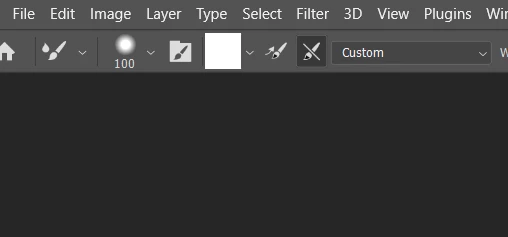


And not every time, but sometimes the clean brush is maintained. However, if you change the brush size there, it changes to black or white again.

It's a very strange bug. Please correct it.


---------

I've been posting a few times on the Adobe Forum, and I've done things that I can check and try when there's a bug.

1. reset pref.

2. maually reset pref folder

3. check GPU driver for Latest current.

4. Turn on/off Multi thread

5. Deactive native canvas.

6. Reinstall Photoshop.


My pc is window10.

16 replies

Participant
August 13, 2022

Photoshop 2021 version is fine. Roll back to last year's version.

Participant
August 13, 2022

This mixer brush bug was already widely known in the Reddit and Facebook communities. But what I don't understand is that it says it's fixed in 23.4, but it's not at all.
It is a very unusual experience to not be able to use a tool(mixerbrush) properly for about 5-6 months.


Participant
August 12, 2022

mixer brush is not working as expected.

The clean brush is turned on, but it automatically loads the foreground color.

also,  Changing the size of the mixer brush does not load and clean properly.


change fore color - chage brush size

= mixer not clean, load fore color.

The reason why the foreground color is automatically loaded is because it is often mixed with the color and brightness of the image with a clean brush. Literally, the color and brightness that the image has, but I automatically load the foreground color while ignoring my settings, so the image is ruined.


I searched for a solution to this, but there seems to be no proper solution. I reset the tool, reset the configuration, and reinstall Photoshop, but it was the same result and it seems to have already been reported by the Adobe community.


https://community.adobe.com/t5/photoshop-ecosystem-bugs/p-mixer-brush-not-working-corrrectly/idc-p/13051421#M59914

main thread < The thread says it's fixed, but it hasn't actually been fixed since the beginning of the 2022 version until now. Now it's 23.4.2.


https://community.adobe.com/t5/photoshop-ecosystem-bugs/mixer-brush-start-white-or-black-not-clean/idi-p/13121416

This thread appears to have been written more recently.


https://youtu.be/rxeY2iTa02o

Viedo of another user reproducing the problem.


This issue has not been resolved. Because it adversely affects the actual workflow, you can't use the mixer brush the way you used it until it's resolved. When is the next update? I really hope this is fixed. The main thread appears to have been posted in March. It's August now. It looks like it needs to be fixed now.

Participant
August 12, 2022

This problem has been around for a long time. So when I need a mixer brush, I use Photoshop 2021.

You can also use brush(for pick any color value), and paint lightly.


Of course, I know not to use any tools doesn't help. But after months of realizing that the mixer brush wasn't helping me to improve my image, but started to ruin it, I had to find my own temporary solution.

Participant
August 11, 2022

The mixer brush is broken. Cleaning is not done properly. It doesn't blend smoothly and messes up the image.


https://community.adobe.com/t5/photoshop-ecosystem-bugs/p-mixer-brush-not-working-corrrectly/idi-p/12803667

If you look at this link, it's a bug that's been going on since a few months ago (March). Are you investigating this?

There is a huge difference between Photoshop 2021 and Photoshop 2022 (currently 23.4.2) just a few strokes of the mixer brush.

Participant
August 8, 2022

This is what I'm going through, too. We reset the tool, reset the configuration, and reinstall Photoshop, but it is the same bug. The bug in Photoshop....


janemiiAuthor
Known Participant
August 8, 2022

There is a bug in 23.4.2 unconditionally, and I am not sure about 23.4.1 yet. 23.4 has not been tested because it can no longer be installed.

I think it's a problem only with the 23.4.2 version.

Each stroke or Change Mixer Brush Size <<< These are the things that are reproduced, related.