



🗞️ Photoshop Newsletter - September/October 2023

Photoshop Sept/Oct 2023 update
It is time to get caught up again with everything Photoshop! Check out the latest updates, read our most recent tips, blog posts, and news. Did you know Photoshop is now available on desktop, iPad, and web? Photoshop on the web was just added to all the Photoshop plans, so head over and give it a try at photoshop.adobe.com!
Guess what? It's Adobe MAX time again! Adobe's annual creativity conference will take place October 10-12 in Los Angeles and also online. There will be over 200 live and online sessions, plus hands-on workshops, networking opportunities, and more. Register today!
You can find links to previous newsletters on our Photoshop Newsletter home page. If you have an older version of Photoshop and need help updating, visit this article for instructions: Keep Photoshop up to date.
What's New?
Photoshop Generative AI features are out of Beta! We've added Generative Fill and Generative Expand to the September Photoshop and Photoshop web releases. In addition, using Photoshop on the iPad 5.0, you can view generative layer variations created using Generative AI features on Photoshop on the desktop and Photoshop on the web. To learn more about Generative AI, check out the Photoshop Generative AI FAQs.
With Generative AI, you can remove unwanted objects or people from your images, add new objects to your images, change backgrounds, add reflections, extend your images and fill in the blank area, restore damaged or missing parts of your image, and so much more! Check out our quick tips to see how to use it in both desktop and web.
Photoshop on desktop

Generative Fill and Generative Expand

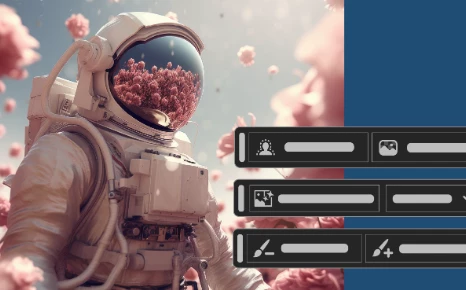
Contextual Task Bar updates for Masking

Other enhancements, changes, and Fixed Issues
To update Photoshop to 25.0, click "Update" in the Creative Cloud desktop app next to Photoshop. More detailed instructions for updating
Photoshop on the iPad

Use the Adobe Camera Raw filter on pixel layers

Use the color picker and swatches on your iPad

Import and open Lightroom photos in Ps on the iPad

View generative layer variations in the Properties panel
To update Photoshop on the iPad to 5.0, check out how to update the apps manually
Photoshop on the web

Take your creativity to the next level

Reimagine your images with Generative AI capabilities



Learn Something New
Check out these awesome tutorial videos to learn something new:
Animate and add video to Ps Files with Adobe Express
Six Benefits of Working with Smart Objects in Photoshop
Five Reasons to use Smart Filters in Photoshop
How to Use Photoshop on the Web | Adobe
Quick Tips

Generate new objects or delete and fill areas using AI


News and Blog Posts
Adobe Photoshop streamlines power and precision for the web
The FAIR Act: A new right to protect artists in the age of AI
Helpful Links
Check out all the Photoshop Quick Tips
See the list of Fixed issues in Photoshop
Learn more about what's in each Release: What's new
See the list of known issues: Known issues in Photoshop
Learn more about Photoshop: Quick Tips and Photoshop User Guide
Curious about your storage? See Find out how much cloud storage you have
Read helpful articles about troubleshooting, and more: Handy Photoshop Links
If you want to learn about Photoshop on the web, check out Introduction to the workspace
Are you curious what's going on with our other apps? Check out their Newsletters, too:
Photoshop | Lightroom | Lightroom Classic | Illustrator | InDesign | Premiere Pro | After Effects
 AdChoices