


Exit
  • Global community
    • Language:
      • Deutsch
      • English
      • Español
      • Français
      • Português
  • 日本語コミュニティ
  • 한국 커뮤니티
0

acrobat xi -- how can I add a text box to the toolbar and use its contents as part of a dynamic stamp?

Explorer ,
Oct 31, 2016 Oct 31, 2016

I'm working on a project to process incoming PDFs.  I've created a dynamic stamp but the users need to be able to include another value in the stamp that's not an Identity property.  I'd like to add a text box to the Acrobat Toolbar area and be able to reference its content in the stamp.

So:

1) How can I add a text box to the toolbar area?

2) How can I reference the text box's content from the stamp's javascript?
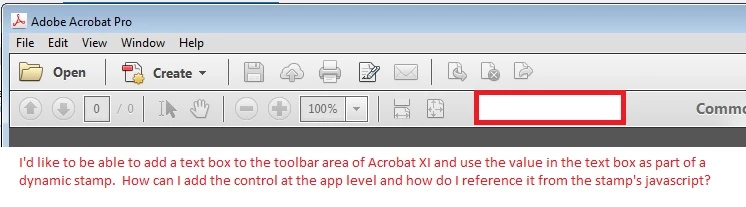
acrobatTextBox10312016.jpg

Thanks,

Christian Bahnsen

TOPICS
Acrobat SDK and JavaScript , Windows
856
Translate
Report
Community guidelines
Be kind and respectful, give credit to the original source of content, and search for duplicates before posting. Learn more
community guidelines

correct answers 1 Correct answer

Community Expert , Oct 31, 2016 Oct 31, 2016

You can't do that. What you can do, though, is add a text field to your stamp itself, and then use a script to prompt the user to enter the value of that box when they apply the stamp. The text will then become a part of the static contents of the stamp.

Translate
Community Expert ,
Oct 31, 2016 Oct 31, 2016
LATEST

You can't do that. What you can do, though, is add a text field to your stamp itself, and then use a script to prompt the user to enter the value of that box when they apply the stamp. The text will then become a part of the static contents of the stamp.

Translate
Report
Community guidelines
Be kind and respectful, give credit to the original source of content, and search for duplicates before posting. Learn more
community guidelines