


RIP Skagit
Participant
September 29, 2016
質問

Want line item total in invoice to not show up until other information is entered.

  • September 29, 2016
  • 返信数 2.
  • 401 ビュー

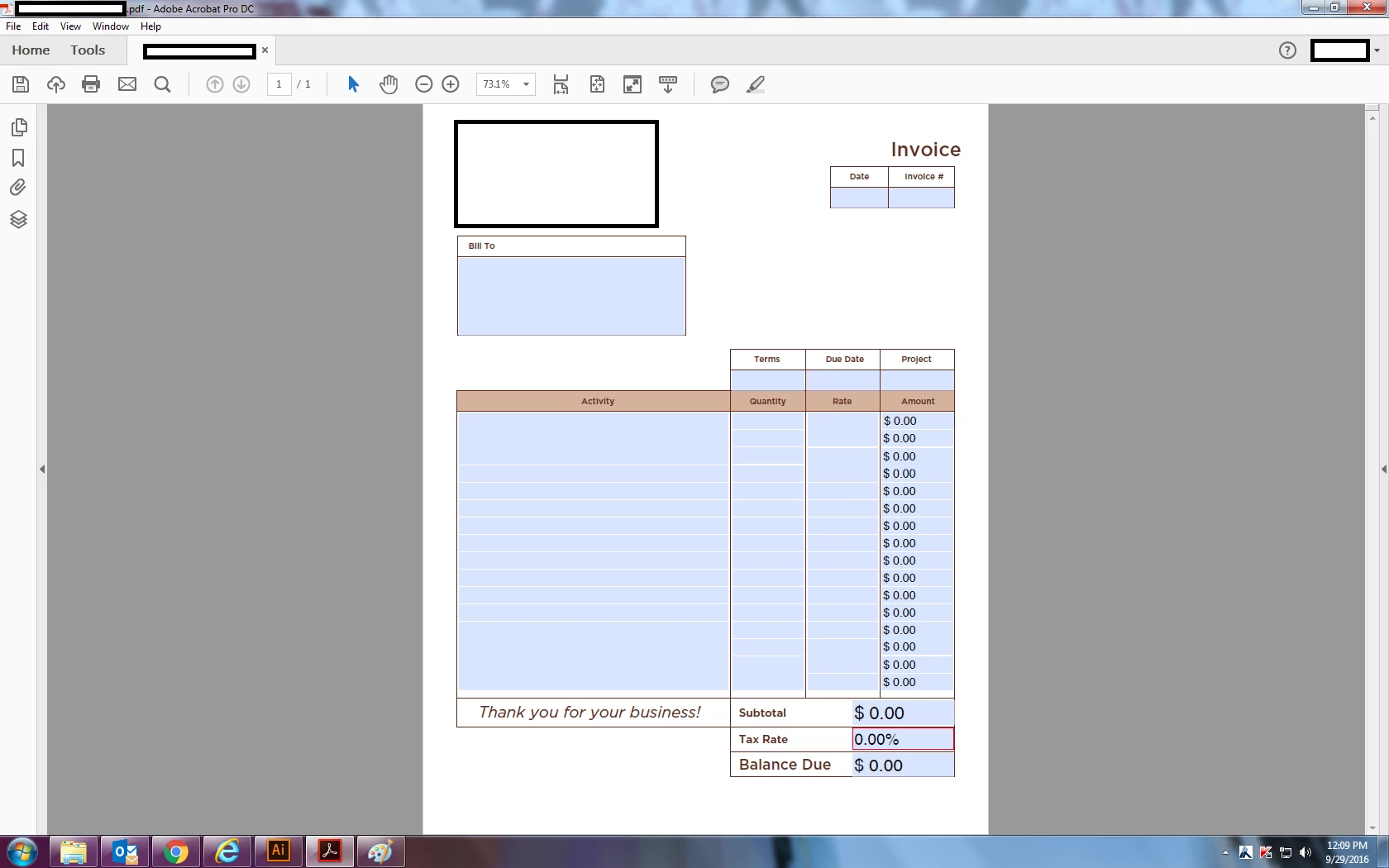
I am creating an invoice document in acrobat.  I have set up each line for input of quantities with a price and then total in the right column.  The right column always shows $0.00 in the total box, even when nothing it input into the quantity or price box.  Is there a way to make the $0.00 hidden until those two boxes are filled?  I am ok with the subtotal, tax rate, and balance staying as zeros... I just want the option to not have a ton of zeros if I only end up using one or two lines.  

I am using the Adobe CC Acrobat to create this document. 
このトピックへの返信は締め切られました。

返信数 2

Inspiring
September 29, 2016

Assuming you're using one of the built-in calculation methods and the field is using a numeric format, you can simply add the following custom Validate script:

// Custom Validate script for text field

if (+event.value === 0) event.value = "";

Inspiring
September 29, 2016

This has been answered many times. Have you tried Search for Zero Suppress?

Use a custom Format script to set the value of the field to "" or an empty string.

RIP Skagit
RIP Skagit作成者
Participant
September 29, 2016

Thank you... I had gone through the forums a few times and people had many different scripts they ran for similar items, and they hadn't worked so far when I copy/paste the script into my custom validation.