


Inspiring
March 29, 2021
Answered

Getting a blank popup when requesting signatures in Acrobat Pro

  • March 29, 2021
  • 13 replies
  • 31605 views

Hi All,

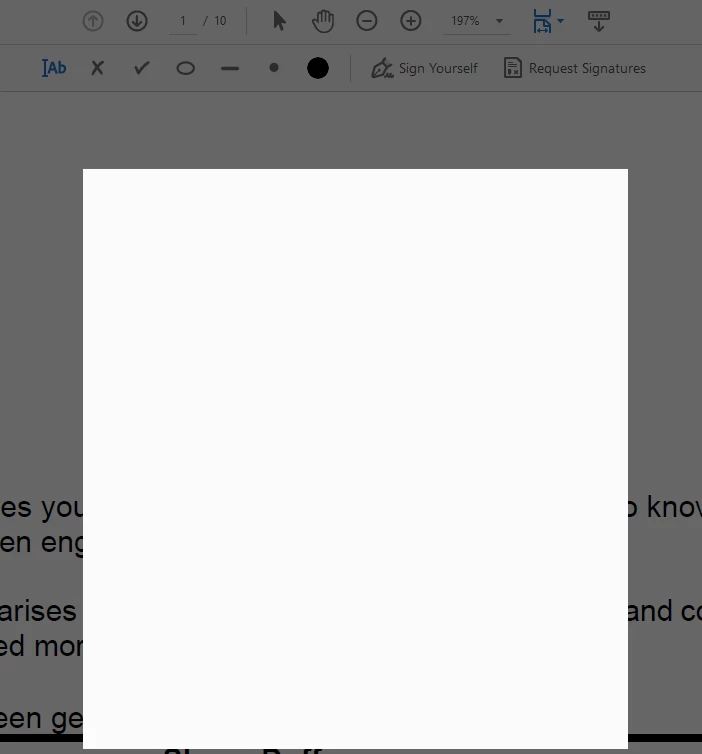
When I hit request signatures, the popup where you enter recipients is blank.  I have used this may times before and never had this issue.  I have signed out, restarted the laptop ans signed back in twice, still the same issue.  Screenshot below.


Thanks for your help.


Correct answer Shane_au

Hi Shane,


You can download the latest Acrobat installer from this link : https://helpx.adobe.com/in/acrobat/kb/acrobat-dc-downloads.html . Do let us know in case you face the blank popup screen post re-installation.


Regards,
Sandeep Grover


The issue was th most recent windows update that cam through about 16/9/21.  I am unable to return to previous setpoint on my laptop because I use onedrive and this interferes with the set point for windows, so I had to wipe my laptop and reinstall windows and all apps.  Now everything works fine.  This also hapened to me last year after a windows patch and I had to do the same thing.  

13 replies

Tchak
Participant
March 4, 2025

Same issue in 2025.
Adobe is a crook company, no doubdts.

Meenakshi Negi
Community Manager
Community Manager
March 12, 2025

Hi Tchak,


Thank you for reaching out.


We have checked your account with the email address you used to sign in on the Community page. It shows as a free account.

Please let us know if you are using any alternate account. Share the email address in the private message. You may send a private message using the envelope icon at the top right corner of this community page.


Let us know if the issue still occurs.


Thanks,

Meenakshi

Participant
February 13, 2023

I am also having this problem, but I am on a Mac.  My OS is macOS 12.5.1 and my version of Adobe Acrobat is 2002.001.2-0085.  I see that most of the solutions in this thread are to simply update Acrobat, but when I go go "check updates" it says I am up to date.   When I click either "sign yourself" or "request signature" I get a blank white popup and Acrobat becomes unresponsive (I have to "force quit" to get out of Acrobat).    I also got a similar blank white popup when I clicked "Save As" but was able to fix that by changing a preference to not "show online storage when opening files".

Participant
January 15, 2022

I've been dealing with this issue since late 2021 and this year.  I don't really want to play around in the registry without an expert on the line.  However, today, I did try to add initials and it let me use the file that I use for my signature.  So I 'signed' my document with my initials file.  Maybe this will work for your situation.


I do hope Adobe comes out with an update that will have this feature restored with the Windows os.

AmbooS
Adobe Employee
Adobe Employee
January 16, 2022

Hi,


Sorry to hear about the issue you are facing with Acrobat. We had a public release on Jan11' 2022 and you can update to the latest version by Help->Check for updates. This issue should be fixed now. 

Also, please try terminating any running AcroCEF/RdrCEF processes from task manager/activity monitor, if they are present, when Acrobat is closed.

Do let us know if you still experience any issues.


Thanks for your patience,

-amboo

Participant
April 19, 2022

I am still having the same issue... And this is true for both Desktop and online version...  This is very annoying....  :'(

Participating Frequently
November 30, 2021

This still comes in an out for me. Some weeks it will be fine, then the next week nothing will appear in various areas.


It's a shame as I do like this option of sending links to documents rather than attachments.

I hope good fixes come along soon that are easy to implement.

Participant
November 19, 2021

I am having the same issue all of a sudden.  I have not installed any windows updates and I have used the request signature option extremely often.  For some reason today all I get is a blank screen.  How do I fix this?


Participant
October 31, 2021

I fixed mine without the need for re-installation of Windows as follows:

1. Open Adobe DC,  select Help from the menu, then "Repair Installation."

2. Repair Windows corrupted files by Running a System File Checker, Typing cmd in the Search box, and clicking on Run as Administrator to open an elevated Command Prompt window. Open When Command Prompt opens, enter the following command and press Entersfc /scannow

3. Restart your PC when successfully finished fixing the corrupted files.


I hope this helps.

Antulio


Participant
November 9, 2021

Thank you, just doing the repair installation on Adobe worked for me.

Participant
October 28, 2021

So, I re-loaded Adobe Pro DC and also did the fix to online storage.  That made the blank box go away and "request signatures" return except for when I am combining files then trying to request signatures.  We routinely want to combine a check request with the support (invoice, receipt, etc.) and then request signatures on the check request.  So, I use combine files for that task and then previously "request signatures" but now the blank box is back and I can go no farther.


I appreciate any help and thanks!

Participant
October 30, 2021

I'm having the same issue with the blank screen box when requesting signatures. 

I also have to force quit the program in order to close the program. 


Participant
October 30, 2021
Mary, on a PC, I can hit ESC to avoid force closing the app, but Adobe esign still wont work. Waiting on a fix. Back to physical signing until they fix this 😞

Sent from my mobile device
[New blog post from AllConnected - Please read]
New blog post from AllConnected - Please Read
Participant
October 27, 2021

Hi All,

I met a similar issue in Windows 10.

I just bought Adobe Acrobat DC pro, but when tried to do the signature on it, the popup where you can draw signature cannot show up. It only showed a black screen.

But it is working fine on Adobe Acrobat reader DC!

Should I also need to uninstall the windows update to try to fix this issue?

Sunil_Soni
Adobe Employee
Adobe Employee
October 27, 2021

Hello Everyone,


Sorry for the inconvenience caused.

Can you please share more about your Acrobat version whether it is Acrobat DC or Reader DC and is it 32 or 64 version of the application ? We will share appropriate private build to check if your issue is getting fixed.


Please do share your email id as well so that we can provide you appropriate access to download private build.


-Regards

Sunil Soni

susoni@adobe.com 

Participant
October 28, 2021

Hi Sunil,

Thanks for your reply.

My version of Adobe Acrobat DC pro is 21.007.20099. It is 32bits.

My computer could support 64 bits, but I am not sure why we could only download 32bits version from Creative Cloud.

Please kindly send the private build to owenjychen@gmail.com


Thanks for your help.

Best regards,

Owen

Participant
October 11, 2021

same issue with my users. Save As and e-signtures not working. A reboot fixed it. 

Participant
October 20, 2021

I've experience the same issues, both with 'Save As', and when clicking 'Request Signatures' (via E-Sign). 


The 'Save As' Blank White Box was easy to fix.  Just needed to disable the search for online storage when saving.  May be related to our EDR/advanced endpoint security or DNS security filtering services.  Details here: https://community.adobe.com/t5/acrobat-discussions/quot-save-as-quot-pop-up-box-does-not-allow-me-to-save-the-document/td-p/7054342


We're still stuck with the 'Request Signatures' Blank White Box.  Our Adobe Acrobat DC version is 21.007.20099.  Windows 10 Pro v 21H1, OS Build 19043.1288, Feature Pack 120.2212.3920.0.  We've uninstalled and reinstalled Adobe Acrobat DC.  We've Repaired Adobe Acrobat DC.  Happening on multiple workstations.  


Would love to test beta patch if it's available

Participant
October 25, 2021

I have just bought the DC Pro programme and am having the same issues. Cannot Save As: and cannot use the signatures. 

Participating Frequently
September 30, 2021

I am joining in on the disussion when I click Request Signatures I am getting a blank white screen.

Any ideas appreicated.

Shane_auAuthor
Inspiring
September 30, 2021

Hi Dola,

Read my responce above.  I am pretty sure it was the last windows update, see if you can uninstall the last wndows update and see how you go.