


jeffery wright
Inspiring
June 26, 2017
質問

Animate CC 2017 No Longer Publishes?

  • June 26, 2017
  • 返信数 4.
  • 1092 ビュー

Has anyone else discovered this hidden treasure, yet?

I am currently trying to find a way to get an interactive HTML5 canvas movie clip to react to swipe gestures; Left to go Forward, Right to go Back which apparently involves adding JS libraries to the project. So, I thought I might have a look at how existing Global Scripts are Included.

My first mistake was double clicking this to have a look at it:
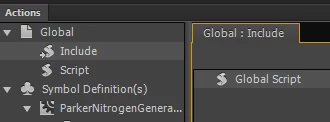
Doing so immediately crashed the program, which is bad enough but not a big deal... but naturally it gets worse.
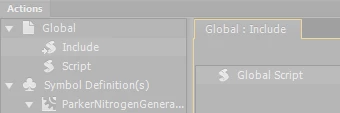
So I'll just close the program, open it up again having learned never to touch Global/Include/Global Script again (why would that be a problem? Who knows? But now I know not to go near it...)
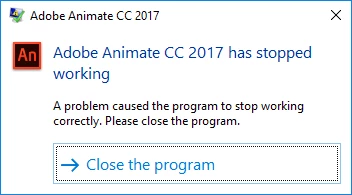
If only getting past this weird crash was to be so easy... on re-starting the program, I am greeted with this brand new notice that today is not going to be my day to get much done:

Publish directory is Modified? How did that happen? What modified it? Who cares if its modified?
All that just for double clicking on Global/Include/Global Script to have a look? This can't be true, I'll just hit Control + Enter to publish and.. nothing.

I'll go to Publish Setting and click Publish directly, surely that should...
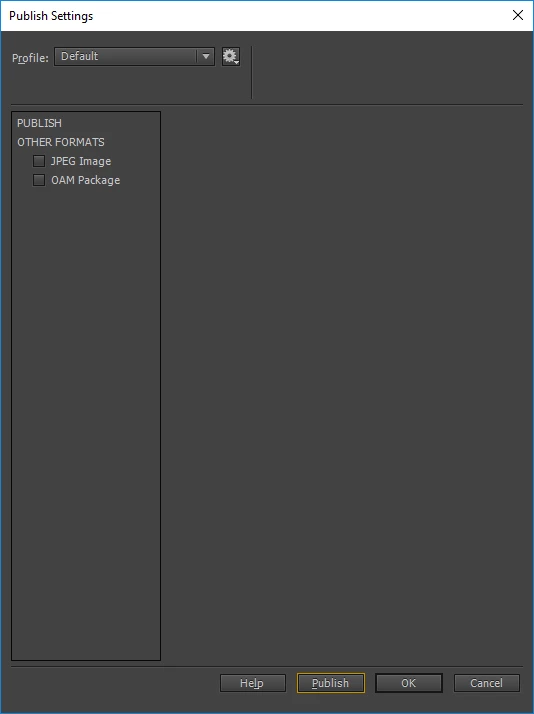
Monday morning, I have a busy day of work ahead.

Once again instead of getting work done and meeting deadlines I am met with another baffling Adobe bug that prevents me from doing my job, in yet another new and creative way that I could never have imagined. I never in a million years thought that instead of delivering work my clients expect today, I would be uninstalling and reinstalling an Adobe product because... well, that's a good question. Why do I have to do this?

Fingers crossed that doing this operation will somehow get me back on track. I just hope I had better not have to re-start my computer.

If anyone else has encountered this or if any Adobe staff can explain what happened, I would love to hear all about it.

Thanks and have a productive day, everyone.

    このトピックへの返信は締め切られました。

    返信数 4

    jeffery wright
    Inspiring
    June 26, 2017

    Well it only took 6+ hours of fighting this Adobe product uphill, but I finally got Animate CC 2017 to successfully open without an error.

    What a treat Adobe products are, I noticed no one from Adobe deigned to make any observations, helpful suggestions or defend their product in any way... I'm still waiting for the explanation of how this whole mess started in the first place and why?

    Does anyone else dare confirm that double clicking Global Script was the origin of the very lengthy, baffling and infuriating ordeal I had to cope with instead of producing work today?

    Perhaps an Adobe software engineer will eventually have something to say about this experience.

    Thanks again for all your help, guys, we're really on our own with these products.

    jeffery wright
    Inspiring
    June 26, 2017

    Well let's find out, I uninstalled Animate CC 2017, rebooted my machine because, hey what else do I have to do today anyway?

    Then I ran the AdobeCreativeCloudCleanerTool.exe:

    I went with the Delete All Adobe products, then I rebooted once again... and found that it still left shortcuts in the start menu:

    So just for fun, because I'm having lots of fun, I ran AdobeCreativeCloudCleanerTool.exe once again to confirm that there would be no products listed as I had just deleted them all.

    Look at that, still listed. I will now proceed to download the Adobe CC app and re-re-re-install their products.

    I have a bad feeling about this...

    Colin Holgate
    Inspiring
    June 26, 2017

    The Start menu includes a list of recent apps, could that be what you see?

    I haven't seen the cleaner tool on Windows. It's an ugly looking experience! Things are much nicer in the Mac version.

    jeffery wright
    Inspiring
    June 26, 2017

    No, those are shortcuts to the programs left behind by the ACCCT, thanks for pointing it out, how did you hear about the tool?

    jeffery wright
    Inspiring
    June 26, 2017

    The saga continues...

    I clicked the gear next to this in CC and chose Uninstall. After that, it is still there, but no gear icon:

    Maybe this is what is considered Uninstalled? Let's find out... assuming it is uninstalled, I will click "Update" and...

    CC freezes, becomes unresponsive so let's see what the hold up is by analyzing the wait chain...

    I guess I will click "Restart Program" which causes the program to fully crash and its not alone:

    So close 'em all and restart CC and re-install Animate CC 2017 or as CC puts it "Update"? (But I uninstalled it!)

    Notice, "Remove Old Versions" is checked:

    And re-installed! Let's fire it up and get to work, finally... ah look at that:

    Same issue, what could possibly still be the problem here?

    I'm open to wild guesses at this point.

    kglad
    Community Expert
    Community Expert
    June 26, 2017

    if the problem occurs with a new project, reset your preferences by removing

    C:\Users\<username>\AppData\Local\Adobe\Animate CC 2017\ and

    C\Users\<username>\AppData\Roaming\Adobe\Animate\2017\ ::

    jeffery wright
    Inspiring
    June 26, 2017

    I got rid of the directories, but when I opened the program again, same thing:

    The program did create new directories of the same name successfully, but no dice on being able to publish my work.

    What could the solution be? No one else has run into this issue?

    Colin Holgate
    Inspiring
    June 26, 2017

    The fact that it said Update suggests it was still installed, and if there was something wrong already it might still be wrong after the update.

    There is a cleaner tool that can clear out all files, to give you a fresh start. Read about it here:

    Use the Creative Cloud Cleaner Tool to solve installation problems