


outsiderk
Participating Frequently
October 9, 2019
Question

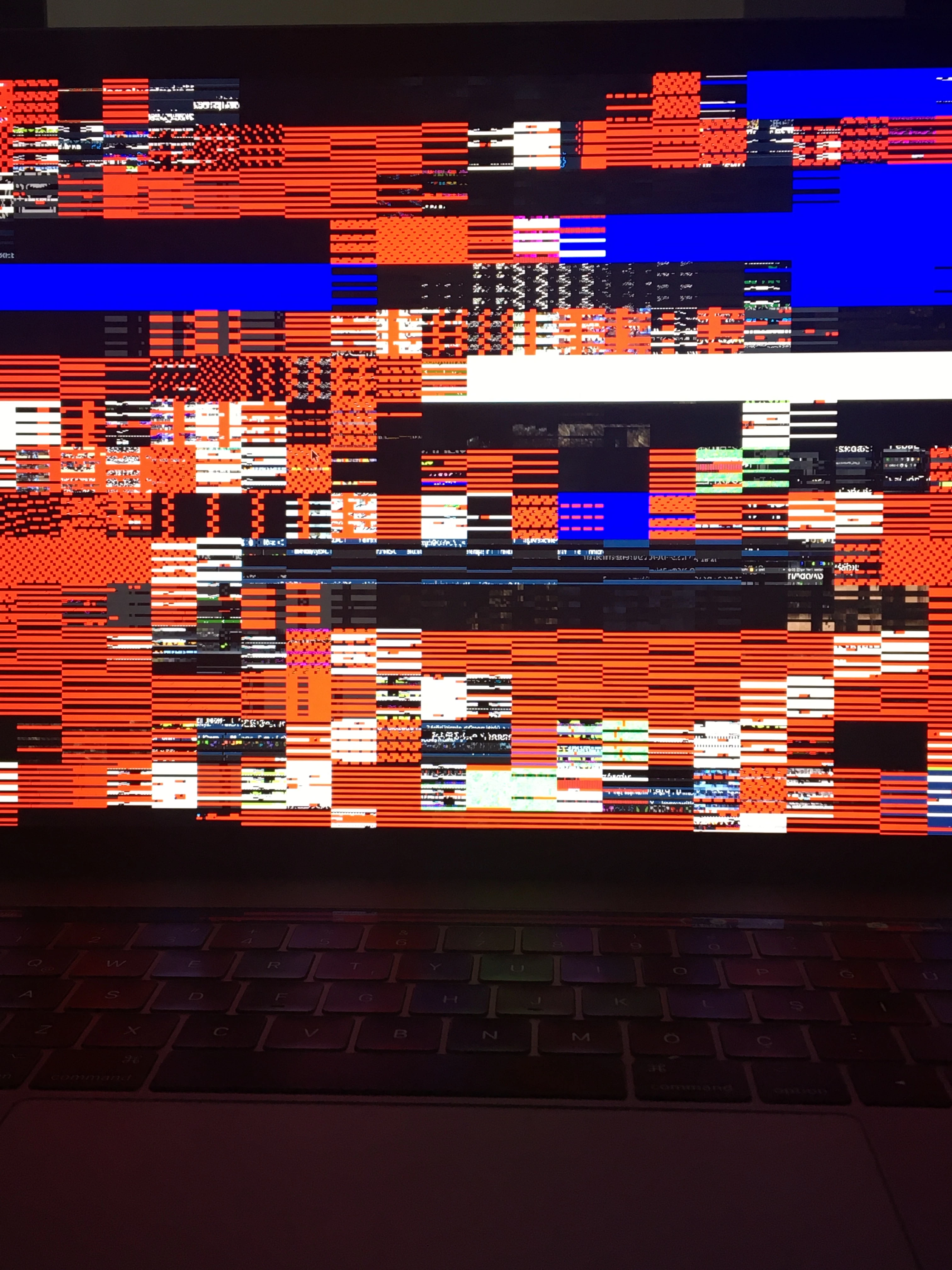
Distorted full preview in Bridge

  • October 9, 2019
  • 26 replies
  • 4842 views

Hi guys,


My whole photo previews are distorted when I display them as fullscreen. It happened when I upgraded my computer to macOS Catalina. 


Any idea about the solution?


This topic has been closed for replies.

26 replies

darciep1996
New Participant
February 3, 2020

Any resolution on this? I'm having the same issue after installing Catalina.

New Participant
February 3, 2020

Are you using the latest version of Bridge?

New Participant
February 3, 2020
Since the update the preview works correctly

Antonio
New Participant
November 1, 2019

I also had this issue on my 2018 Macbook Pro (thought my graphics card was failing at first) and the only fix was to restore to Mojave, so it's definitely a weird Catalina + Adobe Bridge bug.


Strangely enough, I do not have the issue with my 2019 iMac running Catalina. 

PECourtejoie
Community Expert
November 25, 2019

Hello, did you try Bridge 2020?

Varun Varshney
Adobe Employee
Adobe Employee
October 30, 2019

Hi,

Many of the Bridge Catalina issues have been addressed in v10.0 which will be released early next month.

If you need early access to this release, you can sign up for the prerelease program from https://adobeprerelease.com under NDA.

Select Adobe Bridge. Once we approve your request, you will be able to download v10.0 (choose the latest drop).


Please check this build and report back.


Thanks,

Varun Varshney

Participating Frequently
October 30, 2019

Thank you Varun. Will report back when the update arrives.

Participating Frequently
October 25, 2019

I signed up for the beta and tested the new 10.x version. I can confirm that this issue is fixed in that version.

New Participant
October 21, 2019

When using bridge to edit on Mac OS, I have always used the space bar to view my highlighted image full screen. Makes editing much faster. I am running the latest version of Bridge and Camera Raw. Since upgrading to Catalina, whe I hit the space bar, the image is completely color banded and not visible. This would appear to be a bug. The odder thing is, when I try to do a screen capture (CMD-SHFT-3) it clears up and the screen capture looks normal. Anyone else having this issue?


[Moved from generic Start/Help forum to the specific Program forum... Mod]
[To find a forum for your program please start at https://community.adobe.com/]

John T Smith
Community Expert
October 21, 2019

You should always wait for AT LEAST a month befeore upgrading to a new operating system, to be sure that all of the programs you use are going to keep working properly
.
Read all of the replies in this message when you have a problem with Catalina
-includes two links on how to revert to a previous operating system
https://community.adobe.com/t5/Get-Started/Catalina-upgrade-breaks-Photoshop-and-Illustrator/td-p/10668337

New Participant
October 20, 2019

Will the update 10.15.1 which is still currently with developers solve the fact that My Adobe Bridge wont read my card readers or my my Nikon D7500 and when I try to go to full screen view in Bridge the image is so pixeled out I cant see it. Any on else got these issues.

Chuck Uebele
Community Expert
October 21, 2019

While Adobe is working on the issue with Catalina, no one outside of Adobe knows that those bug fixes will be, and Adobe won't comment on it till the release, which might come around the time of Adobe MAX in Nov.

New Participant
October 19, 2019

ADOBE!!

RESOLVE THIS PROBLEM !! WHAT A BAD SERVICE TO YOUR FAITHFUL PAYING USERS !!!!!

Adobe Employee
October 18, 2019

Hi,

The Bridge Catalina issues have been addressed in v10.0 which will be released early next month. If you need early access to this release, you can sign up for the prerelease program from https://adobeprerelease.com under NDA.

Select Adobe Bridge. Once we approve your request, you will be able to download v10.0 (choose the latest drop).


Please check this build and report back.


Thanks,

Teja

Senior Product Manager,

Adobe

New Participant
October 18, 2019

Same here on MacBook Pro 2018!

New Participant
October 17, 2019

Aaargh! I have the same problem on a Macbook Pro 2018. Adobe please help. Workflow is f...ed!

Participating Frequently
October 18, 2019
I have the same issue as well after upgrading to catalina. new update to catalina did not fix it. MacBook Pro (15-inch, 2016)
