


Known Participant
February 12, 2019
質問

New "Enhance Details..." AI fetaure - errors, artifacts

  • February 12, 2019
  • 返信数 2.
  • 2199 ビュー

I just quickly tried out the new Enhance Details... feature in ACR on some Fuji X100T files with some detailed photos I had around.

With very limited testing and mixed results, there are some errors.

It did show some very fine detail better, my sample files had lot of single pixel highlights from sun reflected in snow crystals, and those did look better in the AI enhanced photos.

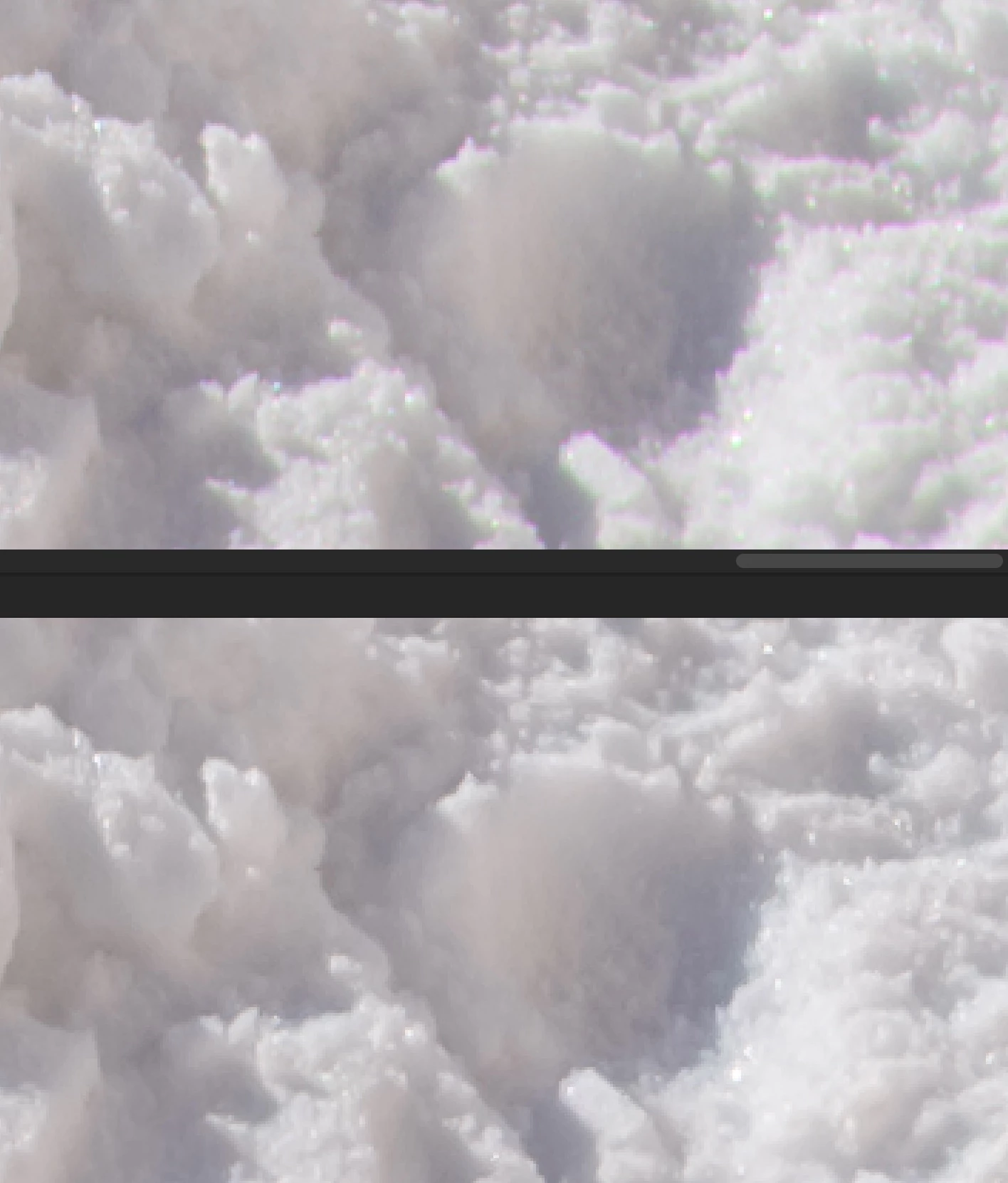
However, at least with those snow landscapes, purple fringing was a major issue in the AI enhanced photos (it did very clear nicely in the non enhanced photos).

It seems that ACR is applying chromatic aberation removal AGAIN for the enhanced DNG, thus producing that much purple fringing. When chromatic aberation removal is disabled for the enhanced DNG, it looks better.

See screenshot (top is enhanced, bottom is normal)
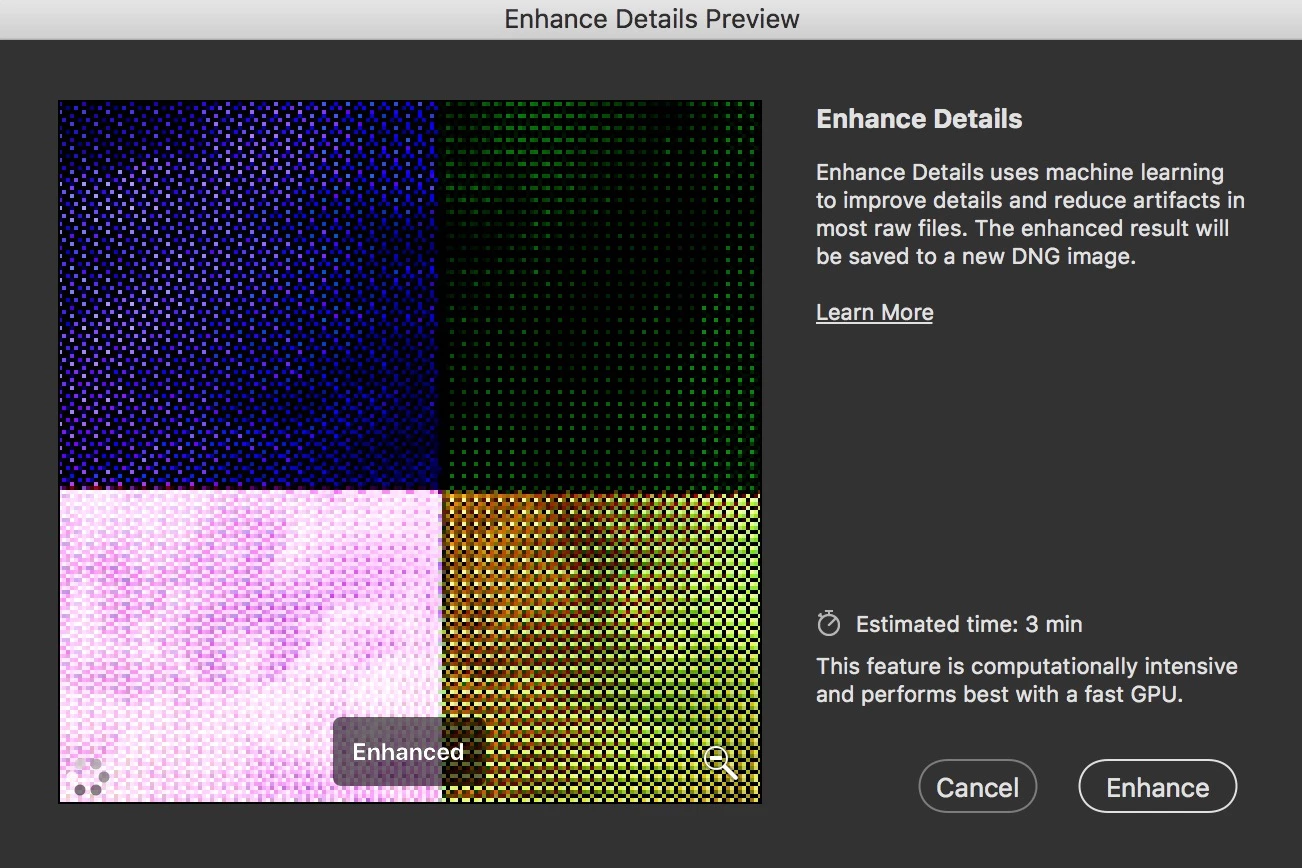
However, I am getting some major artifacts with it. Like this:
or this:
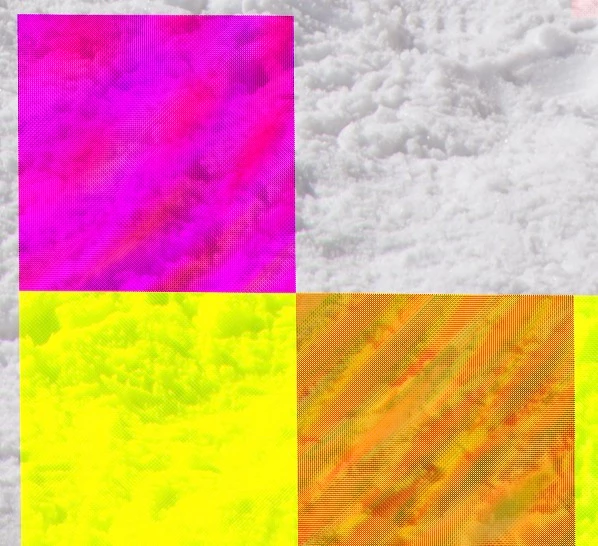
Might be GPU drivers related, might be a bug, whatever. Not much time for further testing right now.

___

Mac OS 10.13.6

このトピックへの返信は締め切られました。

返信数 2

MihKr
Participant
February 16, 2019

I don't see any errors here on GTX1080. I quite like enhanced luma details. The tradeoff is lost color details, especially in shadows. Also some color tones are shifted after conversion, but that seems to be the general issue of DNG format. Checked on files from 5D3, A7R3 and some Lumix ones.

Sahil.Chawla
Adobe Employee
Adobe Employee
February 12, 2019

Hi FrankWphoto,


As enhanced detail is a GPU intensive feature, could you please let us know the GPU installed in the computer?
Also, updating the OS might help.


Please check this article for more details: Enhance Details | Adobe Blog

Regards,
Sahil

Nik Brunner
Participant
February 12, 2019

Hi,

so i am very happy for the new feature, but i have the same problems with colored artifacts.

I also tried different pictures, but it happens everytime but with different artifacts.

glitch.png

  • Windows 10 (1809)
  • NVIDIA GeForce RTX 2070
FrankWPhoto作成者
Known Participant
February 13, 2019

Seems like it's a known issue and our engineers are aware of it, would you mind adding your vote to this issue here? https://feedback.photoshop.com/photoshop_family/topics/enhance-details-causes-cut-out-squares

Enhance Details Causes Cut out Squares | Photoshop Family Customer Community Also, follow the thread for any updates.


Thanks. Did that.

BTW, this is what the Adobe provided X-trans sample file looks like on my system:

The issue seems to be only with X-trans files, since 1-D X photos render fine on same system:

(top photo is normal, bottom is Enhanced details - notice the aliasing and clarity of the chainsaw lettering and logo which is gone with Enhance details. Overall, the difference with Bayer files seems to be much less then with X-trans)