

Known Participant
March 9, 2020
解決済み

Adobe Dimensionのガラスのマテリアルがレンダリングにうまく反映されない。

  • March 9, 2020
  • 返信数 3.
  • 1529 ビュー

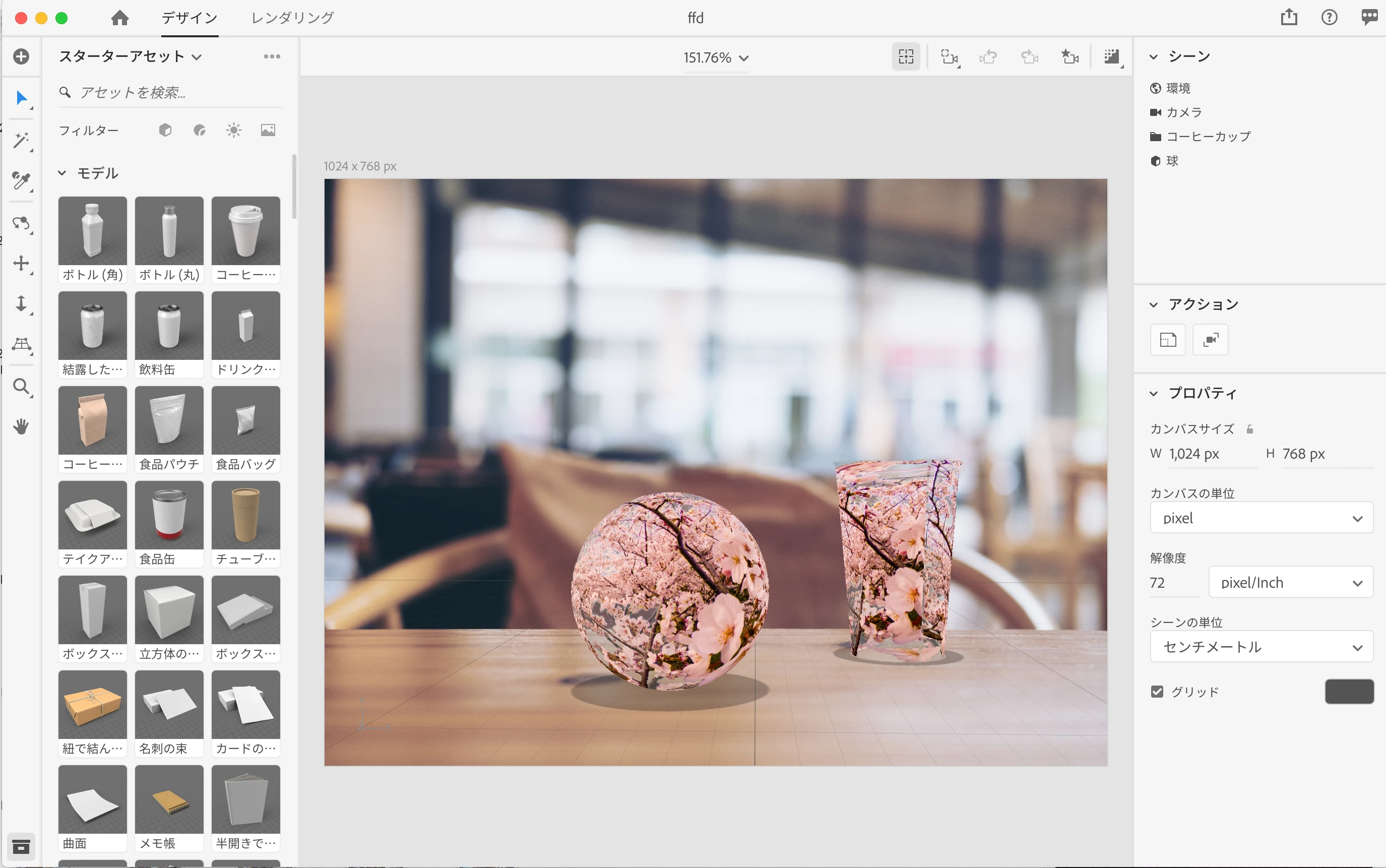
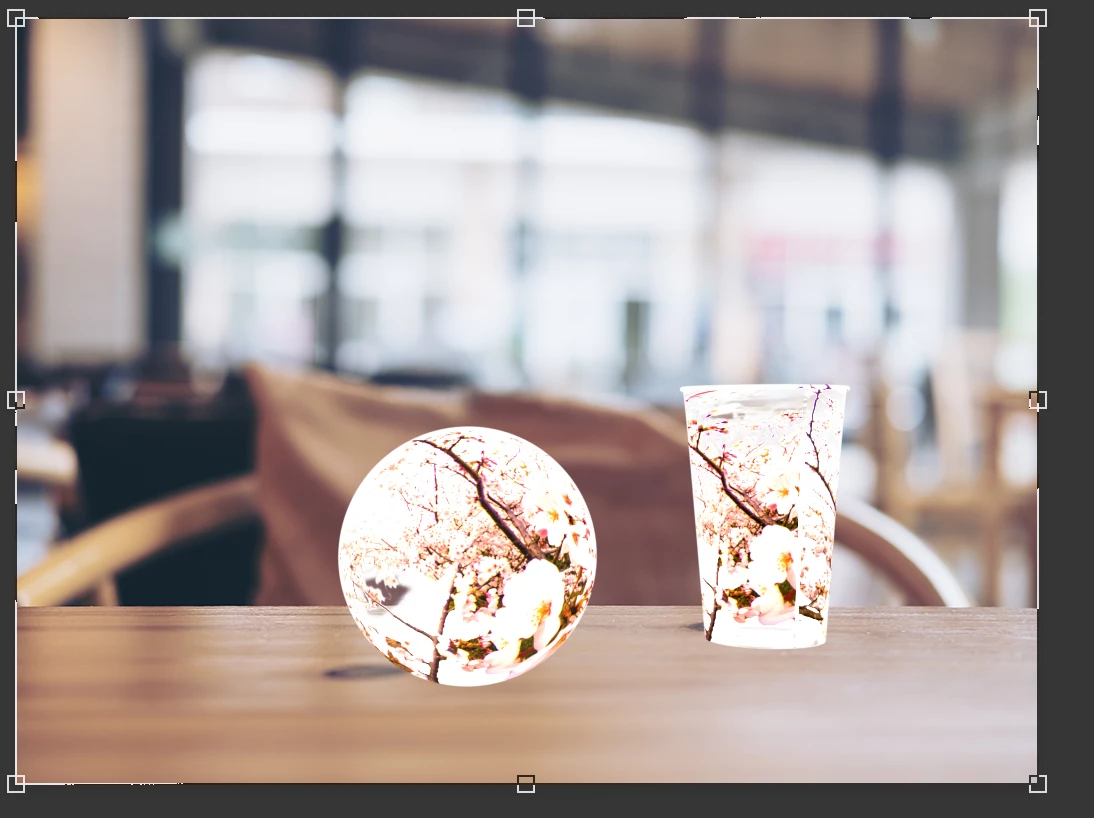
Adobe Dimensionで、コップなどのモデリングにガラスのマテリアルを適用して、透明入り画像を貼り付けたのですが、これをPSD・およびPNGでレンダリングすると透明部分が反映されず、透明の部分が真っ白になります。レンダリング前と後の画像も掲載しますが、このことについて分かる方、お教えください。

    このトピックへの返信は締め切られました。
    解決に役立った回答 Ussnorway7605025

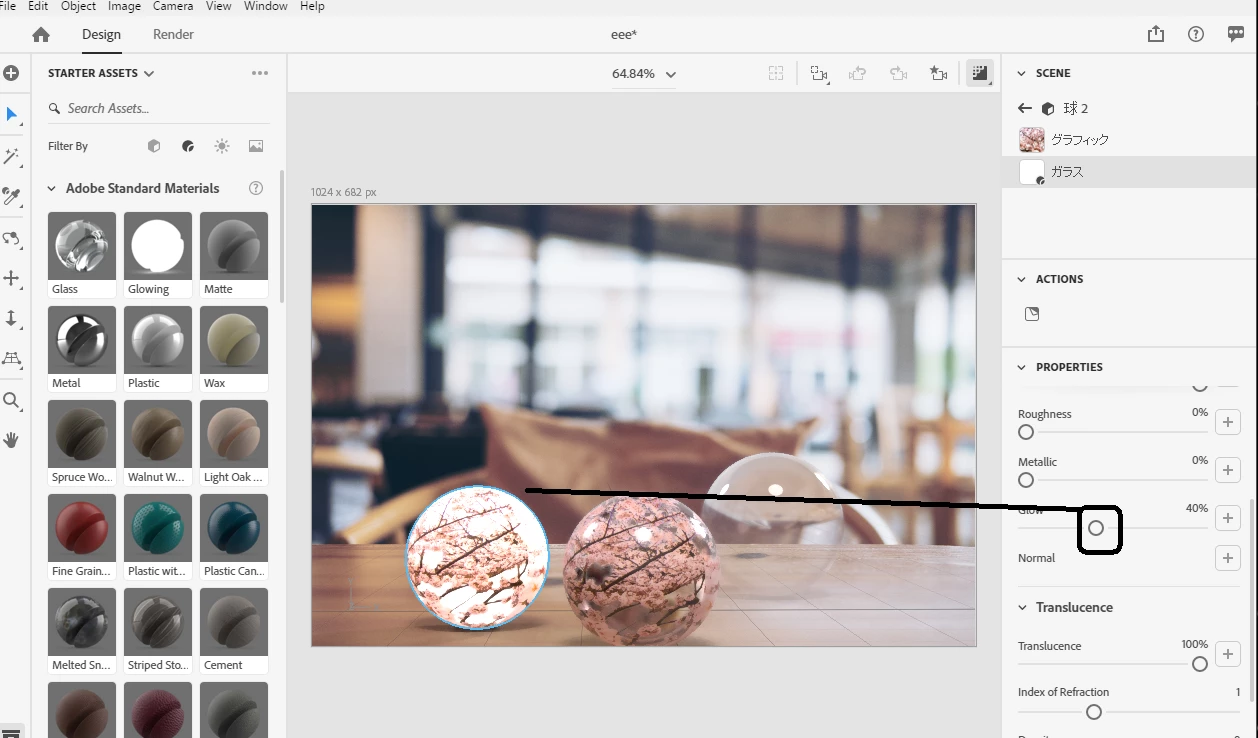
    I have your file and yes the issue is because of 40% glow
    返信数 3

    Ussnorway7605025
    Legend
    March 11, 2020

    I have your file and yes the issue is because of 40% glow

    ssr92638210作成者
    Known Participant
    March 12, 2020

    Thank you very much.I can render transparent models in my environment.

    Ussnorway7605025
    Legend
    March 11, 2020

    Mac = Cpu rendor so thats fine


    yes Adobe is well aware this forum blocks Dn files and that sucks but you can zip them to share from Adobe cloud or use one of the 3rd party options like Dropbox


    is the decal image a Jpeg?

    Jpeg = no transparency options

    ssr92638210作成者
    Known Participant
    March 11, 2020

    Decal images are PNG or PSD.

    https://adobe.ly/39K013F

    Ussnorway7605025
    Legend
    March 10, 2020

    The images you posted look like glow has been added but I would need the Dn file to know for sure

    are you using Gpu or Cpu rendor?

    glass material is working as expected for me

    ssr92638210作成者
    Known Participant
    March 10, 2020

    私の環境は、
    MacBook Pro (15-inch, 2017) 

    macOS Catalina

    Radeon Pro 560 4 GB

    Dimension v3.1.1


    その後色々試したのですが、モデルにガラスのマテリアルを適用してプロパティを

    一切変更しなくても、レンダリングすると画像が変化します。

    なおDNファイルは、このサポートコミュニティからでは送信出来ないようです。