Answered
My default code theme color is very weird, can anyone tell me how to fix it?
I already changed the setting, but the code color always black.
Anyone know what happen?
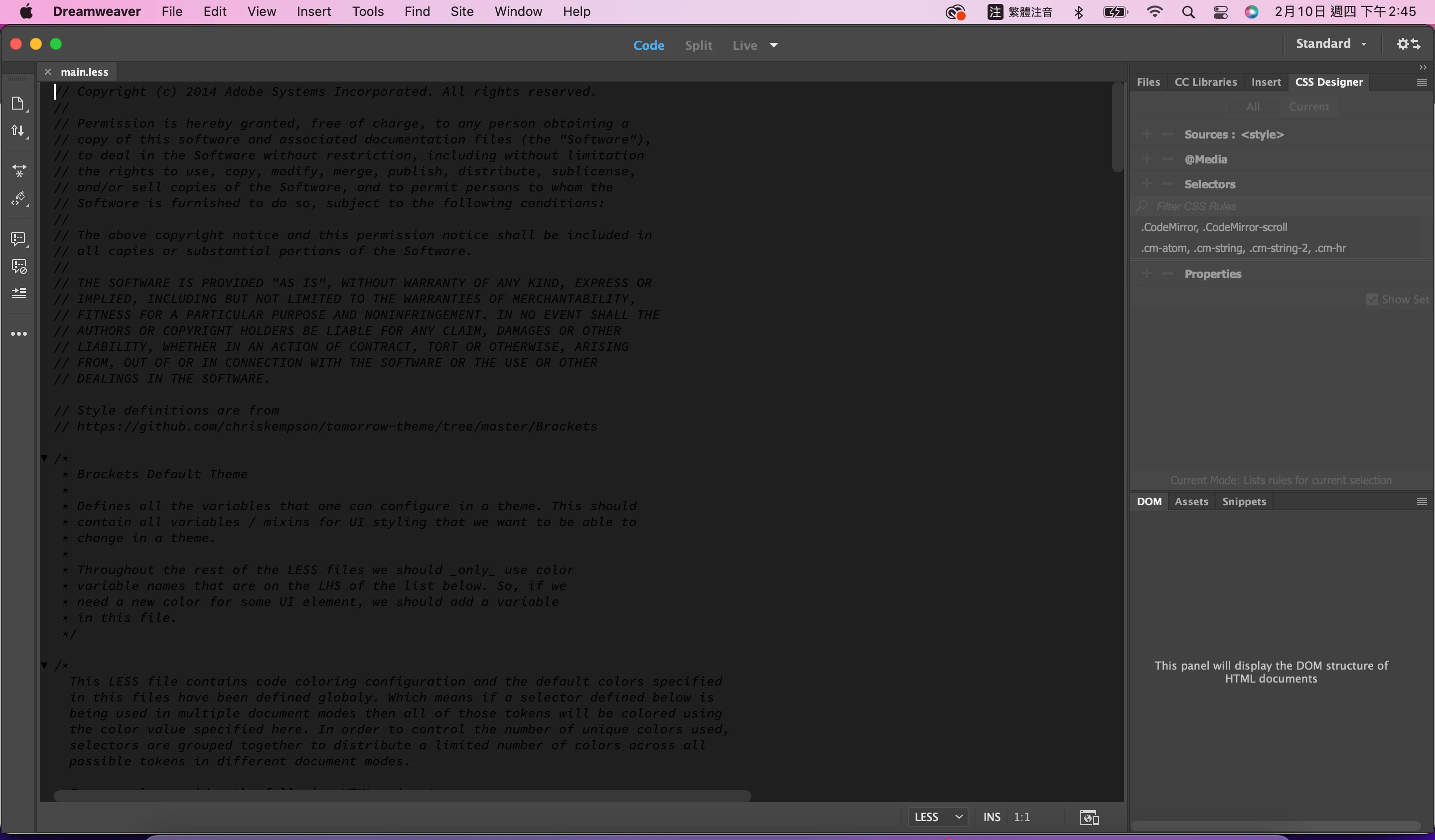

I already changed the setting, but the code color always black.
Anyone know what happen?
Hi @曉芳2309197525pc,
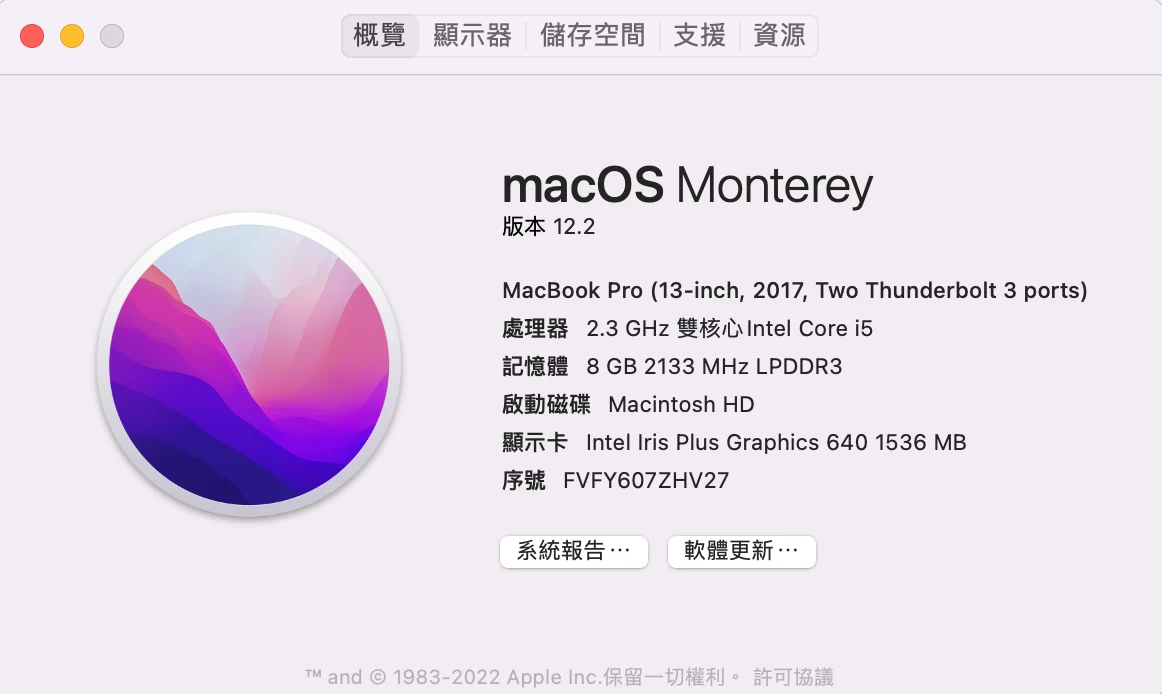
Thanks for providing the details. Please confirm the Dw version.
As a work-around, can you please try the below steps.
Steps:
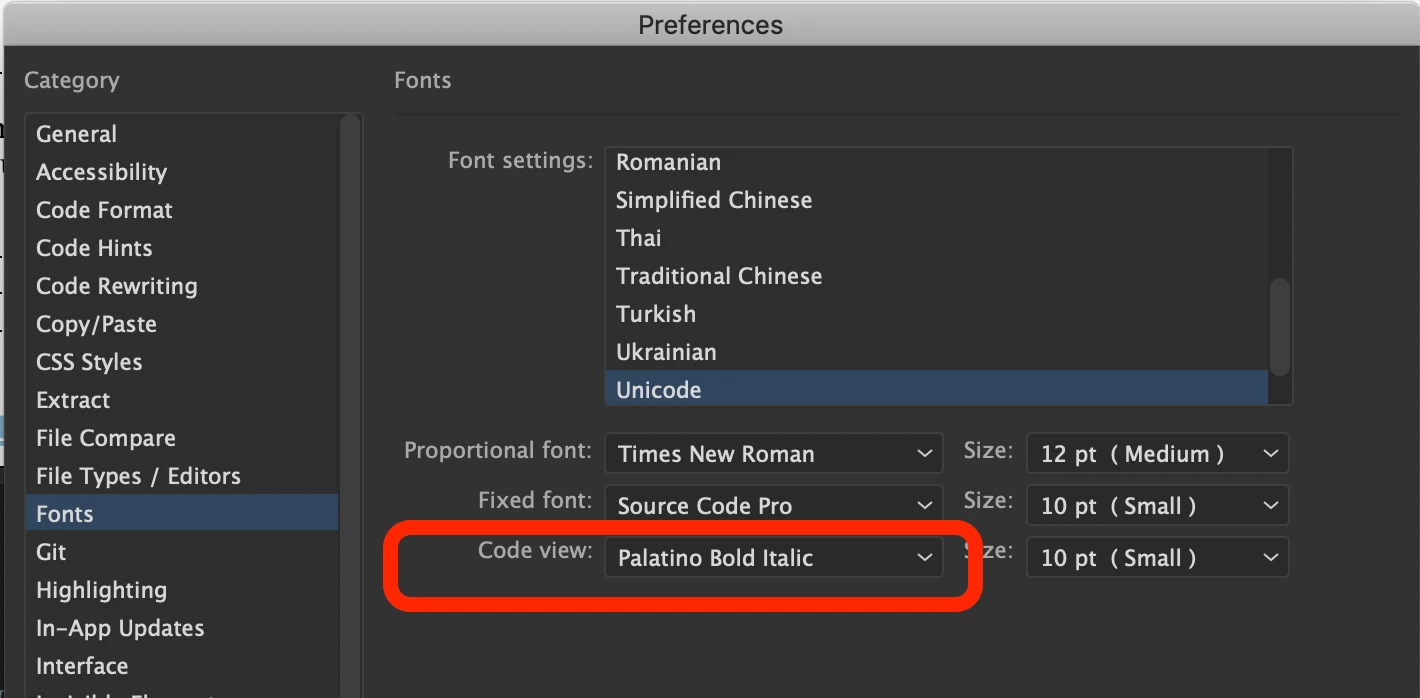
1. Launch Dw and Invoke Preferences dialog under Dreamweaver menu
2. Switch to Fonts section
3. Change the code view font to something else (Times New Roman etc)
4. Click on Apply button and close Preferences dialog
Please let us know if the above resolves the issue else we will further debug the issue. Please refer to the below screenshot for locating Code view font under Fonts section in Preferences dialog.
Have a pleasant day!
Regards,
Nayan
Dreamweaver Team
Already have an account? Login
No account yet? Create an account
Enter your E-mail address. We'll send you an e-mail with instructions to reset your password.


 AdChoices