

MacPhobic
Inspiring
March 11, 2015
Question

Creative Cloud 2014 Package Now Says Trial!

  • March 11, 2015
  • 3 replies
  • 1383 views

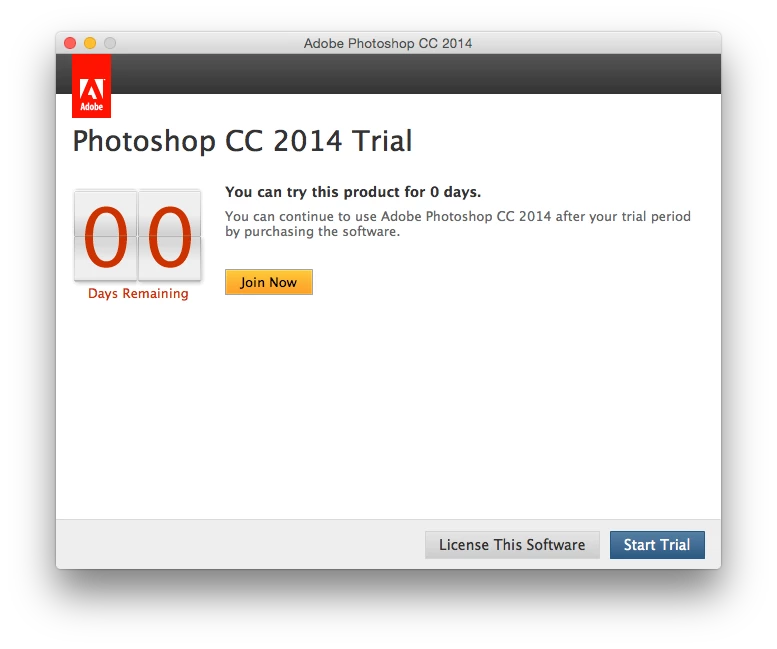
We've created CC 2014 packages for our enterprise. Now when users launch the product or if a new computer is imaged we get a trial window.

This is not a trial. How do we fix this?
    This topic has been closed for replies.

    3 replies

    alisterblack
    Community Manager
    Community Manager
    May 19, 2015

    According to our documentation this result means "Loading of permanent activation grace failed (due to malformed xml, corrupt or missing Enigma data, or some other error)".

    https://helpx.adobe.com/creative-cloud/packager/provisioning-toolkit-enterprise.html

    So I would as a first step, recreate the serialization file.

    MacPhobic
    MacPhobicAuthor
    Inspiring
    May 14, 2015

    Hi guys!

    So we've been using the licensing packager for this problem and so far so good till now. We're getting a strange error when launching the AdobeSerialzation file. The Terminal output is:

    Wait result: 5120

    Wait result: 20

    and nothing happens. The icons just bounce on the dock. Usually we get Wait result: 0. and it works.

    Any thoughts?


    MacPhobic
    MacPhobicAuthor
    Inspiring
    May 15, 2015

    alisterblack I guess my real question is, what happens when the AdobeSerialization file does not work? We've reimaged the machine(s) already with the same output.

    MacPhobic
    MacPhobicAuthor
    Inspiring
    March 11, 2015

    And then when i try to license the software with the same username, password and serial number i used to create the install package i get this nonsense:

    alisterblack
    Community Manager
    Community Manager
    March 12, 2015

    Hi,

    I assume you used the Creative Cloud Packager to build your package?

    For an imaging workflow you might find the following useful

    https://helpx.adobe.com/enterprise/kb/cce-deploy-imaged-workstation.html

    "If users receive a sign-in or serial number prompt when launching the software, for serial number and device licensing, the license was connected before creating the image. You can either use our Licensing Toolkit to relicense the machines or correct the base image. See the Creative Cloud Packager help to Create a License file to relicense the machines."

    MacPhobic
    MacPhobicAuthor
    Inspiring
    March 12, 2015

    So you're saying every time we image we re-image a computer, we need to run this re-licenser?
