
Chre
Inspiring
July 3, 2019
Answered

Freeing disk space on AUSST server?

  • July 3, 2019
  • 2 replies
  • 2281 views

Hi all here,

We have an AUSST server, with software installed on D:\ drive on 500GB disk.

This 500GB is now almost full (less than 2GB free), et we encounter trouble to obtain updates from this AUSST server with our adobe creative cloud client desktop.

How can we freeing disk space on this server?

How can remove old version of Adobe products we can't use now?

Here, our directory tree on AUSST server:
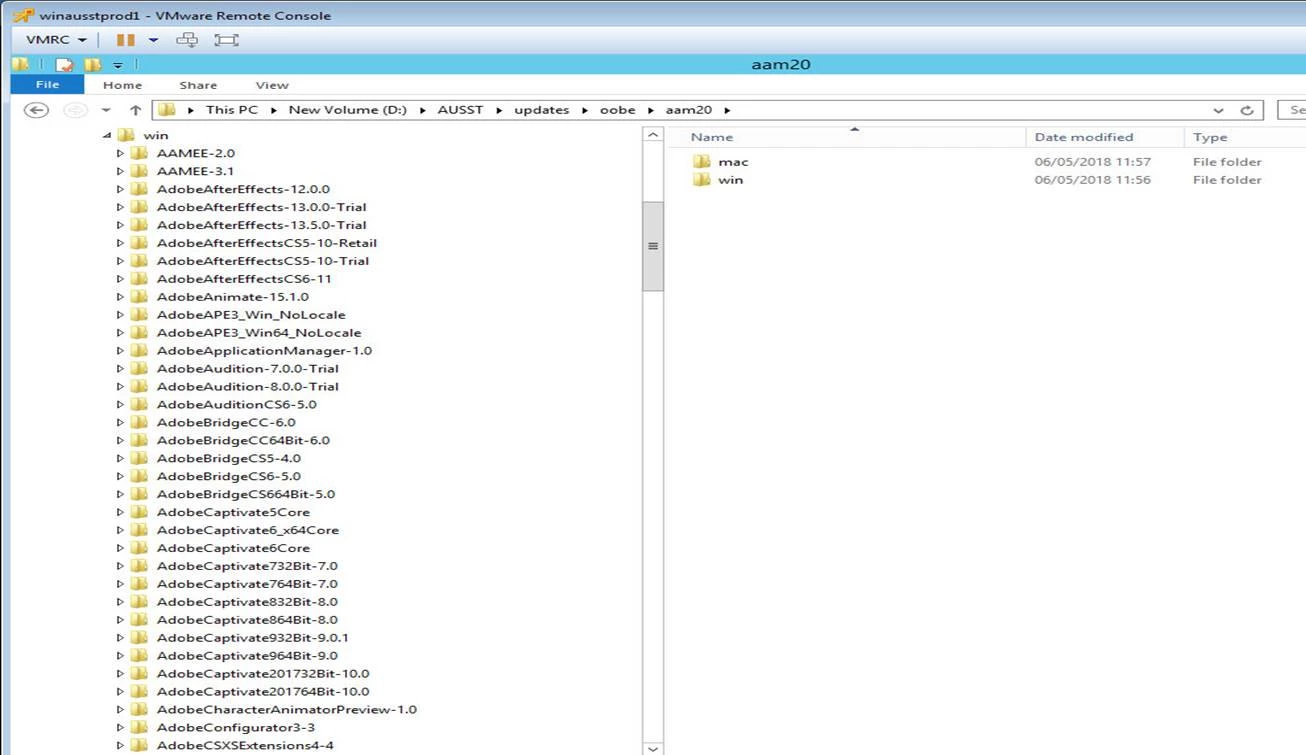
Any help appreciated!

Thanks.

    This topic has been closed for replies.
    Correct answer alisterblack

    Hi,

    With the current AUSST release you can use the --cleanup command to remove obsolete updates.

    See Use the Adobe Update Server Setup Tool (AUSST)

    2 replies

    alisterblack
    alisterblackCorrect answer
    Inspiring
    July 4, 2019

    Hi,

    With the current AUSST release you can use the --cleanup command to remove obsolete updates.

    See Use the Adobe Update Server Setup Tool (AUSST)

    Chre
    ChreAuthor
    Inspiring
    July 8, 2019

    Hi all,

    Thanks ALBLACK!

    I didn't know before this new option --cleanup, and thats work, we have now 485GB free on our disk!

    But I always have an error 125 or 113 to download updates, but it is another issue and I think I will make new subject for that.

    Example:

    Exit Code: 113

    -------------------------------------- Summary --------------------------------------

    - 3 fatal error(s), 0 error(s), 0 warnings(s)

    FATAL: Fatal Error '113' occurred while download

    FATAL: Fatal Error '113' occurred while download

    FATAL: Error occurred in download of package (Name: AdobePhotoshop20-Core_x64 Version: 20.0.5.83). Error code: '113'

    -------------------------------------------------------------------------------------

    Anyway, thanks for help!

    kglad
    Community Expert
    Community Expert
    July 3, 2019