

Participant
June 7, 2019
解決済み

円形ツールが見当たりません

  • June 7, 2019
  • 返信数 2.
  • 5371 ビュー

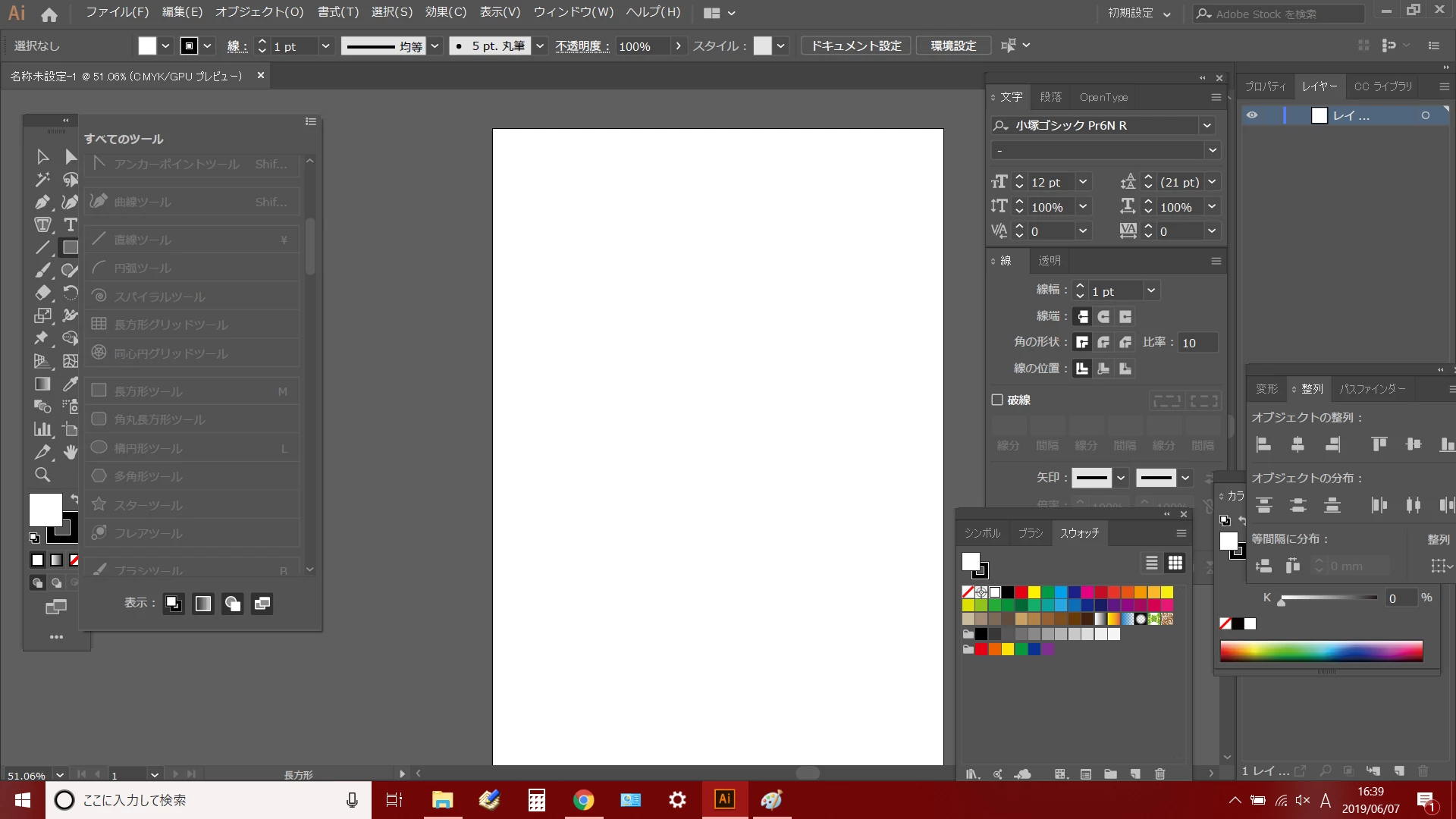
イラストレーターで円形ツールが見つかりません。

長方形ツールを長押しして出てくるのが円形以外の5つです。

・長方形ツール

・角丸長方形ツール

・多角形ツール

・スターツール

・フレアツール

ご存じの方、いらっしゃいましたらご教示いただけますと幸いです。

このトピックへの返信は締め切られました。
解決に役立った回答 Dahlia0126

ありがとうございます!

ツールバーを編集→すべてのツール→リセット

この内容で解決しました。

助かりました!
返信数 2

assause
Community Expert
Community Expert
June 9, 2019

Illustrator (us) から Illustratorコミュニティフォーラム (Japan) に移動しました。

c.pfaffenbichler
Community Expert
Community Expert
June 7, 2019

I can't find the circular tool in illustrator.

It is five other than the round to come out by long-pressing the rectangle tool.

Rectangular Tool

Rounded Rectangle Tool

Polygon Tool

Star Tools

Flare Tool

If you know, I would appreciate if you can teach me.

Could you please post a screenshot.

And try hitting the »three small squares«-icaon at the bottom of the Toolbox.

Dahlia0126作成者解決!
Participant
June 7, 2019

ありがとうございます!

ツールバーを編集→すべてのツール→リセット

この内容で解決しました。

助かりました!