- Home
- Illustrator
- Discussions
- Re: Document contains incompatible objects
- Re: Document contains incompatible objects
Document contains incompatible objects

Copy link to clipboard
Copied
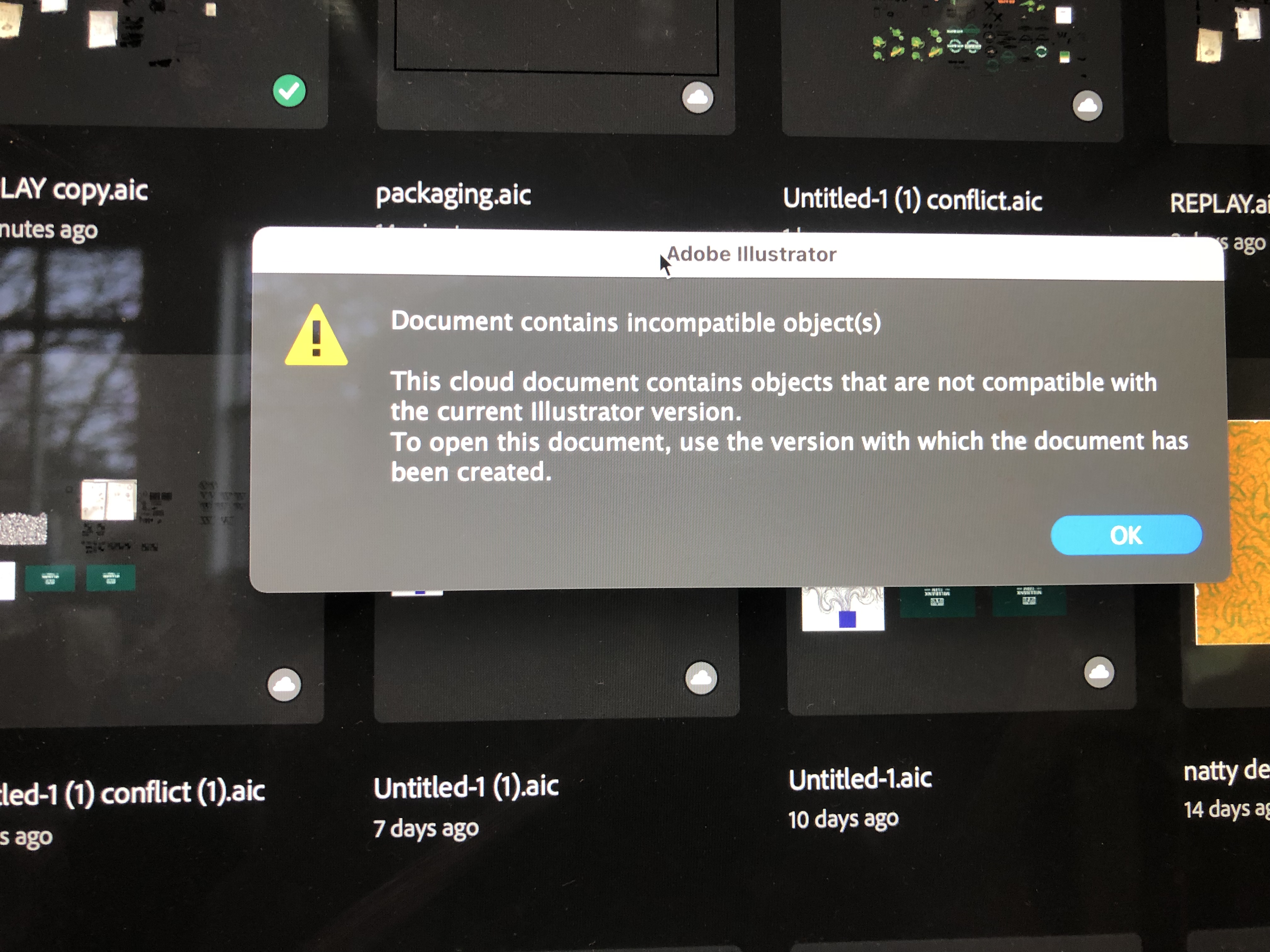
- My illustrator won't open a cloud file and I can't download it. The message comes up saying this cloud document contains objects that are not compatible with the current illustrator version.
Does anyone know how to access this type of document ?? Really need help it's got important uni work on 😞


 2 Pinned Replies


We are sorry to hear about this. The product team needs some information to further investigate the issue:
- Collect logs with the help of the Log Collector tool (Ensure the Adobe application is not running before running the Log Collector tool)
The log file is generated by the log collector tool . You can find it on your Desktop, most likely with the extension "..ZXP". You can upload it to Creative Cloud, Google Drive, or any similar service and share the download link

Hi @Cason5FA7,
Thank you for reaching out. Would you mind resharing the link with public access? I will then forward this to the product team for investigation. Also, would you mind sharing a few details:
-
When did you first get this error, day & time?
- In which version of Ai did you create or open the file?
- Are you able to download or open the previous file from the version history (https://adobe.ly/3xpLaME)?
- Collect logs with the help of the Log Collector tool and upload it on Google Drive/Dro

Explore related tutorials & articles
 69
Replies
69
69
Replies
69


Copy link to clipboard
Copied
https://assets.adobe.com/id/urn:aaid:sc:EU:439cba49-0b26-4b21-ac9f-68722946d1f4?view=difile
I cant open my adobe file in any version of illustrator


Copy link to clipboard
Copied
@Maria28951810t81p schrieb:
https://assets.adobe.com/id/urn:aaid:sc:EU:439cba49-0b26-4b21-ac9f-68722946d1f4?view=difile
I cant open my adobe file in any version of illustrator
@Anshul_Saini can you please try and recover this file?
Copy link to clipboard
Copied
We are sorry to hear about this. The product team needs some information to further investigate the issue:
- Collect logs with the help of the Log Collector tool (Ensure the Adobe application is not running before running the Log Collector tool)
The log file is generated by the log collector tool . You can find it on your Desktop, most likely with the extension "..ZXP". You can upload it to Creative Cloud, Google Drive, or any similar service and share the download link with me via DM or here.
- When did you first notice this problem?
- Do you see the issue with one document or multiple documents?
- Did you have any connectivity problems while working with the document before encountering the issue?
- How long have you been using the Adobe application on the current system?
- Do you have another system logged with the same Adobe ID?
- Does anybody else have access to your Adobe account?
- Do you have a shared folder / files on the cloud? If yes, please tell us the name of the file / folder along with the Adobe ID of the person with whom it is shared.
- Would you be able to please confirm when was the last time you updated Adobe apps?
- Were there any changes made to your Adobe subscription plan (like upgrade or renewal, plan change, etc.)?
Do you have multiple versions of the same Adobe apps installed on your machine? What all versions do you use?
Do you have any Antivirus, cloud backup, OneDrive, iCloud backup (or similar software) on the system? If yes, please tell us the name of the software.
Looking forward to your response.
Best,
Anshul Saini

Copy link to clipboard
Copied
Hi @Anshul_Saini, I am aslo encoutering the same issue. I tried reinstalling an old version but it still displays the same message. Kindly help me out. This is my file link https://assets.adobe.com/id/urn:aaid:sc:AP:d460f80a-956e-49f4-a476-136ecd8d7dad?view=difile
Copy link to clipboard
Copied
Hi If anyone is still looking at this forum post I am aslo encoutering the same issue. I tried reinstalling an old version but it still displays the same message.
This is the link to the file https://assets.adobe.com/id/urn:aaid:sc:AP:b0602f02-43ff-452c-8d5d-d501fa12397e?view=difile
If needed, I can also send over the log file from the log collector tool as, unfortunately it won't allow me to send the file here as it's an unsupported file type
I'm currently running on Windows 10 Pro(Ver. 22H2) and I don't have any extentions installed as far as I can remember. It was working fine with the latest version of Illustrator up until recently if memory serves rihgt, so I'm not sure what changed or went wrong.
I'm in a bit of desperate need for help as this file is quite important for a class I'm having in college right now!
Copy link to clipboard
Copied
Hi @Cason5FA7,
Thank you for reaching out. Would you mind resharing the link with public access? I will then forward this to the product team for investigation. Also, would you mind sharing a few details:
-
When did you first get this error, day & time?
- In which version of Ai did you create or open the file?
- Are you able to download or open the previous file from the version history (https://adobe.ly/3xpLaME)?
- Collect logs with the help of the Log Collector tool and upload it on Google Drive/Dropbox/WeTransfer or any similar website that you prefer and share the download link here.
This info will help the product team understand the root cause and help recover the file.
Thanks,
Anshul
Copy link to clipboard
Copied
Hi Anshul,
Thanks for the reply, I have shared the file for public access as instructed and am awaiting your response.
As for when I got this error I'm not very sure anymore. At this point its been at least a couple of weeks ago that I first got this error message.
If I remember correctly I created the file around version 28.2 on 10/12/2023, 2:26pm last modified 3/30/2024, 2:33pm.
After trying to dowload it from adobe web and previous versions of illustrator it still wouldn't work.
Any swift help is greatly appreciated,
Cason
Here is the link to the log file: https://drive.google.com/file/d/1yVHo7MJIm4zMmJc1uLp3kJTqtqYfLzOK/view?usp=sharing
Copy link to clipboard
Copied
Hi Cason5FA7,
Thank you for sharing the file and the log with me. I've escalated the issue to our product team for further investigation. They will review the document and the log file to determine the cause of the error and provide a solution.
Rest assured, I'll keep you updated on any developments or solutions provided by the product team.
Thank you for your patience and cooperation in this matter. If you have any other questions or concerns, please don't hesitate to reach out.
Best regards,
Anshul

Copy link to clipboard
Copied
I have the same issue and the design in the folder is so needy rn please help
https://illustrator.adobe.com/id/urn:aaid:sc:AP:90c01074-f3dd-408d-aba4-640bfaa09111

Copy link to clipboard
Copied
Having the same Problem, When i download the document it dosent open and says theres nothing there im having the issue where something in the cloud doc is not from the current version even though everything ive used was from a current version but it may be an old document i didnt look at or use the file is full off Diffrent work from me since its for my Portfolio Please help it is quite urgent
Copy link to clipboard
Copied
@Lachlan33147122yrjd schrieb:
Having the same Problem, When i download the document it dosent open and says theres nothing there im having the issue where something in the cloud doc is not from the current version even though everything ive used was from a current version but it may be an old document i didnt look at or use the file is full off Diffrent work from me since its for my Portfolio Please help it is quite urgent
Please tell us step by step what you are doing?
Downloading a document? From where?
Opening something?
What's in the file?
Copy link to clipboard
Copied
Hi! I am aslo encoutering the same issue. I tried reinstalling an old version but it still displays the same message. Kindly help me out. This is my file link https://assets.adobe.com/id/urn:aaid:sc:AP:d460f80a-956e-49f4-a476-136ecd8d7dad?view=difile
Copy link to clipboard
Copied
Was anyone able to fix this problem? I am having the same issue.
Copy link to clipboard
Copied
@thomas_9091 schrieb:
Was anyone able to fix this problem? I am having the same issue.
There are 3 pages in this thread. In it least some of the posts there should be hints.

Copy link to clipboard
Copied
I'm having trouble finding the solution within the thread
Copy link to clipboard
Copied
Hi @Anshul_Saini and @Monika Gause
I'm having the same issue of my file not opening due to "document contains incompatible object". How do I solve this issue? I'm working on a file for a school project with an urgent deadline. Any help is appreciated! Thank you!
This is my file link https://assets.adobe.com/id/urn:aaid:sc:US:51fdca94-5dfb-455b-9373-c5be51730cc7?view=difile
Copy link to clipboard
Copied
Hi! Was this issue resolved? I'm having problem with opening my file due to the same issue. The file is for a school project that is due tomorrow. Appreciate any help!
Copy link to clipboard
Copied
I am so incredibly frustrated dealing with this error and it is absolutely shameful that this issue appears to be occuring time and again for other users. The fact that someone can spend all day working on a project to then have their work go to waste because the application won't open the file is really disheartening. Clearly, Adobe is not interested in fixing the problem, as they seem to be focused on addressing these issues on a case-by-case basis. I hope someone at Adobe will stop wasting time offering nonsense replys to these threass and instead take the time to provide a comprehensive answer that will be useful for users to solve this problem on their own.

Copy link to clipboard
Copied
was there ever a solution to this mine is doing the same thing

Copy link to clipboard
Copied
Hello @happy_Aurora3940,
I'm sorry to hear you're having similar trouble with Illustrator. Could you share a link to the file here or via DM so I can check it with the team?
Looking forward to hearing from you.
Anubhav


Get ready! An upgraded Adobe Community experience is coming in January.
Learn more
 AdChoices