



Alexandre Brandt
Inspiring
December 24, 2018
Answered

Document bleed issues & size

  • December 24, 2018
  • 6 replies
  • 5609 views

Hey all,

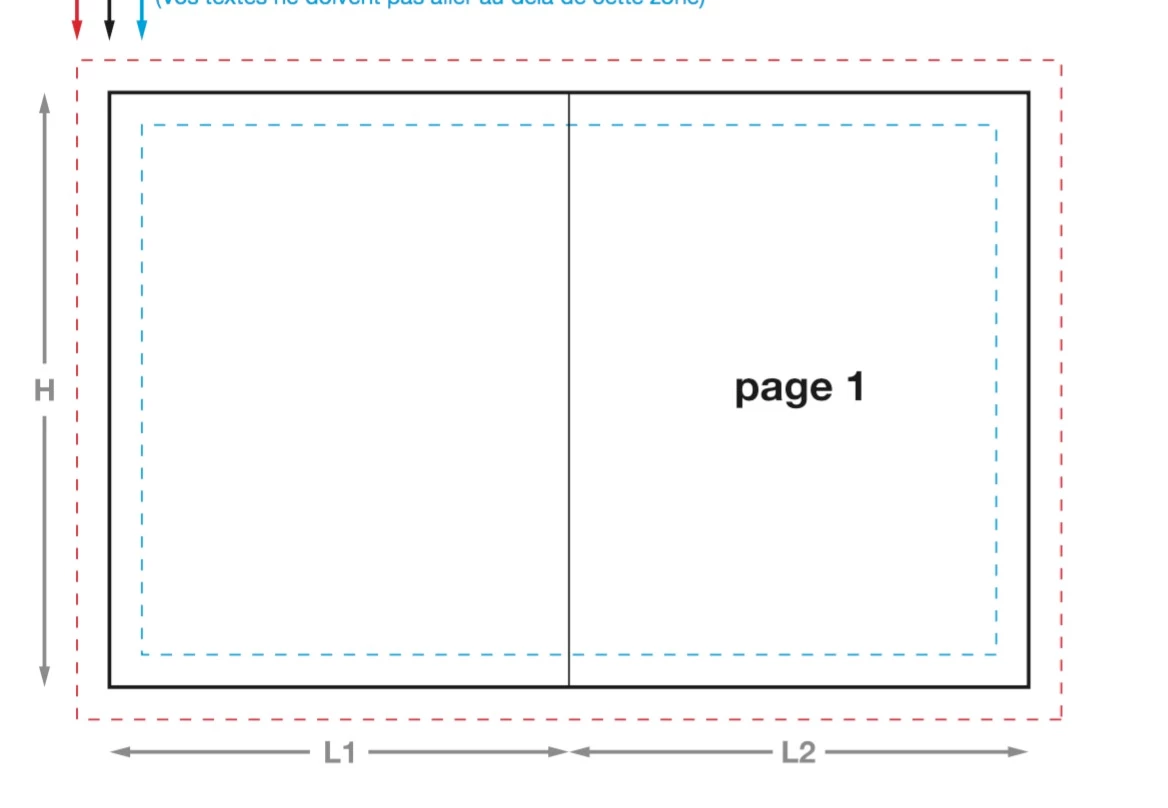
So I'm exporting a CMYK PDF for print. It's a A5 pamphlet when folded, A4 when opened.

Bellow a picture to show the format.
I'm having an issue with bleeds.

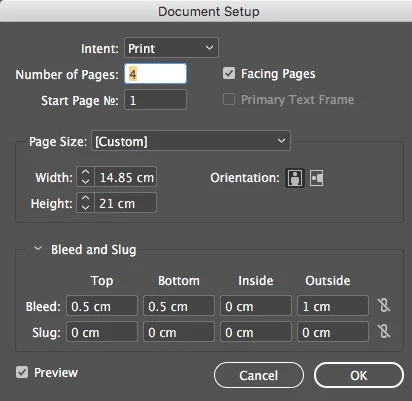
This is my document setup. You can see, I have it at 0.5 cm for the top, bottom and outside.

I don't have bleed in the inside on purpose, as the A5 pages are facing and will be printed on an A4 sheet.
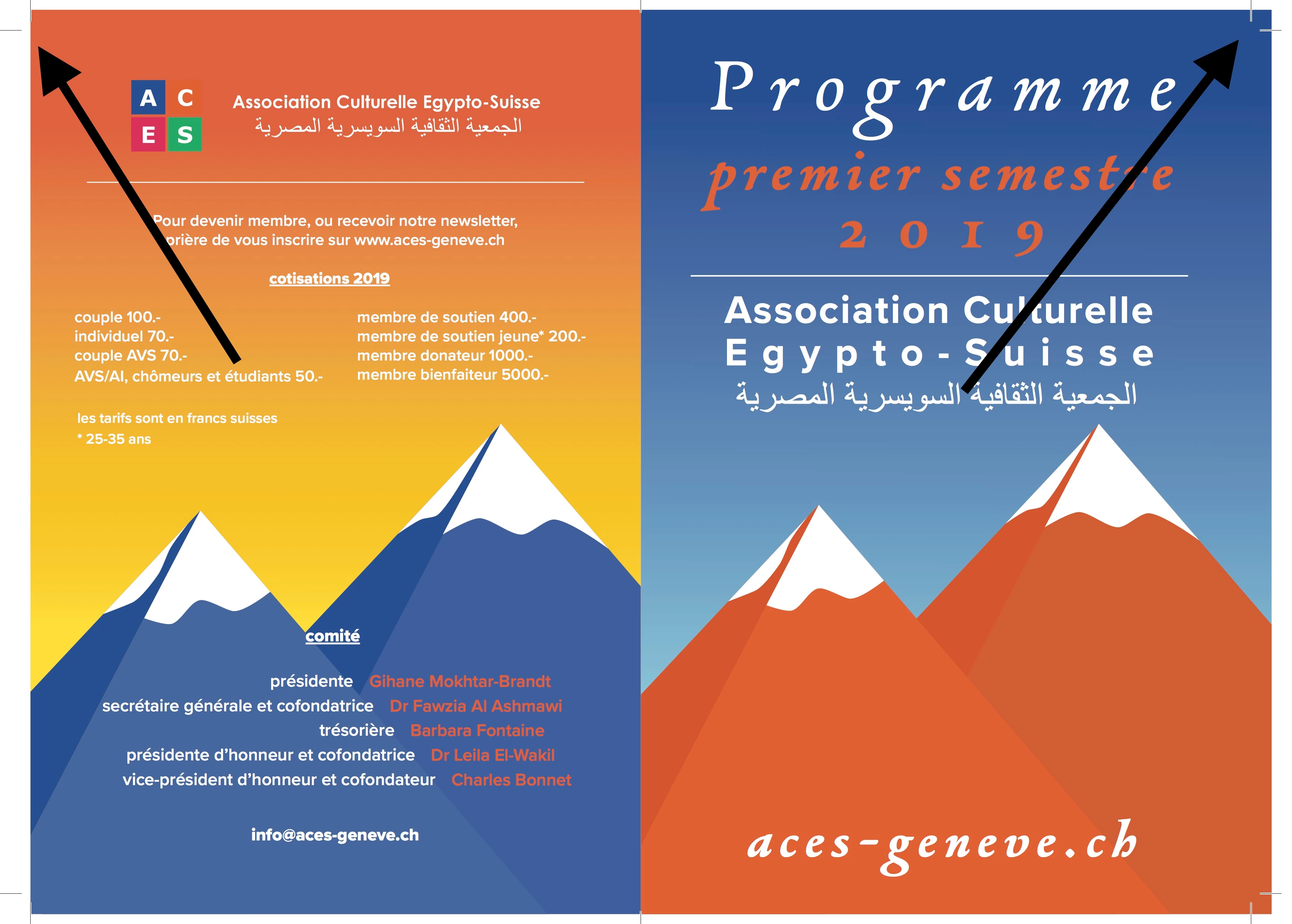
Below is an extract of the first spread.

The left bleed is different than the right bleed. In the left the background image only extends up to the 5mm bleed mark. So there is no actual bleed on the left but on the right I've got the 5mm bleed as setup above.
The other thing I'm wondering is, when I look at my spreads and compare them, I see that the crop marks are not aligned equally on both spreads.

Below is a screen shot is the two-spread corners one of top of each other. Is that some sort of error or this is due because the sheet will be printed two-sided and so by when the bottom spread is placed on the back the marks re-align ?

Any help & advice is very welcomed. Thank you !

This topic has been closed for replies.
Correct answer jmlevy

Bonjour,

Puisque le document est monté en français, je réponds dans cette langue.

Je me pose 2 questions :

1. le format du document n'est pas réellement du A5 : le A5 mesure 14,8 cm x 21, pas 14,85.

2. Pourquoi choisir 1 cm de fond perdu à l'extérieur et 0,5 en haut et en bas ?

Ta capture d'export indique clairement que les valeurs de fond perdu sont bien de 1 cm à droite et 0 à gauche

6 replies

krishna_kumarb65656423
New Participant
December 27, 2018

Alexnapo23​ In your case, you don't need to specify different bleeds for all the sides. Those should be same, lets say 0.5cm. And when you export the PDF just make sure the Crop marks offset is set to 0.5cm in order to avoid entering the crop marks into the bleed areas.

rob day
Community Expert
December 27, 2018

Those should be same

What would the purpose of an Inside bleed be with a 4 page document? The inside edges will not be trimmed, they will be folded. Whoever sets up the press sheet will be forced to remove the inside bleed.

krishna_kumarb65656423
New Participant
December 27, 2018

I was talking about the case if this is exported as a single spread. If so the inside bleed will be neglected automatically by Indesign, just like a single page. If the document is not in spread it won't show inside or outside and will just say left and right.

Alexandre Brandt
Inspiring
December 25, 2018

Hey all,

OK I figured it out.

As you can see in my document setup, I had bleed in the "Inside" set as 0.

I did that because when exporting I had an issue of one page bleeding on the other where the fold is. You can see below.

Well, I tried re-exporting after correcting my document set up at 0.5 bleed on all sides.

The issue is solved as you can see below.

rob day
Community Expert
December 26, 2018

I did that because when exporting I had an issue of one page bleeding on the other where the fold is. You can see below.

That's considered normal behavior when you set an Inside Bleed greater than 0 with facing pages.

For most bindings the content of the inside bleed doesn't matter because the bleed will be removed by the page imposition software—the spine edge will be folded not trimmed. If the document is only 4 pages you would never need an inside bleed because pages 2 and 3 are on the fold.

jmlevy
jmlevyCorrect answer
Community Expert
December 25, 2018

Bonjour,

Puisque le document est monté en français, je réponds dans cette langue.

Je me pose 2 questions :

1. le format du document n'est pas réellement du A5 : le A5 mesure 14,8 cm x 21, pas 14,85.

2. Pourquoi choisir 1 cm de fond perdu à l'extérieur et 0,5 en haut et en bas ?

Ta capture d'export indique clairement que les valeurs de fond perdu sont bien de 1 cm à droite et 0 à gauche

Community Expert
December 25, 2018

Hi jmlevy ,

to answer your first question:

InDesign is providing a format of 148 x 210 mm for a fixed format like A5.

And yes, I know that A5 initially is defined as 148.5 x 210 mm.

Adobe thought differently when implementing A5 as fixed format.

I don't think this is the problem here.

FWIW: The crop marks are not out of alignment.

And one can move the cropmarks away from bleed if one likes.

Just change the Offset value.

However, what's missing is a view of the document pages so we can see if the object on the left page of the spread extends to the bleed.

Regards,
Uwe

jmlevy
Community Expert
December 25, 2018

to answer your first question:

InDesign is providing a format of 148 x 210 mm for a fixed format like A5.

And yes, I know that A5 initially is defined as 148.5 x 210 mm.

Adobe thought differently when implementing A5 as fixed format.

Of course, Uwe, you are absolutely right, I answered too quickly.

I don't think this is the problem here.

Of course again, it was only a question…

Willi Adelberger
Community Expert
December 25, 2018

If you have such a case, you have still to use a double sided document but you can split the two opposing pages into 2 single-page-spreads with the correct bleed on each side and the correct position of page number and other master elements.

Alexandre Brandt
Inspiring
December 25, 2018

Hey Willi,

I see your reasoning. I tried that, this is what I get.

So I seperate the pages

Then I export as PDF with spreads. I end up with a PDF in 4 A5 pages...

And the bleed issue is still there as you can see in this first page.

Derek Cross
Community Expert
December 25, 2018

Derek Cross
Community Expert
December 24, 2018

Just to add to Bob's suggestion – that's two A4 landscape pages (pages 4 and 1 for one side and pages 2 and 3 for the other) with 3mm bleed on each edge. Untick Facing pages, and increase the margins to suit the design you've shown.

      Place your images in RGB color mode and export your document to PDF, using the InDesign Preset PDF/X-4 (unless you've been given a different spec by your printer), tick Crop Marks and tick Use Document Bleed Settings, both found under the Marks and Bleeds tab in the Export Adobe PDF dialogue box.

Alexandre Brandt
Inspiring
December 25, 2018

Hello Derek,

Thank you for the suggestions. What you wrote is basically what I did, except for the RGB images and the PDF/X-4.

Here is my PDF export settings:

My front & back page design is made in Illustrator, CMYK color mode, as I knew, it was for print.

The printer asks me to use PDF /X-1a:2001...

I just thought of a possibility of where the issue is coming from.

I'm making my front and back page in Illustrator. My illustrator is set up with a 5mm bleed on 4 sides (see screenshot below)

But perhaps, when placing the illustrator file in Indesign its bleeds get disregarded ?

BobLevine
Community Expert
December 24, 2018

Without seeing the file, it's hard to say, but honestly, for a one-sheet job, I'd have just set it up as a two single page A4 pages.

Alexandre Brandt
Inspiring
December 25, 2018

Hello Bob,

I don't really do that because I also have to export a PDF interactive version for the web site / newsletter.

It's not convenient for people on the computer to get two A4 landscapes with page 4 & 1 and then 2 & 3 on the other side…

Derek Cross
Community Expert
December 25, 2018

Set it up as A5 facing pages with 3mm bleed on outer edges and output the PDF as single pages with bleed and crop marks for the printed edition and without them for the online edition.