



Léonard Roussel
Participant
April 19, 2021
Answered

InDesign Stuck in "Touch" Workspace on First Launch, Unable to Click or Use Shortcuts

  • April 19, 2021
  • 24 replies
  • 24715 views

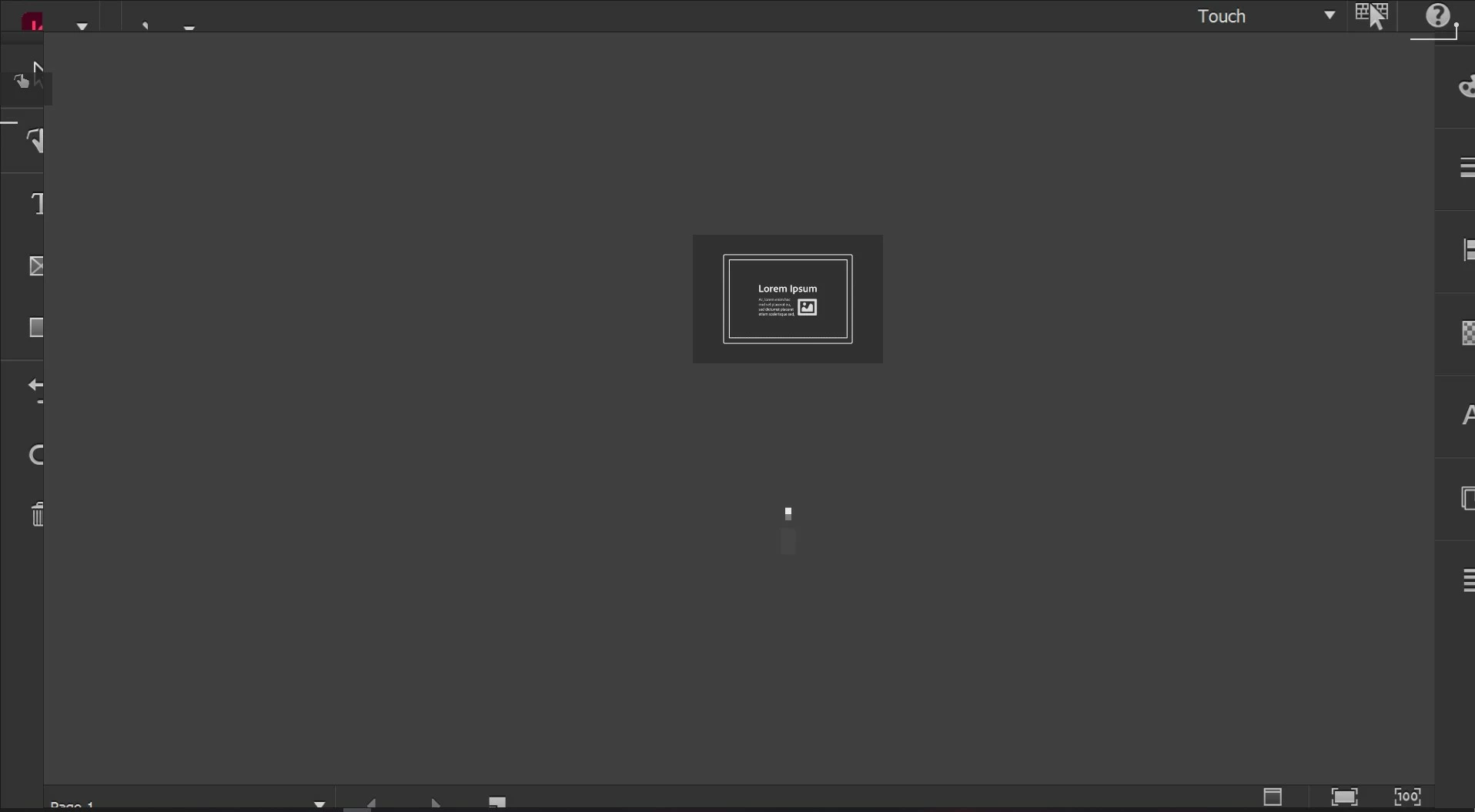
Hello. Brand new laptop (HP Zbook with touchscreen, Windows 10), just installed InDesign and open for the first time, I get this unfriendly "touch" screen (see screenshot) but cannot click (or touch) anything, or press any keyboard shortcut. I also tried what's described here without success (this is the first time I open InDesign on this computer). I'm running out of ideas, please help, thanks!
 

<Title renamed by moderator>

Correct answer Mike-Witherell

This worked for me on Windows 11:

  1. Right-click on the Start  menu and select Device Manager.
  2. In the Device Manager window that opens, select the arrow next to Human Interface Devices to expand it.
  3. Under Human Interface Devices, right-click on HID-compliant touch screen and select either Enable device or Disable device depending on which action is desired.
  4. If there are multiple HID-compliant touch screen devices listed, repeat the steps for each device.

24 replies

Participant
November 15, 2022

I am experiencing the very same problem. My computer doesn't have a touchpad what could cause the problem. Yesterday, it worked fine. Today it freezes on said touchpanel screen upon opening the software (I refuse the word app). I cannot click on anything. I also cannot open an existing project to cricumvent it. I have a deadline, so help would be highly appreciated!

Participant
November 25, 2022

I just ran into this on a new InDesign install on my Asus laptop with touch screen. There was a button below the gestures that I touched and after a couple screens of a tutorial, it let me access the menus to select a different (non-touch) workspace.


Participant
September 16, 2022

I had a similar problem just now on my little 13-inch Elitebook. My solution was to quit INDD and go into the system settings to change my display settings ("Change the size of text, apps, and other items") from 150% scale down to 100%. Once the computer was at 100% scale, I then launched INDD and could see and interact with the menu that toggles from "Touch" to other modes. After switching it out of Touch mode, I went back into the system settings to change the scale back to 150%.

Participant
December 4, 2021

InDesign is doing this to me too. I tried uninstalling and reinstalling and nothing worked. I tried doing what you did and that didn't work for me. It just froze again.


Participant
August 9, 2022

Experiencing similar difficulty!

Participating Frequently
March 10, 2023

Your screenshot is identical to the problem I'm having. Initial install on Microsoft Surface Pro laptop; disabled touch mode on the laptop with no change in the issue. Tried unistalling and reinstalling--nothing. I also have no previous InDesign files to use as a workaround like the original poster did. I wonder why no one from Adobe has posted any response to this thread...there's just the one answer which doesn't seem helpful to almost everybody.

Léonard Roussel
Participant
April 19, 2021

Ah, I think I just solved it for myself. Closing InDesign and opening an existing .indd, THEN disabling the Touch workspace worked for me. I'd still like Adobe to be aware of this and look into it. 

BobLevine
Community Expert
Community Expert
April 19, 2021

There is nothing to fix. This is normal behavior on touch devices to make you aware of its existence. Choose another workspace and you shouldn't see it again.

BobLevine
Community Expert
Community Expert
April 19, 2021

No it cannot be normal behavior: Like I said, the interface is fully unresponsive in that initial view, I am therefore unable to exit Touch workspace.


Is the laptop touch enabled?