


Inspiring
December 28, 2020
Answered

Keeping table rows together on same page

  • December 28, 2020
  • 3 replies
  • 2595 views

16.0.1 Mac OS


I'm trying to keep the table rows together on the same page, but rows would automatically move to next page if the content of the whole row doesn't fit the text box:
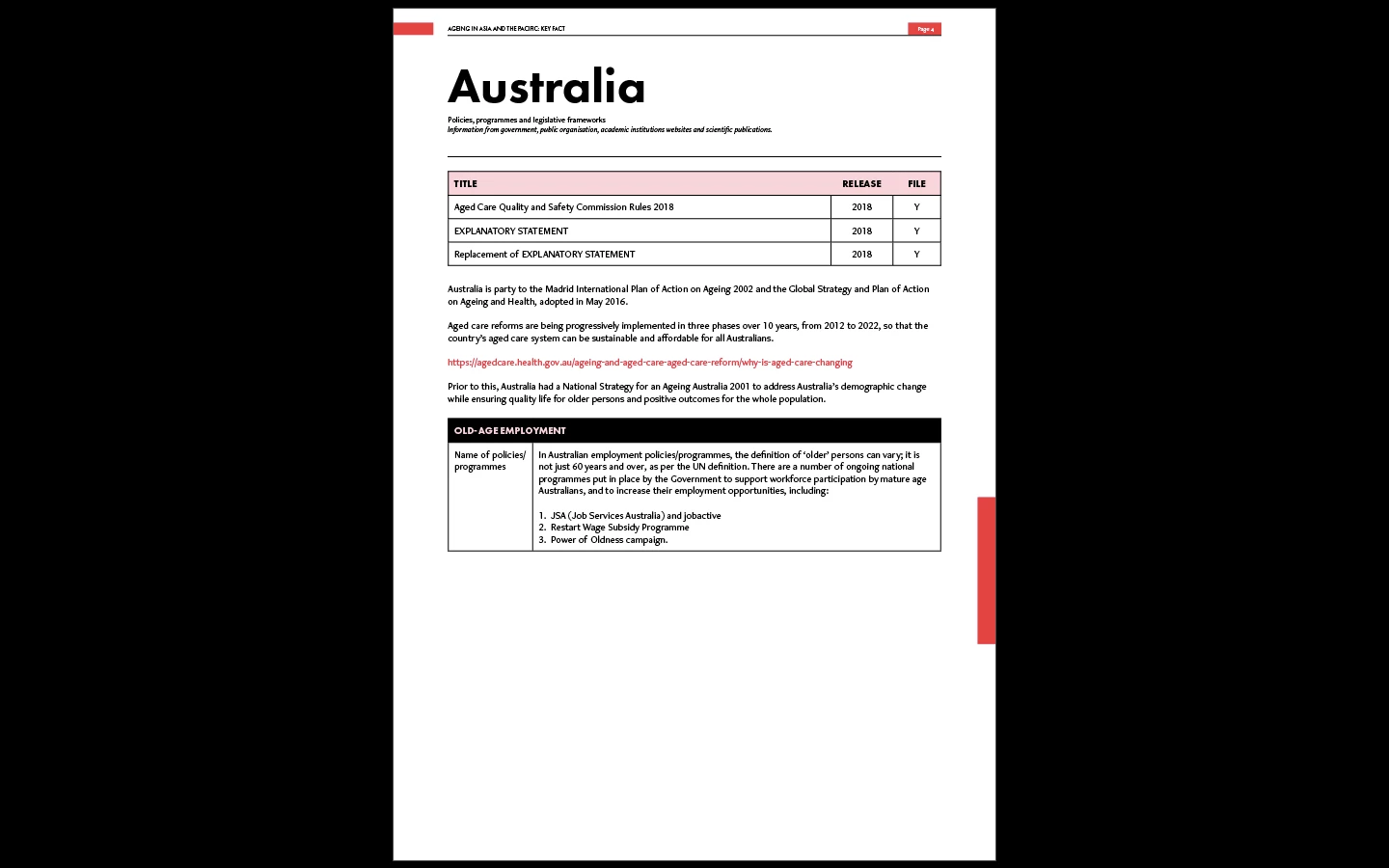
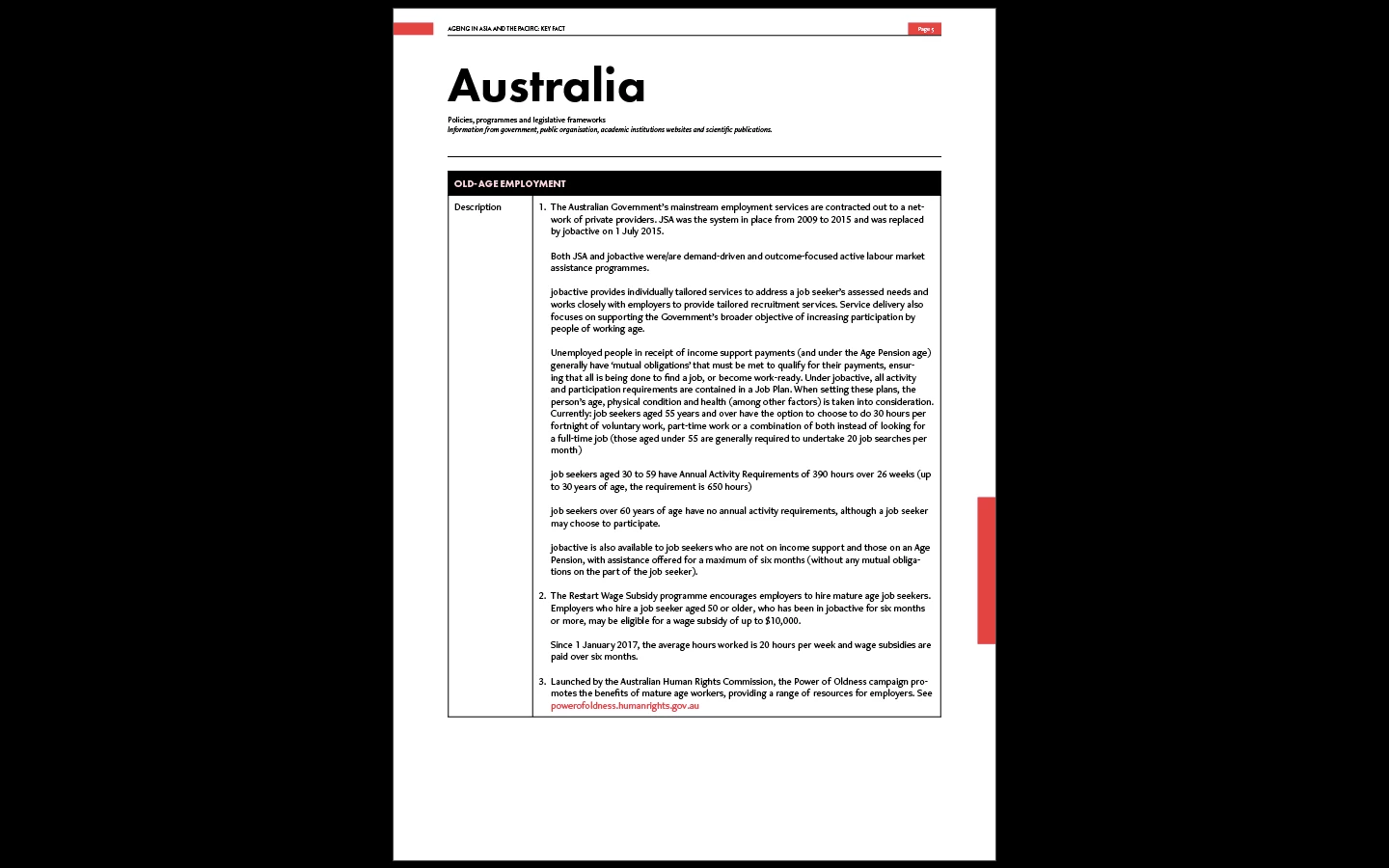


How do I get the "description" row to start immediately after "Name of policies..." row without moving to the next page? I tried the cell options -> rows and columns -> keep with next row, but it doesn't work.

Correct answer Barb Binder

Hi @wuts23143389:


InDesign table cells can't split across pages. Vote for the feature request here: https://indesign.uservoice.com/forums/601021-adobe-indesign-feature-requests/suggestions/33854788-option-to-split-table-rows-across-pages.


Here is a thread—with a link to a script—that may be helpful. I haven't tested it.

https://community.adobe.com/t5/indesign/table-cells-breaking-across-page-boundaries/td-p/10030070?page=1


~Barb 


3 replies

Dave Creamer of IDEAS
Braniac
December 28, 2020

Are you sure you applied the "Keep with next row" settings to the Name row and not the Description row?


It worked for me, however, if the Description row gets too big, it will split regardless. 

David Creamer: Community Expert (ACI and ACE 1995-2023)
Inspiring
January 6, 2021

Thank you. 

Barb BinderCorrect answer
Braniac
December 28, 2020

Hi @wuts23143389:


InDesign table cells can't split across pages. Vote for the feature request here: https://indesign.uservoice.com/forums/601021-adobe-indesign-feature-requests/suggestions/33854788-option-to-split-table-rows-across-pages.


Here is a thread—with a link to a script—that may be helpful. I haven't tested it.

https://community.adobe.com/t5/indesign/table-cells-breaking-across-page-boundaries/td-p/10030070?page=1


~Barb 


Inspiring
January 6, 2021

Thank you

Brad @ Roaring Mouse
Inspiring
December 28, 2020

Your text is inserted into your text where the underlying Style has keep options that allow the "paragraph" to split anywhere, which is what you probably want for your body text, but it does affect tables as well.  Change the Keep Option to Keep All Lines In Paragraph together. I usually create a separate style to do that, and assign it to the line your table is inserted into.

Inspiring
December 28, 2020

Hi thank you for your reply,


I followed your advice but it still doesn't work for me:


I tried applying it to all rows and columns of the table as well, it still does not work. Would you happen to know what could have went wrong?

Brad @ Roaring Mouse
Inspiring
December 28, 2020

It's not the styles IN the table that are the problem, but the style of the body text. I was going to suggest you force it to the next page by clicking in the paragraph above and have it start (Start Paragraph) in the next column/page but it looks like your table as a whole wouldn't fit on one page anyway, so it's going to have to break somewhere.