


gamzes93533812
Known Participant
November 16, 2017
Answered

mail merge (too many blank fields error)

  • November 16, 2017
  • 2 replies
  • 1586 views

Hi,

I designed a template in InDesign platform, and I would like to populate/multiply this template to over thousands of pages thanks to mail/data merge option.

For this, I created a text unicode file (converted from simply excel) which has blank fields. Nevertheless, when I want to proceed the mail merge, InDesign gives me an error that I have many blank fields.

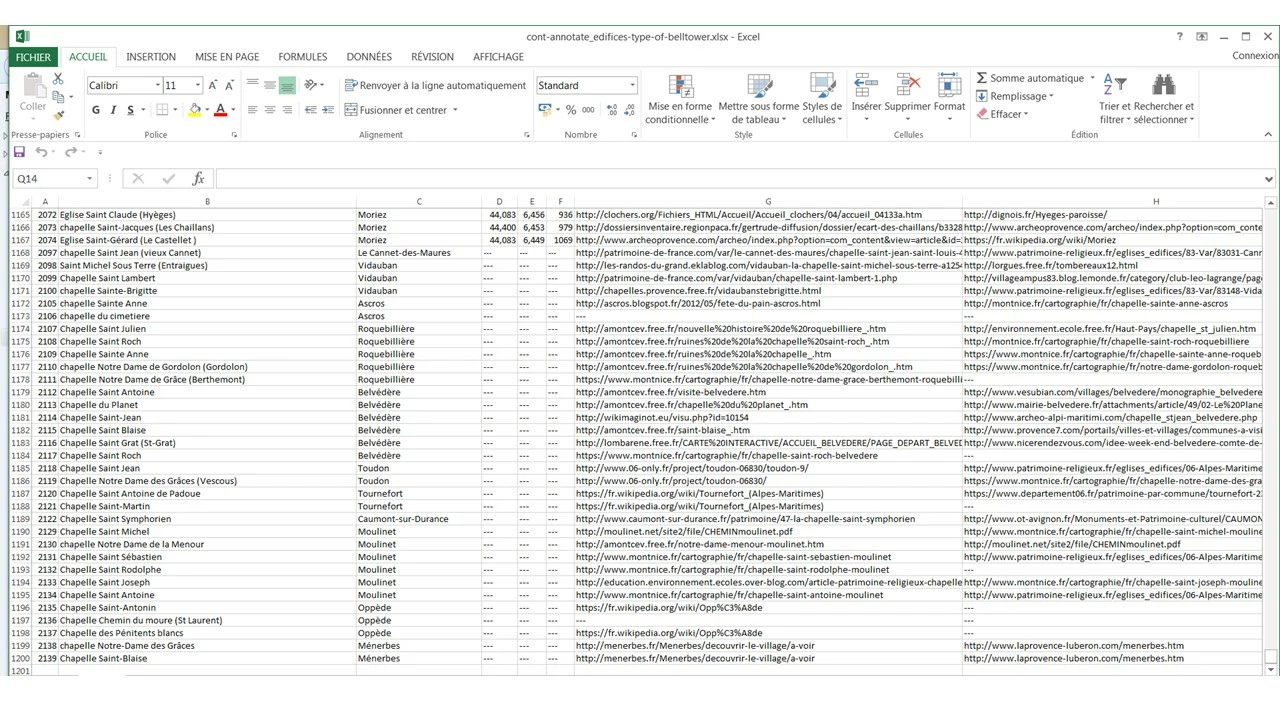
Seems not a smart move enough I replaced all the blank fields with "---" in order them to have some value as can be shown in the figure below. But that did not work either.

Is there any options/strategies to overcome this issue?
This topic has been closed for replies.
Correct answer SJRiegel

Chances are the error was not blank fields, but Blank Field Names. - InDesign Data Merge has no problems with blank fields in individual records.

Go to the top of your excel file, and make sure that every column has a header. If they all do, then the problem could be some glitch that makes it look like there is data outside your intended columns. 

This can be remedied by selecting all of your columns with headers and pasting them into a new sheet, and creating your data file from the new sheet.

2 replies

SJRiegelCorrect answer
Brainiac
November 16, 2017

Chances are the error was not blank fields, but Blank Field Names. - InDesign Data Merge has no problems with blank fields in individual records.

Go to the top of your excel file, and make sure that every column has a header. If they all do, then the problem could be some glitch that makes it look like there is data outside your intended columns. 

This can be remedied by selecting all of your columns with headers and pasting them into a new sheet, and creating your data file from the new sheet.

gamzes93533812
Known Participant
November 16, 2017

Thanks a million SJRiegel

I did not imagine such a basic problem :/

I applied your suggestion, and it's just working like a shine

MW Design
Inspiring
November 16, 2017

Without actually seeing the data file produced from Excel, I wouldn't know for certain.

Most errors with data merge can often be just one of two things.

Line breaks in a cell or multiple cells.

A text file saved out in the incorrect format (even when the user thinks is it correct).

A less common thing I have seen is that Excel can confuse itself with misplaced delimiters. I always use a tab delimited UTF-8 or UTF-16 file.

Try a tab delimited file. Open that text file in a good text editor and just scroll down and see if there is one or more unexpected line beginnings--that means there is a line break in the data. Make sure the text editor is not using line wrap.

Mike

gamzes93533812
Known Participant
November 16, 2017

Thank you Mike for your detailed answer.

I tried/changed the file multiple times to find out what is wrong in the pattern, of course it is possible that I am missing something, but I really cannot find out what is wrong.

I followed your kind advise, and did not find out any line breaks.