clovisd47241245
New Participant
November 30, 2016
Answered

Sidenote system in new document

  • November 30, 2016
  • 3 replies
  • 7870 views

Hello community,

I want to create sidenotes (or "margin notes") and to set up a sidenote system in new inDesign documents.

Somebody know how can I do that ?

I work with InDesign CC 2015

I'm on Mac OS X Yosemite

Thank you !
This topic has been closed for replies.
Correct answer Barb Binder

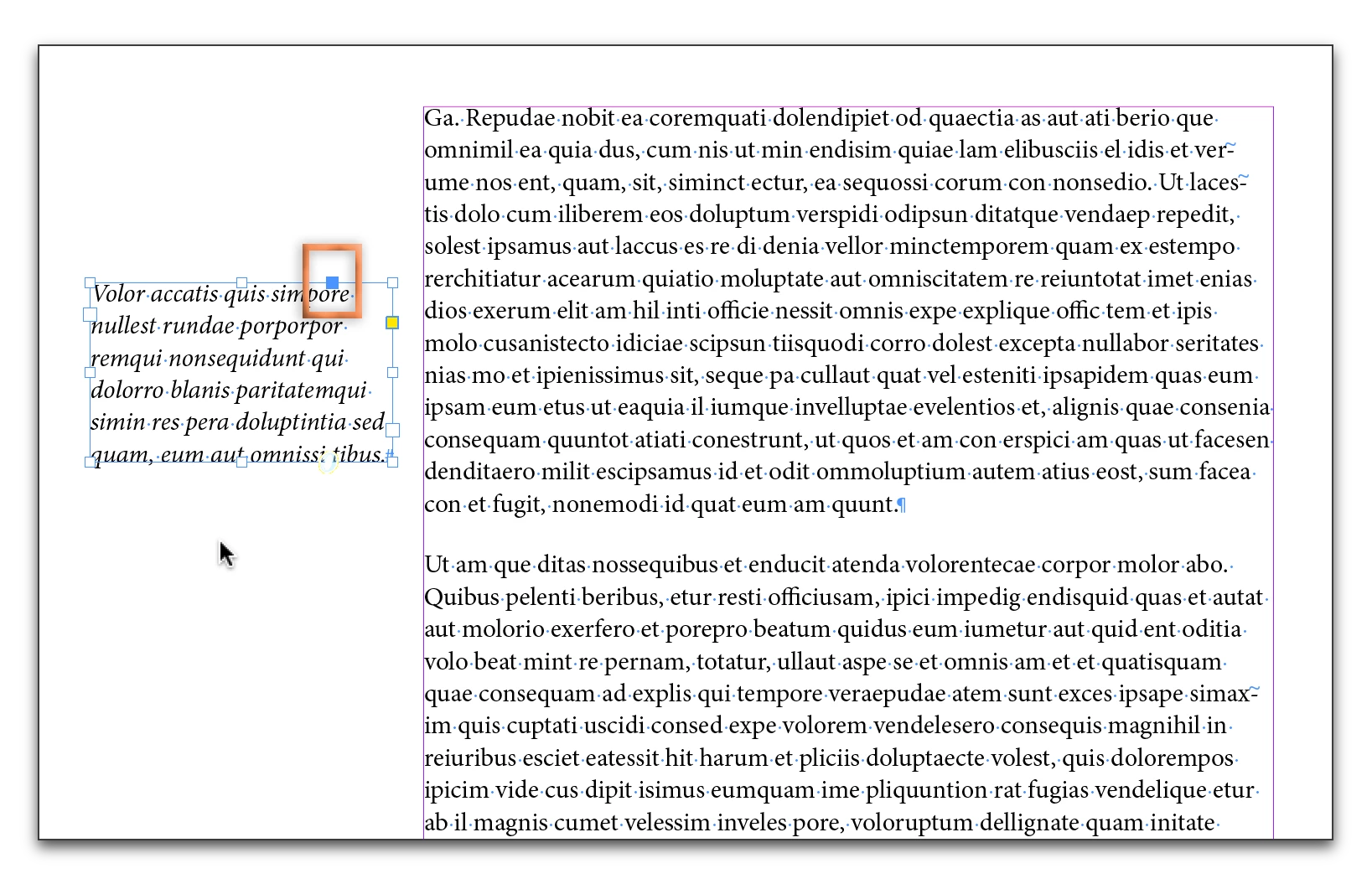
You can do this in InDesign using anchored frames. Put the notes in a separate text frame, and drag the blue square in the top right corner to where you want to place the anchor.

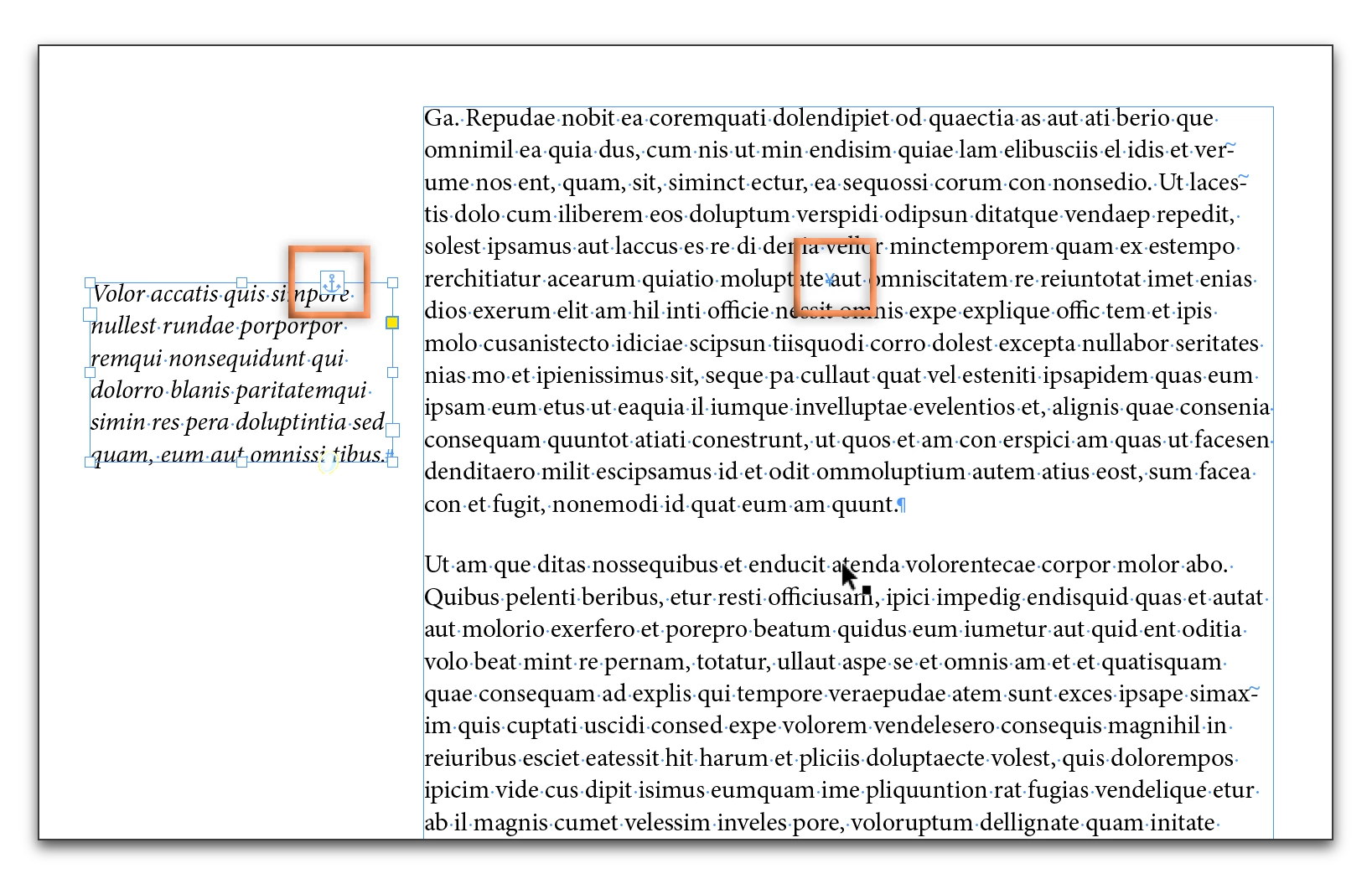
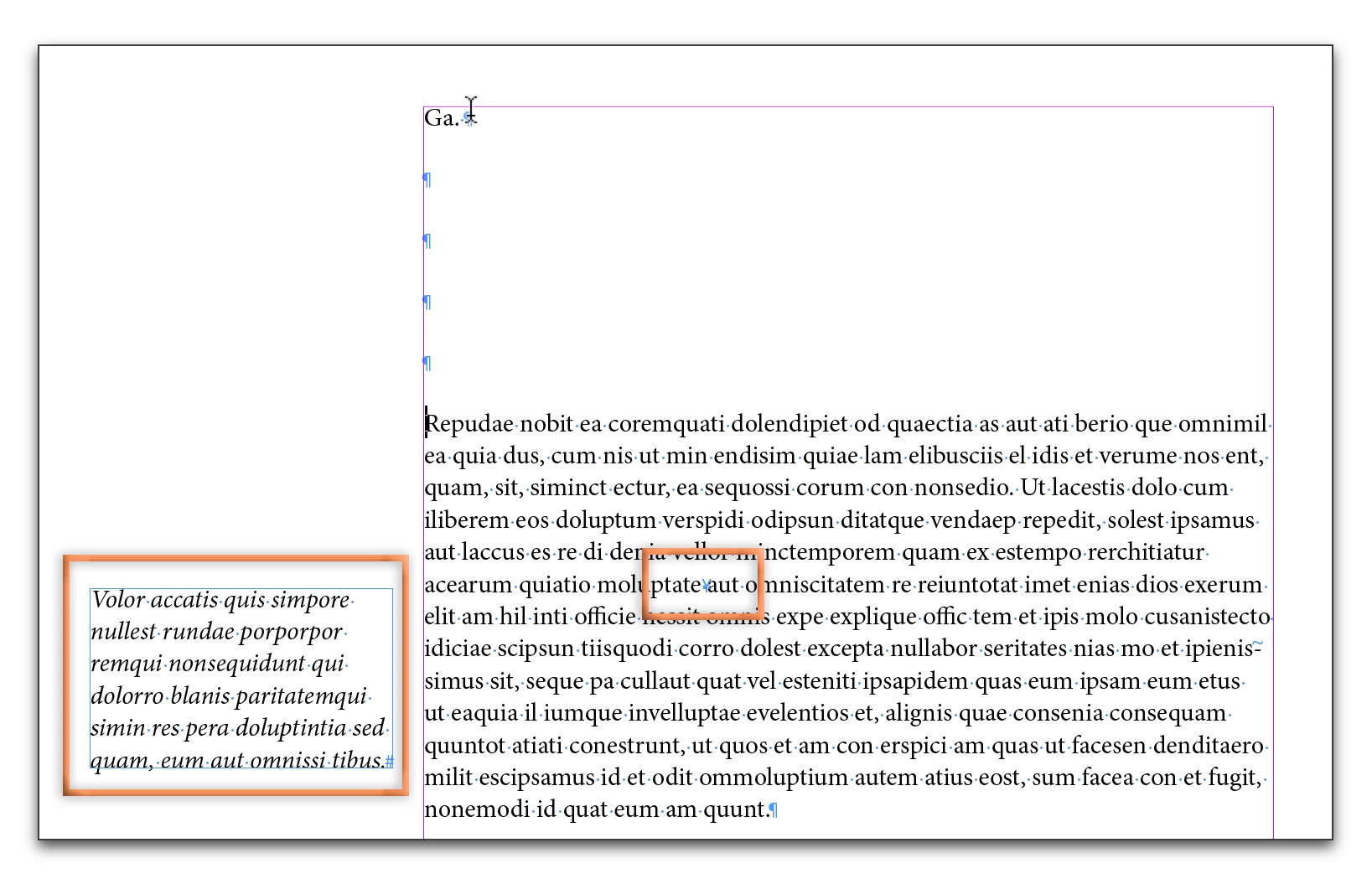
You can Alt/Opt click the anchor symbol on an anchored frame to set the properties. Once anchored, as the text reflows, the frame moves along with the anchor.

3 replies

Barb Binder
Community Expert
December 2, 2016

It looks like you want to align away from the spine:

Or if you are using styles:

~Barb at Rocky Mountain Training
clovisd47241245
New Participant
December 9, 2016

Thank you @Barbinder ! When I tried, InDesign not responding. I had to create a new document and actually it works perfectly.

Thank you !

Barb Binder
Community Expert
December 9, 2016

That's great news, ClovisD. Glad it is working for you.

~Barb at Rocky Mountain Training
Community Expert
November 30, 2016

Funny -- you copy a screenshot from a web page that deals with setting up sidenotes (http://www.kahrel.plus.com/indesign/sidenotes.html), then you ask how to set up sidenotes.

Peter

Obi-wan Kenobi
Brainiac
November 30, 2016

Aha! 

(^/)

Barb Binder
Barb BinderCorrect answer
Community Expert
November 30, 2016

You can do this in InDesign using anchored frames. Put the notes in a separate text frame, and drag the blue square in the top right corner to where you want to place the anchor.

You can Alt/Opt click the anchor symbol on an anchored frame to set the properties. Once anchored, as the text reflows, the frame moves along with the anchor.

~Barb at Rocky Mountain Training
clovisd47241245
New Participant
December 1, 2016

Perfect ! Thank you BarbBinder for this answer very simple !

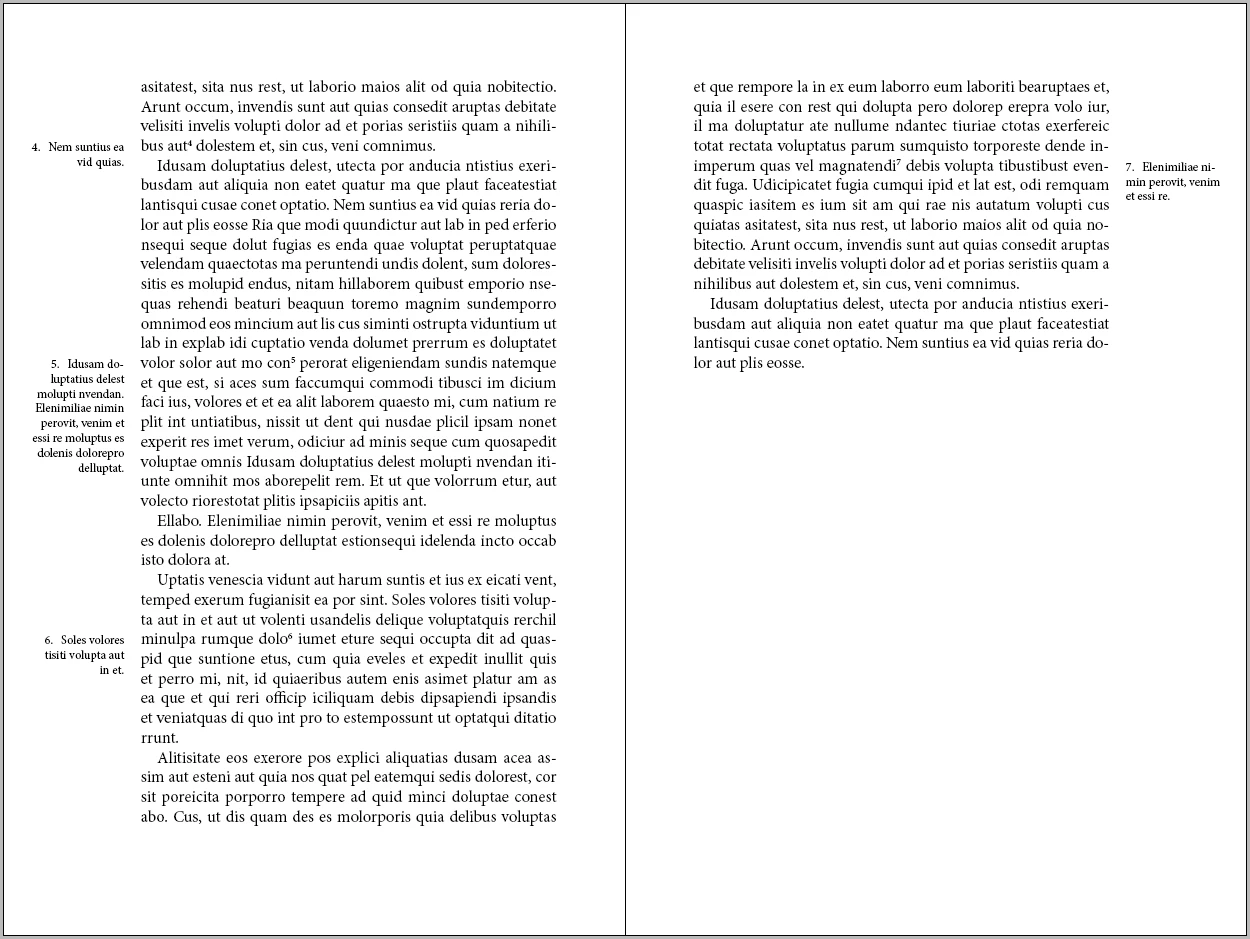
I tried today and I have an other question : in "my" picture (thanks pkahrel​ ) the "margin notes" are left-justified on the left page, right-justified on the right page. ​

How can I do for keep the good "style paragraph"  (left-justified or right-justified) if I add text before ?

clovisd47241245
New Participant
December 1, 2016

Well, in 'my' picture they're actually left-justified on the right-hand page and right-justified on the left-hand page.

Question now is, what do you mean by 'good "style paragraph"' and by 'if I add text before'? Before what?


maybe is it clearer with 2 pictures pkahrel ? Thank you !