



Answered
Weird results when pasting objects from Illustrator into InDesign?
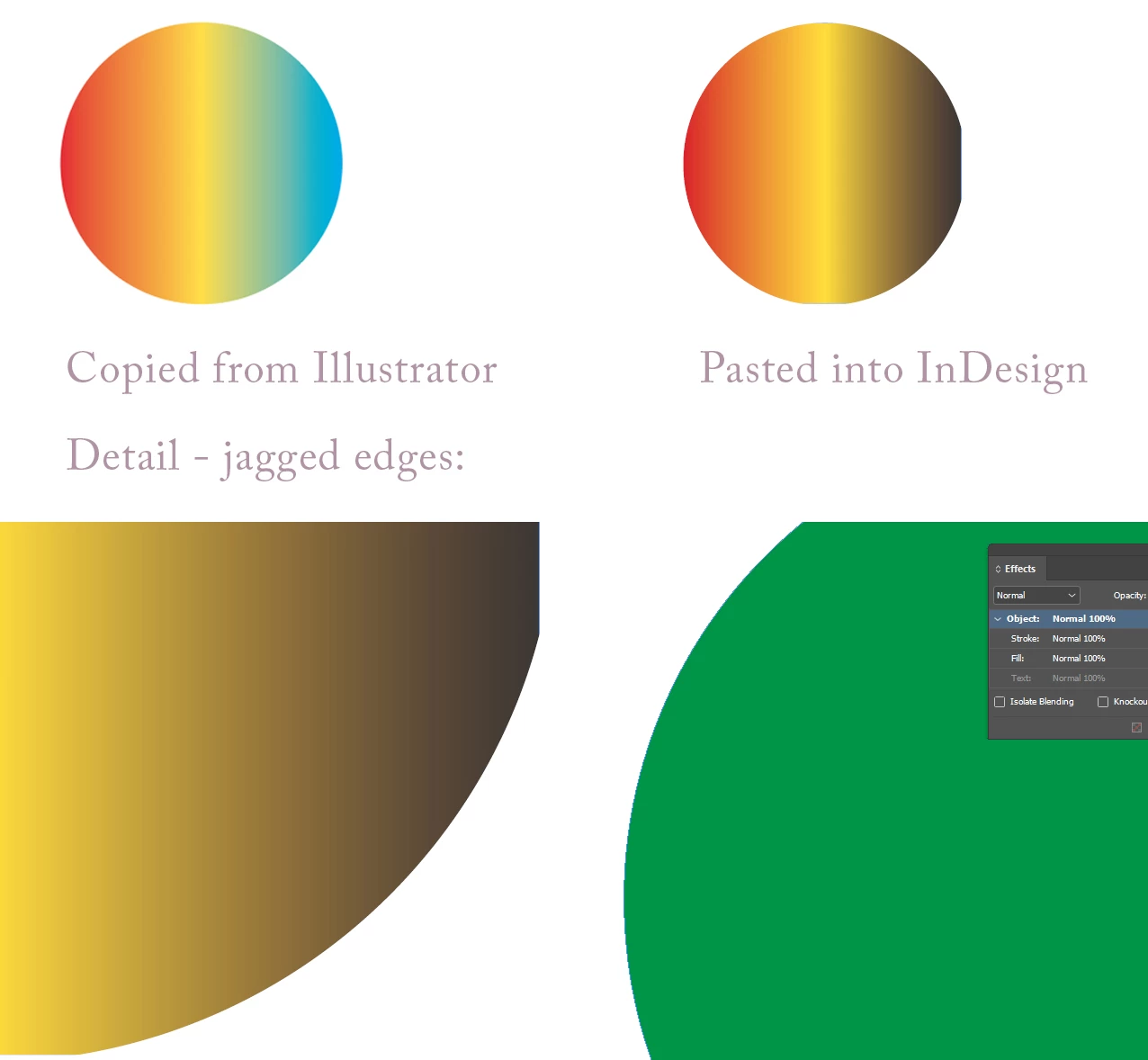
Can anyone tell me why this is happening? I make a relatively basic gradient in Illustrator, copy it, and paste it into an InDesign document. To me, it kind of looks as though the third colour is swapped with black, maybe? Also, look at the weird cropping on the shape in InDesign (it looks like parts of the curve are missing - on the bottom and right side of the circle). Furthermore, weirdly, when I paste the circle with the gradient, the edge looks smooth enough in InDesign, but when I paste a plain solid colour circle, the edge looks jagged and nasty. I've set InDesign to high quality display, and cleared per object display settings, FYI.
 AdChoices