


What is causing this overset text issue in my data merged document?
I have created an InDesign template from which I produce an ~400 page document from the records of ~100 people. (I use this once per quarter, for a job that requires a turnaround of only a couple of hours, so I can ill afford the mucking about I currently have to do to produce the finished doc).
Each person's data contains hundreds of values, most of which are simply numerical values or text fields with just a few words, and my ID doc handles the data merge for this data into multi-column tables just fine.
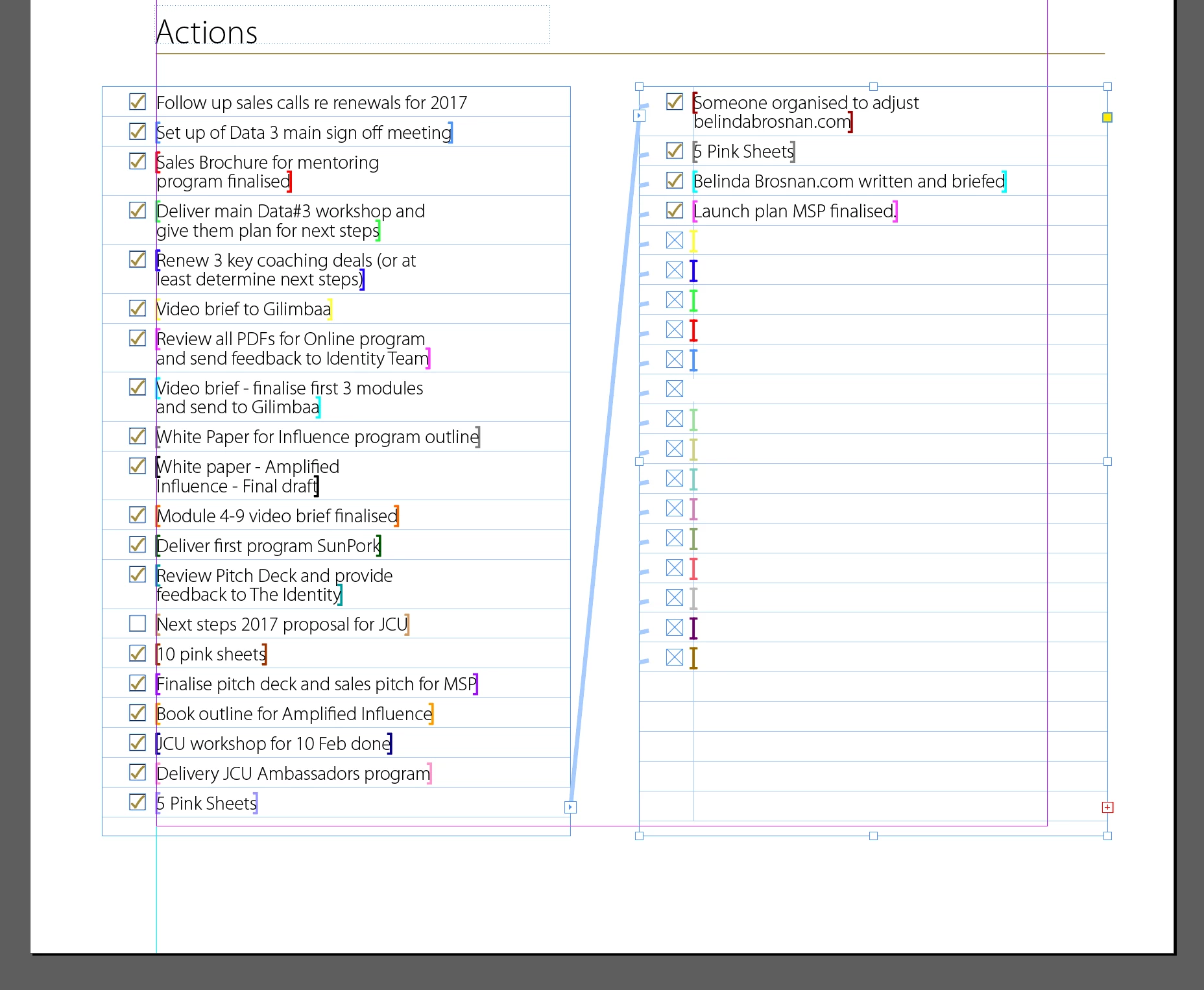
But each person's records also include up to 39 'Actions' which have greater variability in the length of the values, as shown in the Master page below. As you can see this data is displayed in a table of two columns, which respectively contain placeholders for a graphic and for text, which is flowed across threaded text frames.
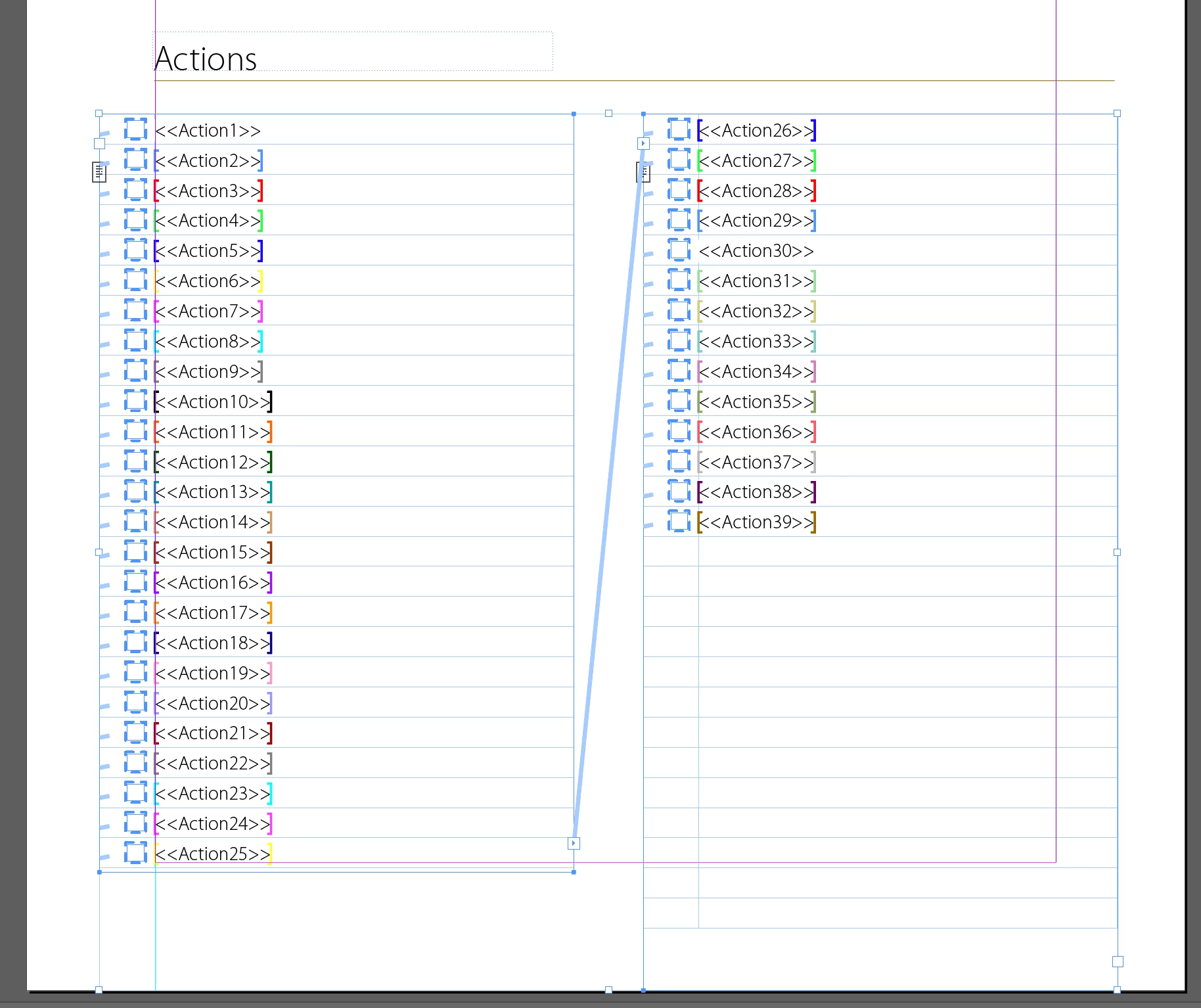
Frustratingly in the the merged document any page on which this table has sufficient data such that it should extend into the text frame on the right instead gets an overset text error, without any data displayed in the right hand column. But when I look at the specific pages identified in the overset text report in most cases it is not at all clear why the text supposedly does not fit. Indeed, as shown below, I have found through trial and error that simply enlarging and then contracting the second frame is enough to unearth the data and clear the error. (Typically there will also be a couple of instances of 'legitimate' overset text—where the data doesn't visibly fit in the two text frames—and for these I manually apply a different paragraph style with a compressed typeface).
Here is an example of a merged record which triggers an overset text error and doesn't display properly:
1. As initially displayed (right hand frame not displaying any data)
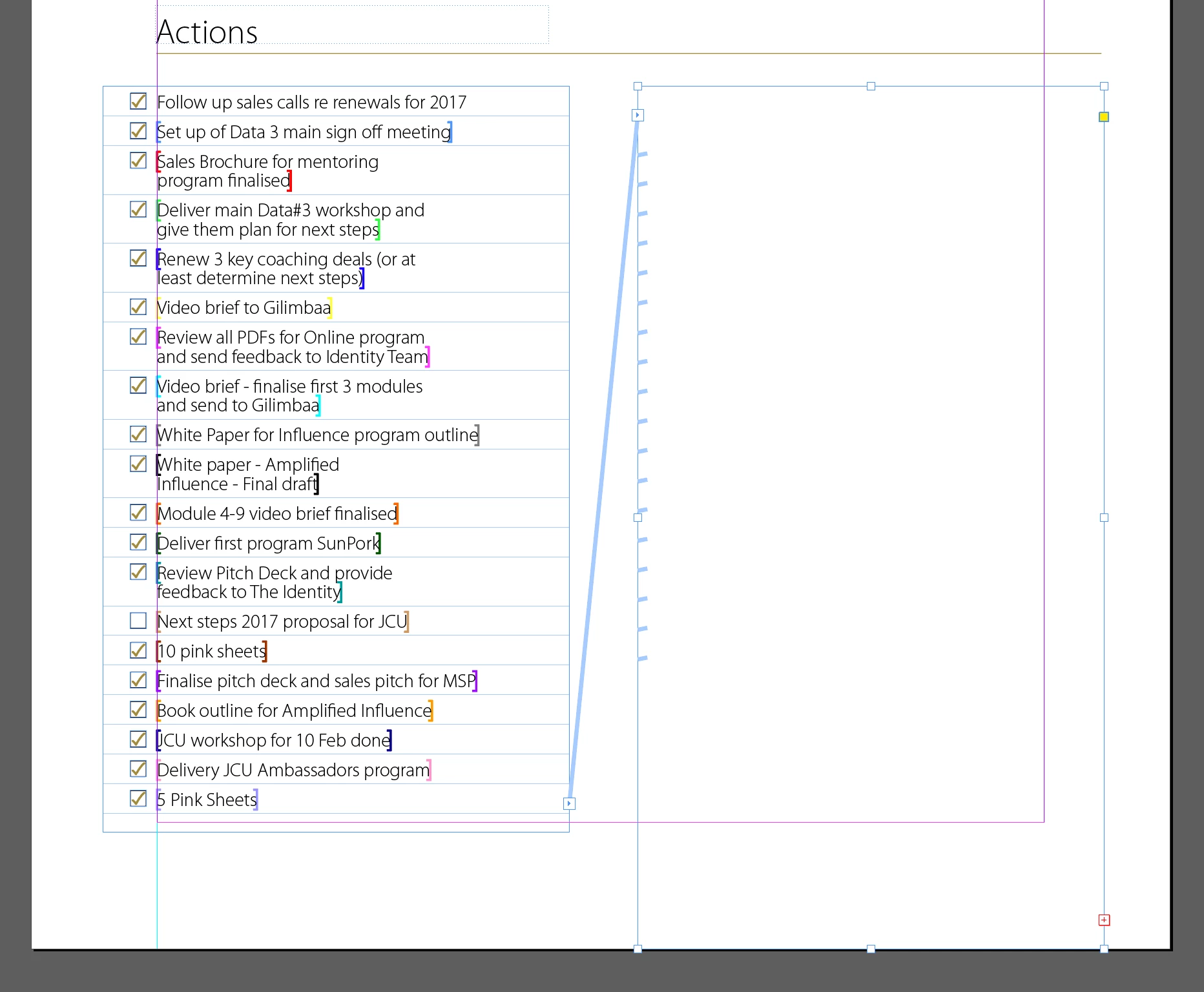
2. After extending the right hand text frame a tiny bit (now displaying all the data, but somewhat intriguingly still showing the red plus icon in the bottom right of the frame)
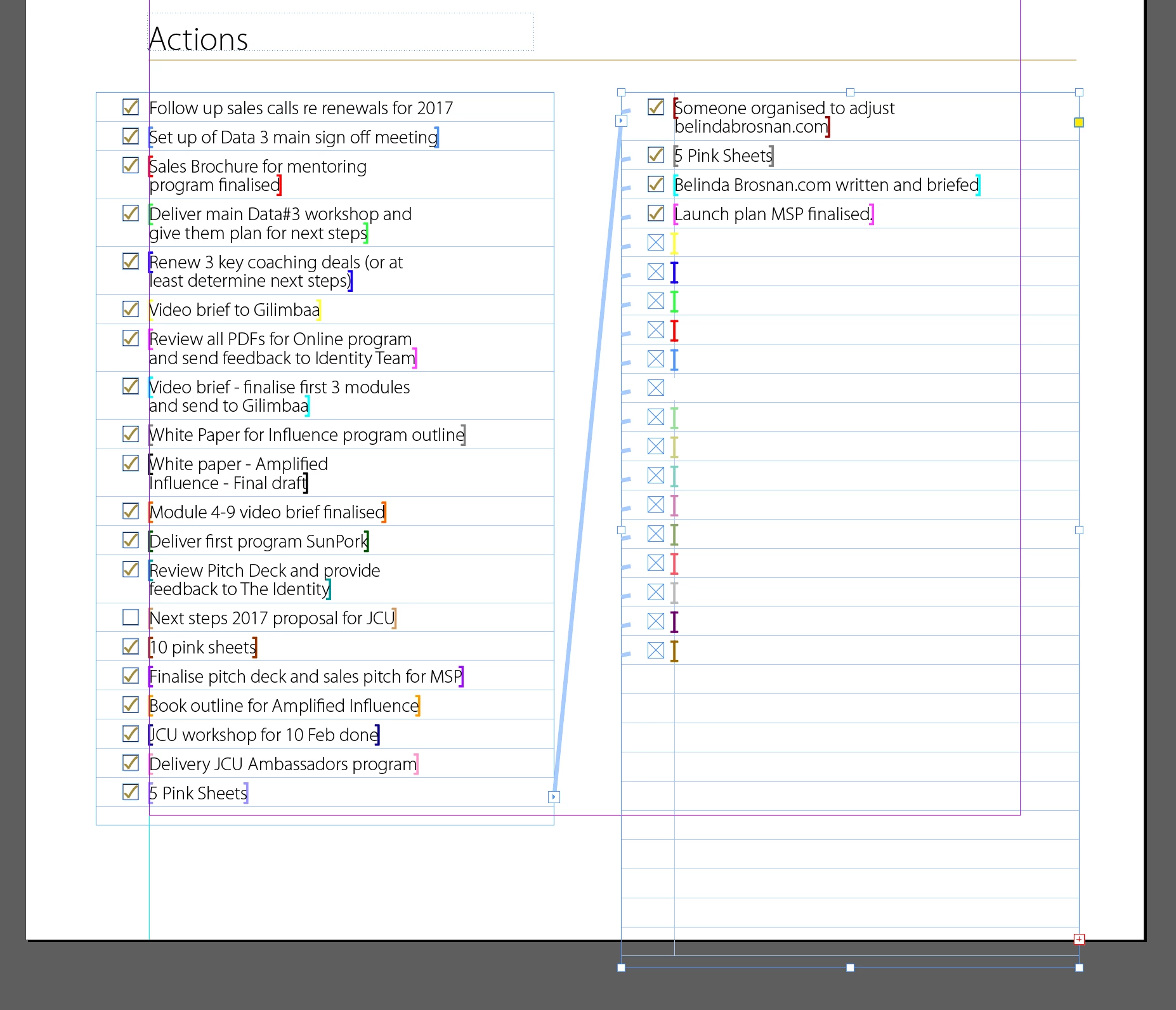
3. For the point of completeness (and possible help isolating the cause) if I extend the frame further InDesign appears to think it is displaying everything (no red plus icon)
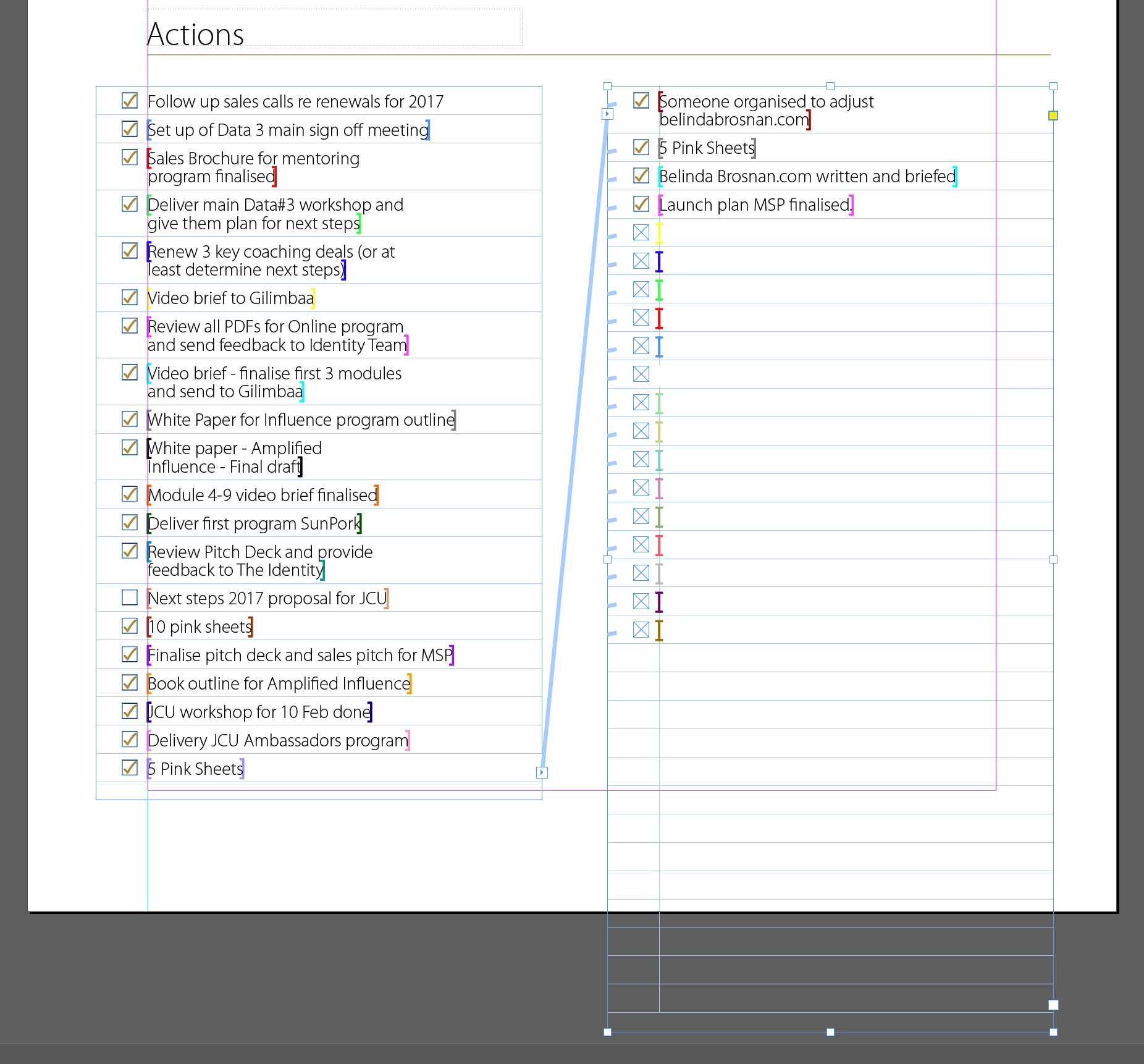
4. Contracting text frame back to less than original size (but with all the data now visible)
The overset test error is not produced if all the data fits into the first column (i.e. the person has completed ≤25 Actions)
So why is InDesign tripping up?
Is there something about the way I have built the template?
(Alternatively is there something I can look for in the CSV file which might be causing this? FWIW to me it seems unlikely that the source data file is the problem given that the issue seems to be consistently triggered by whether the data would extend into the second column or not.)
Any suggestions gratefully accepted
 AdChoices