



dunaz
Inspiring
May 5, 2018
Question

Missing publish service plug-ins, can't delete published photos

  • May 5, 2018
  • 1 reply
  • 1049 views

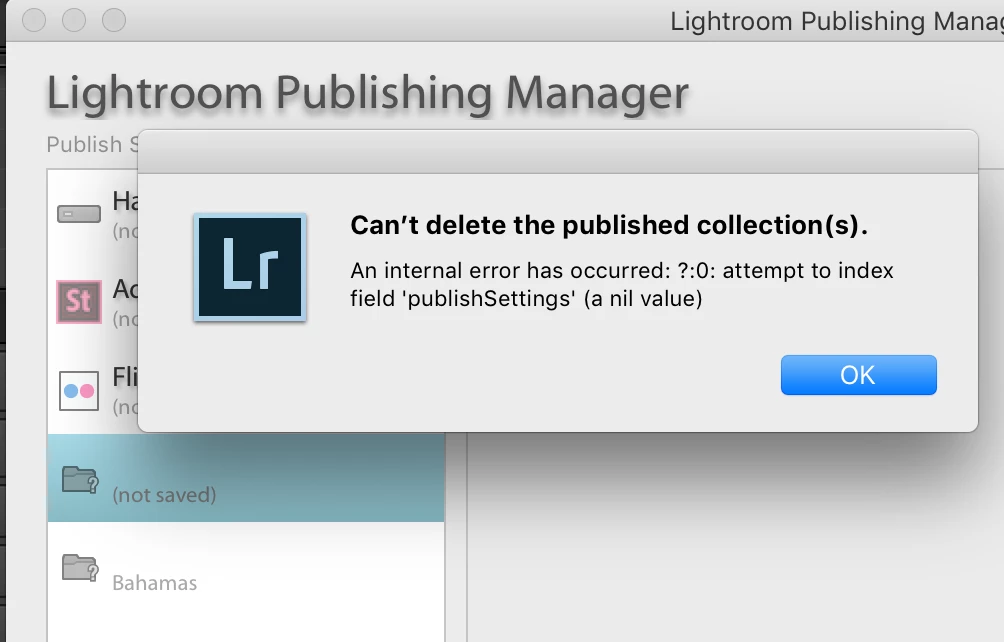
Hi there. I updated recently to the latest version of LRCCclassic. Now, all the published collections that were previously managed by a plug-in are unavailable. I want to delete them, but I get a message saying I can't. FYI, Plug-ins are now wrapped up inside the apps, apparently. 

Two things: I don't remember exactly where I had these items published, therefore I want to delete them. If they can't be deleted, then how to I figure out where I had them published, so that I can re-install and then delete. ;}

Below are screen shots. Machine specs: MBP late 2013, Mac OS 10.13.4, LRCCC 7.2.

What I see from my Library module in the Publish Services column...

the message I get when I try to delete the missing plug-in items...
Location for those plugins that I can find

Thanks, folks, any help will be appreciated!

1 reply

Akash Sharma
Legend
May 8, 2018

Hi dunaz,

Sorry that you're getting an error message "Can't delete published collections" while attempting to delete collections.

I'd recommend that to unauthorized and then re-authorize the service you're trying to add and then try deleting the existing one's. Refer this article for more details: Errors using Publish Services in Lightroom

Let us know if that helps.

Thanks,

Akash

johnrellis
Legend
March 17, 2025
Inspiring
March 16, 2025

After a hic-up on my computer I am now faced with the problem that there is a long list of "missing plug-in" in the Publish Services. If I try to delete them I get a error message


I was in the action of disabling SmugMug plugin when something happened and the pc just brutally stopped.  After restart everything seems to be working fine and I find no viruses or any other suspicious action on the machine. But this was the result.

I have been in contact with SmugMug and they had a bunch of ideas how to fix but none worked so they advice me to contact Adobe as this does not seem to come from their plug-in.

I disable, deleted, reinstalled, enabled and tried everything possible with the SmugMug plug-in but nothing effects these "missing plug-in". Everyone corresponds to a published collection I had in SmugMug when the pc died. It is very annoying even if it does not seem to have any effect on the function or performance of LR.


I  will be very happy if anyone has a solution.


(Windows 11 24H2)