


robf1912204
Participant
November 26, 2019
Answered

Photos coming into the camera roll darker or lighter than taken

  • November 26, 2019
  • 3 replies
  • 6854 views

I can't remember after which update this started happening, but now when I take photos in Lightroom iOS (iPhone 11Pro), almost always the photo ends up coming in way darker or sometimes blown out.


I have checked that there are no auto-settings being applied. This is driving me crazy!


Please see the attached examples. One is a screenshot of the preview of the photo right after snapping it, and the next is a screenshot of viewing the photo within the "LR Camera Photos."
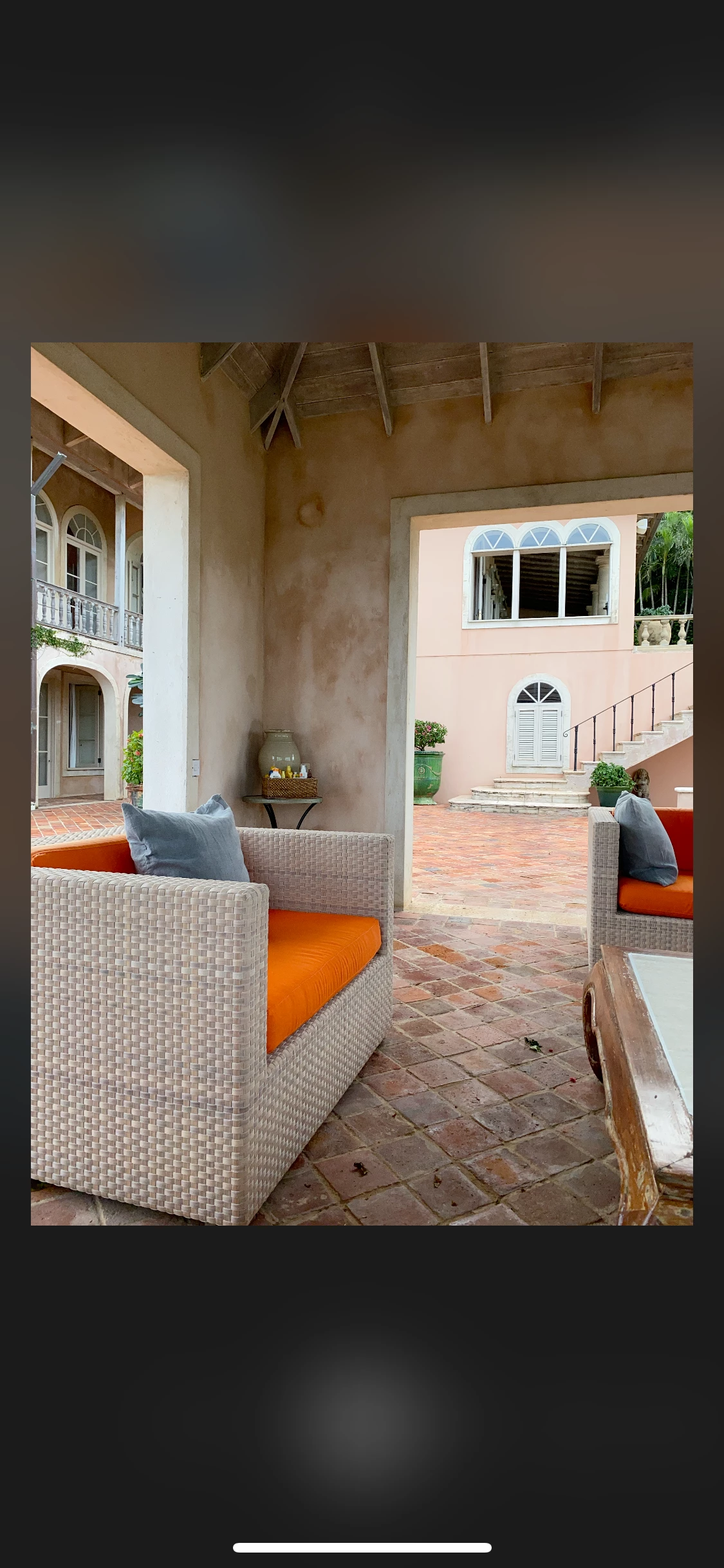
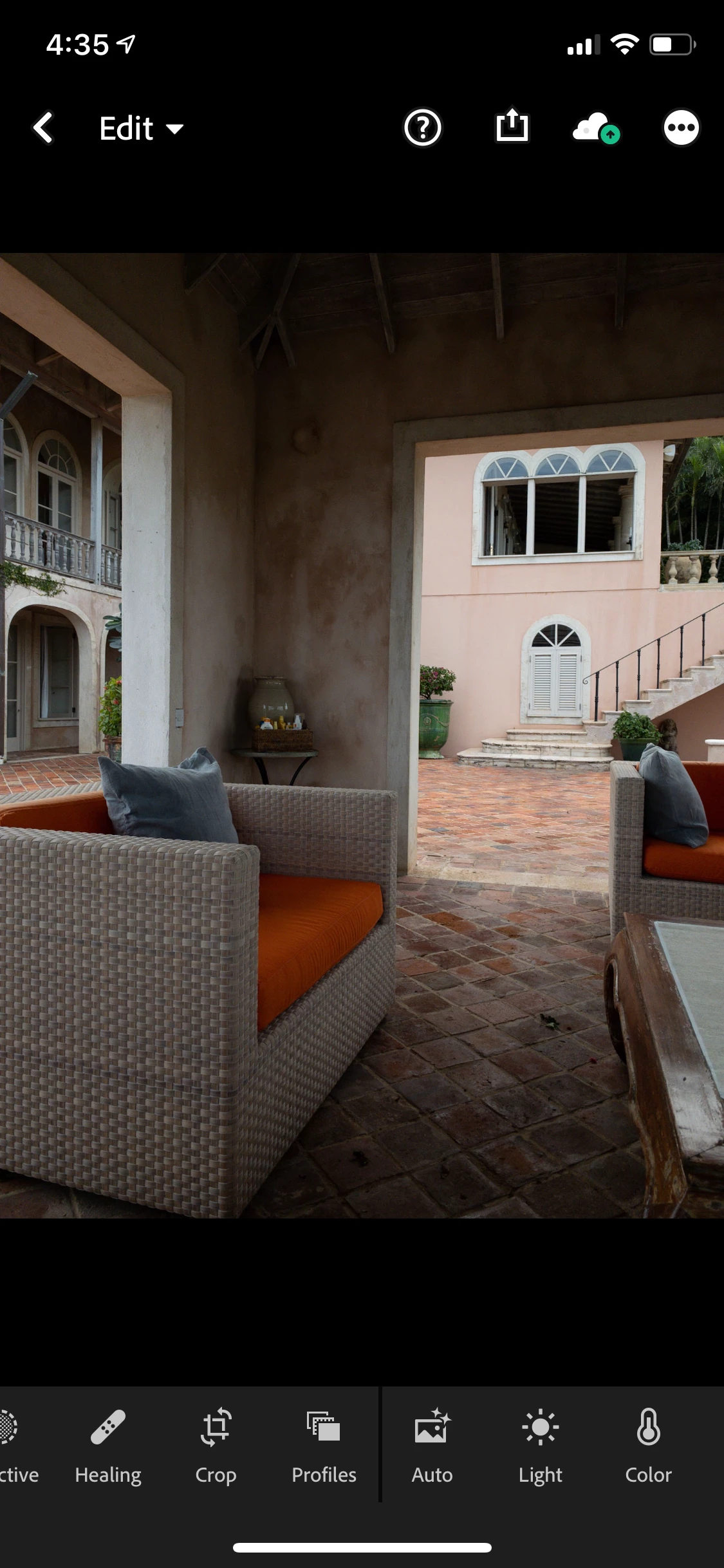
 

Correct answer Charlie.D

Hello

This is not a new behavior in Lightroom, or iOS, or even this year's new phones.  Lightroom QA logged this behavior as a bug several times, and each time the feedback from developers was that the Lightroom is simply writing the raw image data directly as the sensor provides it.  Lightroom DNGs look different from capture review mode in the screenshot above or when compared to JPGs due to processing iOS does for the JPGs its APIs render for Lightroom (that review mode image is actually a JPG that gets rendered and displayed in capture review and is not the actual raw DNG image captured).  

When capturing in Lightroom's DNG format, one can use exposure compensation to increase or decrease exposure.  I personally prefer to let DNGs capture at autoexposure, and then modify the exposure when needed in Edit more.  Auto usually gets me closer to desired appearance.  I prefer this overall to JPG capture, which simply lacks the greater image data DNGs have that allow more flexibility when editing.


The LR engineering team will continue to explore options for future releases.  

3 replies

Carlo UK
Participating Frequently
May 20, 2025

lot of these answers are clearly by people who arnt using the app. Its obvious to any one using LR mobile to edit iphone photos and then exporting them back onto the iphone that the images are dull compared to the original. And thete are answers here which are rubbish. Its pretty simple. Iphone images are in HDR. If you want your LR edits exported back onto the iPhone with the same pop you need to enable HDR editing in the LR app. Its in the Light button. There

Charlie.DCommunity ManagerCorrect answer
Community Manager
December 3, 2019

Hello

This is not a new behavior in Lightroom, or iOS, or even this year's new phones.  Lightroom QA logged this behavior as a bug several times, and each time the feedback from developers was that the Lightroom is simply writing the raw image data directly as the sensor provides it.  Lightroom DNGs look different from capture review mode in the screenshot above or when compared to JPGs due to processing iOS does for the JPGs its APIs render for Lightroom (that review mode image is actually a JPG that gets rendered and displayed in capture review and is not the actual raw DNG image captured).  

When capturing in Lightroom's DNG format, one can use exposure compensation to increase or decrease exposure.  I personally prefer to let DNGs capture at autoexposure, and then modify the exposure when needed in Edit more.  Auto usually gets me closer to desired appearance.  I prefer this overall to JPG capture, which simply lacks the greater image data DNGs have that allow more flexibility when editing.


The LR engineering team will continue to explore options for future releases.  

Participating Frequently
December 4, 2019

Thanks. I don't fully understand the technical issues involved, however, I appreciate that it's a known bug. 


A few days ago I realized I could just download the original photos I took from my iCloud account to my laptop, and then import them into Lightroom Classic, circumventing the mobile app. 


As this feels like a more efficient workflow than using the app as I had been, I'm just going to stick with it going forward. 

Akash Sharma
Legend
November 28, 2019

Hi there,


Sorry that your images are getting darker in appearance once imported into Lightroom mobile on your iPhone 11 Pro.


Yes, the difference is clear and it is something not usual. Which version of Lightroom are you using? 


Generally, this happens when Lightroom renders your image and make the correction based on the camera profile. The images were probably raw images. And you probably had some in-camera settings that were impacting the original image. The lighter image was the JPEG preview that is part of the raw image. Lightroom displays that JPEG preview while it builds its own preview of the raw image data. Lightroom does not read in-camera settings such as brightness, saturation, sharpness, etc.


Thanks,

Akash

robf1912204
Participant
November 28, 2019

Hello Akash


as this is all happening within the iPhone and Lightroom app ios, there are no RAW in-camera settings.


i understand what you are describing and that applies to when I use my dslr and the main Lightroom desktop app, but with the iPhone it's not the same.


Participating Frequently
November 28, 2019

I've been having the same problem. All my photos that I'm having trouble with were taken with the iPhone 11 XS Max in Sept 2019 using either Camera+ 2 app or iPhone Camera app.


There may be more affected, but these are the ones I'm working with right now. 


I posted about it at https://community.adobe.com/t5/lightroom-for-mobile-apple-tv/photo-import-problems-since-ios-13/m-p/10767683