


Participating Frequently
February 1, 2024

P: Unable to select text or add new text with Type Tool

  • February 1, 2024
  • 75 replies
  • 20403 views

Unable to select or edit the existing text using the Type Tool. The selection gets instantly reverted. This also happens while adding new texts. Restarting the app is the only workaround. Here's a screen recording of the issue:
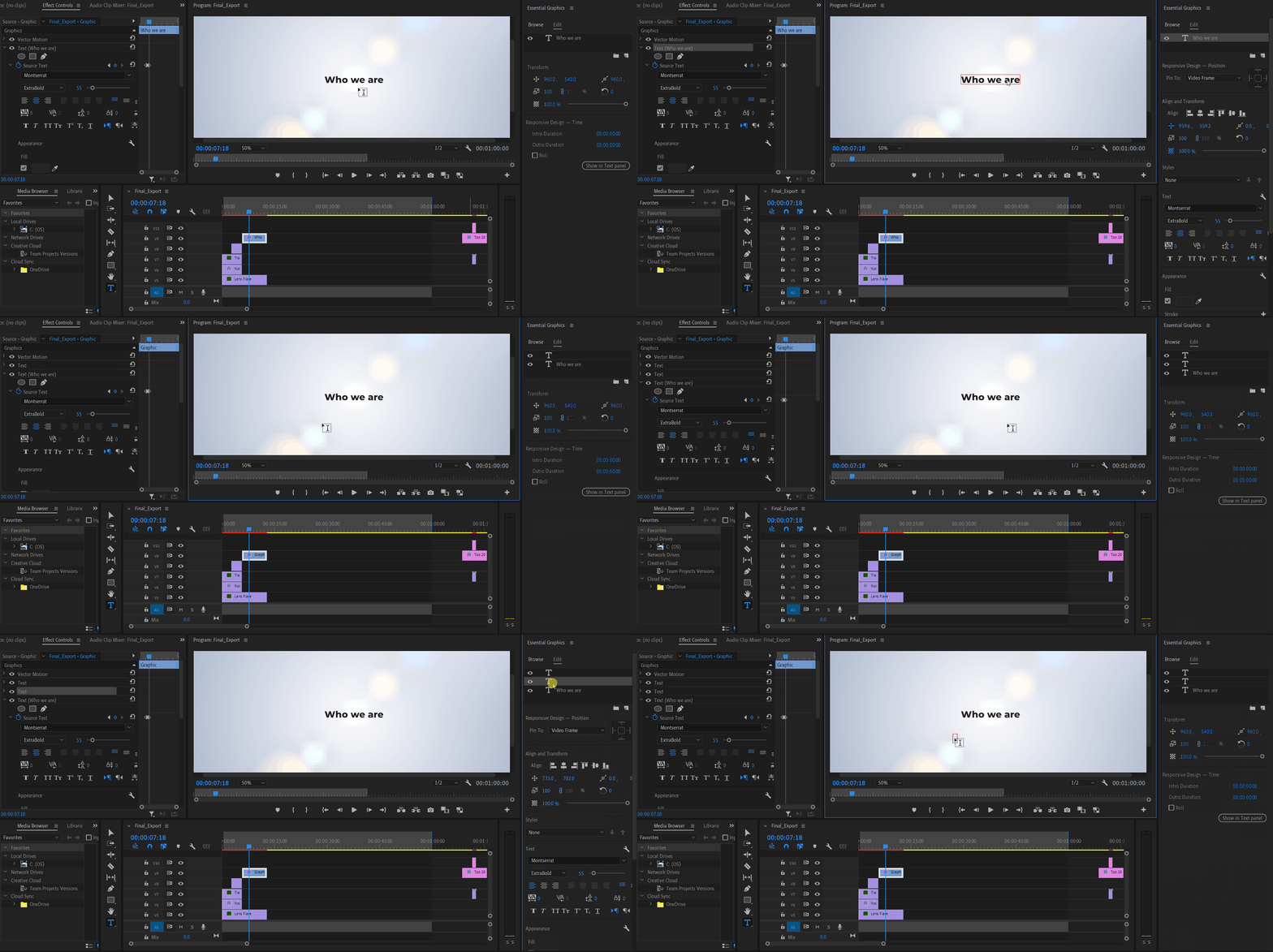


Premiere Pro Version: 24.2.1 (Build 2)

OS: Win 11 Home

Laptop: Asus Vivobook Pro 15

Processor: AMD Ryzen 5 5600H

Graphics Card: Nvidia RTX 3050

75 replies

Participant
July 18, 2024

Since the update in Premiere Pro 24.5, I found an issue related to keyboard shortcuts and typing in text box in Program Monitor. The shortcuts always override during typing. 


For example, my V key is for Selection Tool, whenever I first type a V letter, it changed from Text Tool to Selection Tool; same as other shortcuts, like A key is Track Select Forward Tool, I type an A letter it triggered the tool. Even when I press space bar, it trigeered Play/Pause. I am sure I have the program monitor focused, a red rectangle is indicating the text box, the text box on the timeline is highlighted.


I can only type in the text box with luck if the shortcut isn't triggered, or sometimes select the text box from Essential Graphics panel does help, but not always working. Also, the keyboard shortcuts I've used is application wide, and I never customized any panel specific commands.


Is anyone experiencing the same issue? 


System information

Premiere Pro 24.5.0

Mac Studio 2022, M1 Max 64GB

macOS Sonoma 14.5

Known Participant
July 14, 2024

Since the most recent update, whenever I am editing text on screen, about 75% of the time if I am typing inside the text field, and I hit a key which is also a keyboard shortcut, it will exit the text box and action that shortcut.


For example, A I have assigned to the zoom out timeline keyboard shortcut, so when I type a word with 'a' in it, it doesn't type the letter 'a' but instead exits the text editor, and zooms out the timeline.


The problem is it's doing it inconsistently, I'd say about 60-70% of the time it does this. The rest it behaves as normal. It seems if I first delete a character, then start typing, it is less likely to action a keyboard shortcut.


Anyone has any ideas I'd greatly appreciate it because this is driving me up the f*cking wall!


macOS 14.2 (23C64)

Premiere 24.5.0 Build 57

MBP M1 Max

Stan Jones
Community Expert
Community Expert
July 14, 2024

See my post here :

https://community.adobe.com/t5/premiere-pro-bugs/unable-to-select-text-or-add-new-text-with-type-tool/idc-p/14735634#M30886


This is similar to a bug from earlier 24.x Releases, including 24.2.1 That bug was fixed in Release 24.3. But similar problems are affecting some users with 24.5.0. I cannot replicate it. Specifically, adding and deleting a mask in Effect Controls does not create a problem.


Stan


Participant
July 8, 2024

Running latest updated 24.5 on Windows.


For a few versions now, I get a bug where as I type my text if I hit spacebar it will play the timeline. Or if I hit i or o it moves my in or out points. etc etc. as it types the text. Any hotkey gets triggered when using the keyboard to type your text. 


I can replicate this by NOT having the type tool selected, and double clicking my text box to edit it. 


If the type tool is selected, and THEN I click on the text, it will not happen.


I know this has been happening for a few months now and was apparently fixed but it's unfortunately still happening to me. It's a brand new project, not an old one. 


Thanks


Stan Jones
Community Expert
Community Expert
July 8, 2024

@defaultr8rbg2obpuau,


Thanks for providing useful information. I have seen other reports that problems like the bug that was fixed are affecting some users.


Win 10, PR 24.5.0. I do not get the problem, whether I enter edit mode by

a - with selection tool selected and double-clicking the text box or

b - with the text tool selected, hovering over the text box, and clicking.


The original bug (merged two bug reports):

https://community.adobe.com/t5/premiere-pro-bugs/unable-to-select-text-or-add-new-text-with-type-tool/idi-p/14477923


What you are seeing appears more limited. Is adding/deleting an effect required for you to get the problem?


Here's my response to a user reporting a problem in 24.4.1, where I suggest a method for testing for the original bug.

https://community.adobe.com/t5/premiere-pro-discussions/typing-text-selects-hotkeys/m-p/14673674#M508337


@AnnikaKoenig @jstrawn 


Stan


Participating Frequently
July 9, 2024

This has been going on since the last update or two. I'm currently on 24.5 build 57.
When I enter a subtitle, the first letter (in English) is a capital letter, of course. For some reason, this (the shift key?) often triggers the tool selection and changes the type tool to another tool, which then, depending on the next letter I enter, does unwanted things to the project. This isn't crashing PP, but it is very frustrating as it happens at least 1/3 of the time. 
I'm Windows 10, Intel(R) Core(TM) i7-9700K CPU @ 3.60GHz 3.60 GHz, 32.0 GB RAM

Participating Frequently
June 27, 2024

Hello,
I encoutner a strange problem in Premiere. I already checked my keyboard at "Key-Test" - keyboard test online and found no stuck keys.

The problem: Whenever I write something in a textfield in Premiere, a lot of letters trigger the selection of the corresponding tool or space starts playing the timeline, instead of actual writing a space in the textfield.

My workaround so far is to write into the windows 11 text editor und copy and paste the text to the textfield in premiere. This is stupid of course...

The bug does not appear when the text field is newly created and I write text. But when I reselect any textfield and start writing, for example a selects the selection tool and does NOT WRITE the letter a, same goes for v or space-bar. All the commands are triggered inside premiere. So I can't write at all. 

Thank you 🙂 

R Neil Haugen
Legend
June 27, 2024

You have to not only 'select' the text box, but click where you want to start typing text. Until you have a blinking cursor showing on screen, it isn't 'ready' to write text to the box.

Everyone's mileage always varies ...
geraldW
Inspiring
June 3, 2024

When I'm typing into a text box inside the program window I can only get a few letters in before it jumps out and I'm suddenly doing shortcuts inside the timeline.

Windows 10
24.4.1

Never happened to me before. Now I can only edit text boxes inside the graphics panel.

Community Expert
June 3, 2024

did you try to reset the preferences?

Community Expert
April 7, 2024

@morphinapg , well, then the bug is about something that is triggering a playback command, this should help Adobe PPro team to investigate it...

morphinapg
Inspiring
April 6, 2024

@Ali Jaber  that's why I placed keystrokes on in the video, to see whether anything like that was happening, but there's no Ctrl+Space reported in the keystrokes (checked frame by frame), so I don't think that's happening. Note that this often happens in the middle of a word as well, not just on spaces.

Community Expert
April 6, 2024

@morphinapg , for me, it looks like you are pressing ctrl+space by mistake every while, and that's cause the problem. Just a thought...

Hint: looking at your video, a faster way to get back to same place where you was editing: press "\" (zoom to sequence, it's better to set an easier keyboard shortcut for fast access, I remapped it to "z"), move your CTL (current time indicator) to where you was, press "\" again.


Wow: 372K subscribers, congrats!

morphinapg
Inspiring
April 6, 2024

Okay, I was screen capturing while subtitling a video I'm working on for my youtube channel, and I ran into the bug here:


https://youtu.be/T_sLkTqthoA

You can see once I find my place again that it entered the letter I, but then immediately started reading keystrokes as keyboard shortcuts, so it seems like it lost focus right after that first letter was typed. It looks like it had also entered the space as well.

morphinapg
Inspiring
April 5, 2024

@Stan Jones 


Unfortunately a screen recording wouldn't really be easy because as I said, it happens unpredictably at rare random instances, maybe once an hour or so.


Yes, it immediately starts working again as soon as I get back to where I was. Sometimes the keyboard presses that it intercepted as shortcuts make changes I have to undo and I usually end up losing my place, so I have to find where I was again, but once I do, I can resume work normally, for a while until it happens again at random.