


Participating Frequently
January 24, 2023
Question

A font that is required for this encode has changed. Please restart the encode.

  • January 24, 2023
  • 4 replies
  • 1183 views

Have recieved the following error in AME when exporting from Pr: 

A font that is required for this encode has changed. Please restart the encode.
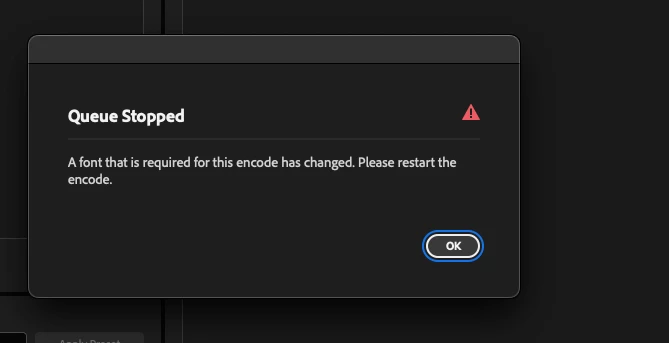
 

Can you help explain what may be causing this issue and/or what this error means? 


I use Monotype and system fonts and they were online. I had a dynamic link project with AE  which contained some text, which was also online. 


Restarted Premiere same error, trashed cache then restarted Premiere fixed the issue. This has been happening at least once a month for the past 6 months or so so is making me wonder what I could do to prevent this moving forward. Currently running 23.0.

4 replies

Inspiring
June 14, 2023

I'm up against it and Premiere has crashed on open 4 times, getting this font bug, export window hangs, and file collision overwrite doesn't even work right. It's starts encoding a file before you have a chance to even hit accept ...


Johnny5E76
Known Participant
May 20, 2025

I see this had been happening to people since at least 2023 without and solution being presented. It's happening to me too in 2025 - anyone got any idea why, and how to get past it?

Community Manager
May 21, 2025

Hi Johnny5E76,

We're sorry about the poor experience. Are you getting the same error message or a different one? Could you please share the exact version of Premiere Pro & Media Encoder that you are using? We're here to help, just need more info.


Thanks,

Sumeet

Inspiring
June 14, 2023

I spend more time fighting stupid bugs like this than getting real work done some days. It's really difficult to be professional and work with deadlines when these things come up. 

LdoggsAuthor
Participating Frequently
June 14, 2023

I will add that our team is still getting these errors. Would also still like to know what the possible causes for this font error is, or how we could troubleshoot. The only solution we have is time, try again later and it tends to work but agreed when you are under dealine it gets a bit tricky.


Adobe can you please provide more insight into this particular error?

Inspiring
June 14, 2023

Also been getting this randomly. I closed the CC app to see if it was errantly syncing something and that didn't help. I'm getting this in the Premiere exporter as well as AME. 

New Participant
March 10, 2023

Adobe - can you give some insight into this error? What could be casuing this?