


Copy link to clipboard
Copied
Hello. I am using the latest version of Adobe Premiere Pro CC 2021. When I add subtitles to a video it is necessary to use the text panel. However my text panel does not sit neatly in the Adobe Premeier Pro workspace. Instead it always floats as a very large freestanding panel. It covers 3/4 of the workspace!
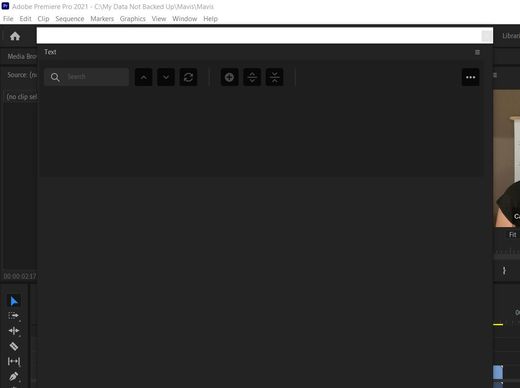
This is really annoying. I shut other panels but I cannot place the text panel neatly in the workspace. Does anyone have any ideas how to do this?
Thank you.


 1 Correct answer


That is odd, since you were seeing it before.
First, just Window -> Text to see if the Text Panel opens. Note that whether open or not, there is a bug that the check mark does not appear next to it in the Window menu.
If the panel is not docked, remember that to dock it, you should be dragging the panel name, and not the window.
Also, if that doesn't work, do you have Transcriptive or similar? See this post:
...
 6
Replies
6
6
Replies
6

Copy link to clipboard
Copied
Select the Captions workspace. Then reset to saved layout.
Let us kow if that helps.
Stan
Copy link to clipboard
Copied
Hi Stan
When I tried this the text entry panel disappears. So I cant enter any text!
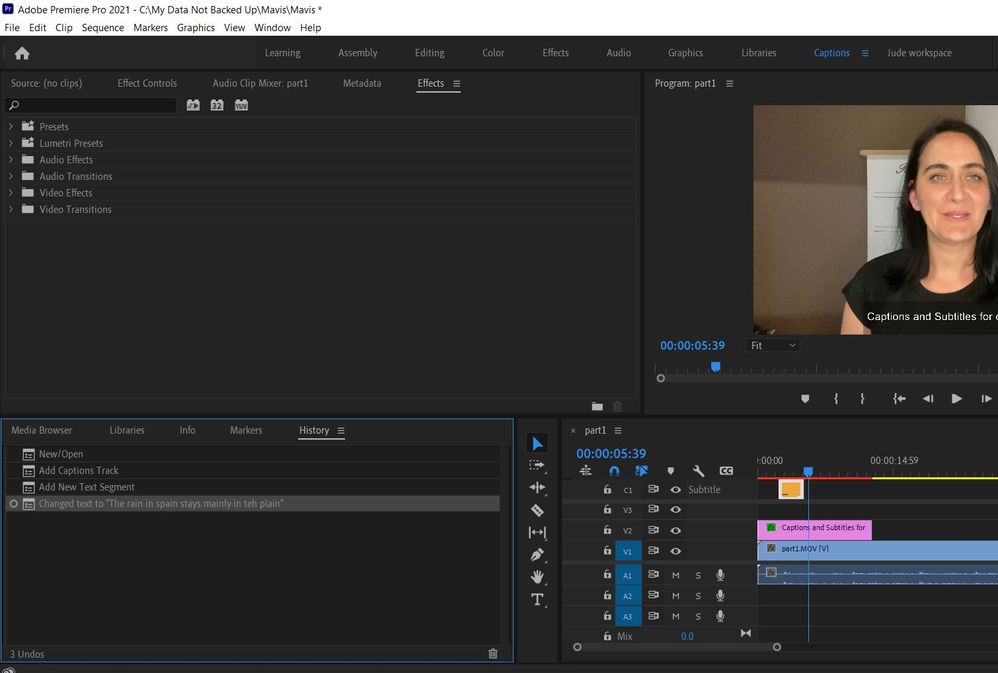
You're help is mcu appreciated.
Jude
Copy link to clipboard
Copied
That is odd, since you were seeing it before.
First, just Window -> Text to see if the Text Panel opens. Note that whether open or not, there is a bug that the check mark does not appear next to it in the Window menu.
If the panel is not docked, remember that to dock it, you should be dragging the panel name, and not the window.
Also, if that doesn't work, do you have Transcriptive or similar? See this post:
This could also be some service other than Digital Anarchy.
Stan
Copy link to clipboard
Copied
Hi Stan
That works (the bit about dragging teh name!).
Thank you
Jude
Copy link to clipboard
Copied
Copy link to clipboard
Copied


Get ready! An upgraded Adobe Community experience is coming in January.
Learn more
 AdChoices