


- Home
- Premiere Pro
- Discussions
- Another "Low level exception" error...
- Another "Low level exception" error...

Copy link to clipboard
Copied
Hello all,
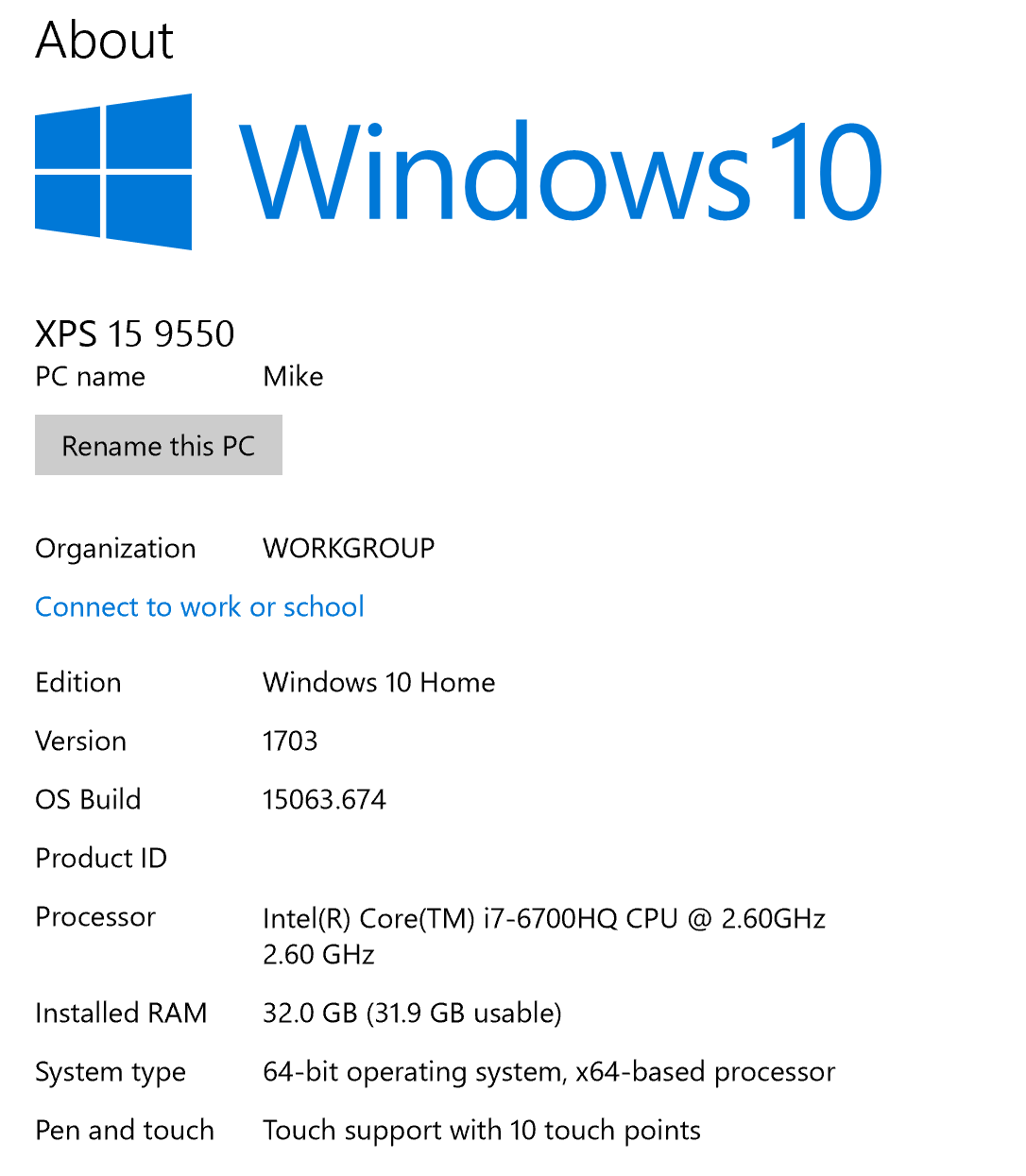
Been searching the forums, Google, and YouTube to no avail, really. I am working with Premiere Pro CC 2018. The problem was exactly the same on the previous version of Premiere that I updated from about a week ago. Here are the specs of the machine I am working on if it is relevant.I also have a dedicated graphics card, a nVidia Geforce GTX 960M with 2GB VRAM, and all drivers are up to date.
I am working on a 1080p24 timeline, and the clips are a combination of 4Kp24, 1080p24, all are MP4 files from a Panasonic GH5. So, basically, everything works fine... except whenever I try to apply the "Pixel Motion Blur" effect to a clip in the timeline, I get the error below...
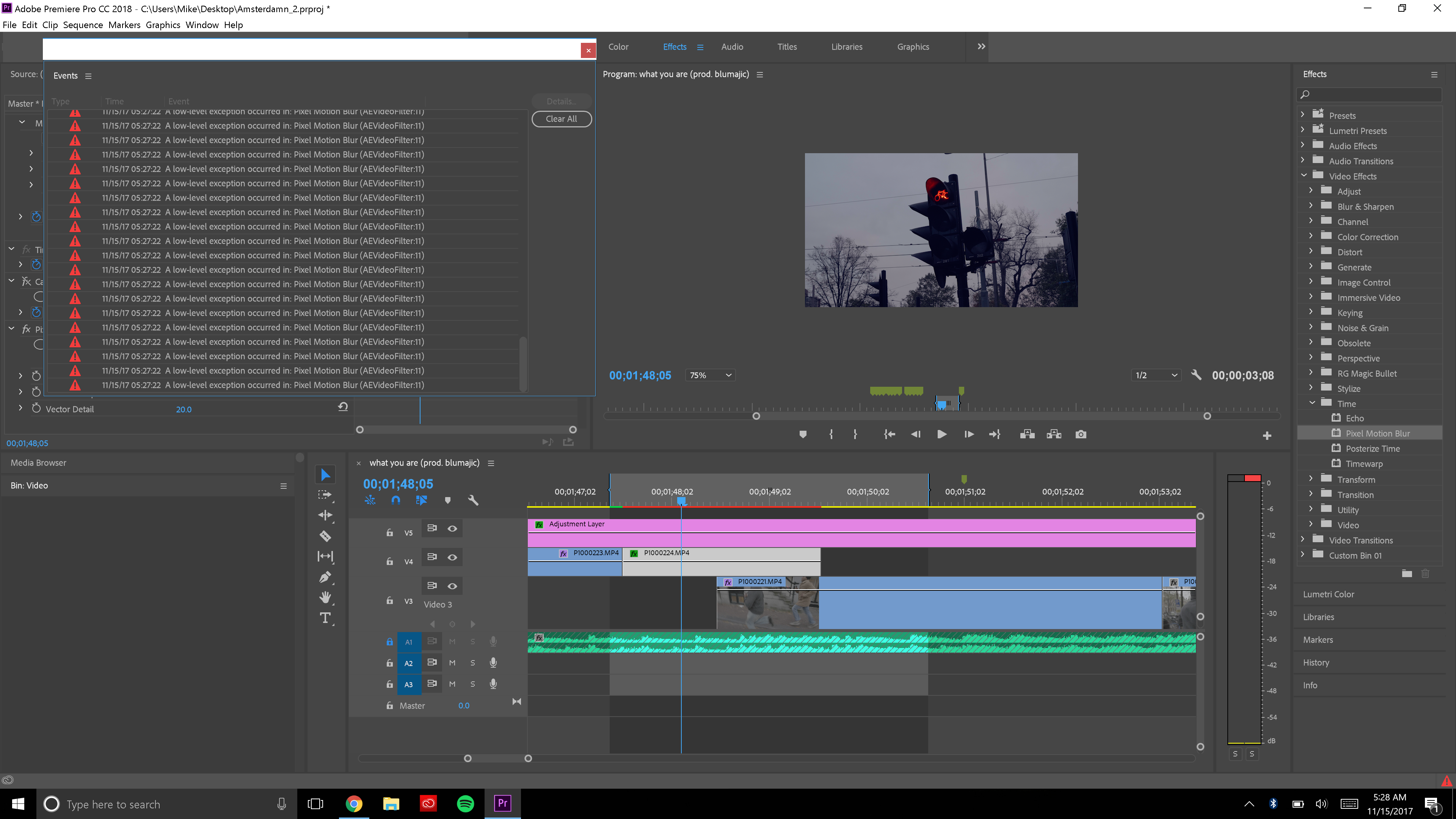
It happens on both the 4K clips and the 1080p clips. I've started fresh projects with video from other cameras with the same result. Everything else in Premiere is still functional when the effect is applied to a clip, but when the clip is played back, when it comes to the clip with the pixel blur applied, it just displays the first frame for the entire duration of the clip, then the next clip carries on as usual. If I try to render the video, it sticks at 0%. From what I can tell, it's the only effect that causes this problem (I've just about tried them all). Interestingly enough, the Time Warp effect doesn't cause the error, though it won't work or render properly and also causes a static frame for the a part of of the clip it's applied to. I tried re-installing Premiere, and turning off the GPU acceleration for the rendering, neither of which didn't work.
I tried searching around to see if I could just re-download a copy of the pixel motion blur plugin somewhere.. is it possible? I almost decided on buying a third party one, but then I snapped out of that asked myself why I should go to these lengths given the fact that I'm paying a small fortune every month for my Creative Cloud!
Anyone have any advice? This is causing extreme disappointment and defeat, and any help is greatly appreciated... Thanks in advance! 


 1 Correct answer
My apologies for not following up. andrewh above is right as far as I know. The pixel motion blur in Premiere is messed up, and doesn't seem to be high on the list of priorities. I hope you're listening, Adobe...
I ended up just jumping into After Effects if I need these types of effects. If you have access to After Effects, then use Pixel Motion blur there, CC Force Blur, or even just the composition motion blur, which are all better options IMO. But if you're stuck using Premiere, know that pix
...
 5
Replies
5
5
Replies
5


Copy link to clipboard
Copied
I am getting a low-level exception in: Pixel Motion Blur (AEVideoFilter: 11).
I am on a Macbook Pro: OS X 10.13.2
AMD Radeon R9 M370X 2 GB
I'm on Premiere Pro CC 12.0.0 (build 24).
Looks like a bug in Premiere that is independent of hardware and OS.

Copy link to clipboard
Copied
Same problem
Any solutions yet ?

Copy link to clipboard
Copied
Same problem here. Not happening in after effects, but failing in Premiere
Correct answer by
Mikeo0
AUTHOR
Copy link to clipboard
Copied
My apologies for not following up. andrewh above is right as far as I know. The pixel motion blur in Premiere is messed up, and doesn't seem to be high on the list of priorities. I hope you're listening, Adobe...
I ended up just jumping into After Effects if I need these types of effects. If you have access to After Effects, then use Pixel Motion blur there, CC Force Blur, or even just the composition motion blur, which are all better options IMO. But if you're stuck using Premiere, know that pixel motion blur uses some component of the "Timewarp" effect, which seems to be working as of November 2018 on Premiere CC 2019. Use that effect (don't forget to put the speed to 100% or where you want it, it seems to default to 50%). Then scroll down to the motion blur part of the effect and check "Enable Motion Blur".

Copy link to clipboard
Copied
Yeah I've noticed the same thing, the frame interpolation in premiere (optical flow) is garbage vs. composition pixel motion blur in AE, which is pretty dece. Was hoping to do a quick and dirty time warp in Premiere, but ended up just using AE. Fine tune as you see fit as mdotson90 suggests.


Get ready! An upgraded Adobe Community experience is coming in January.
Learn more
 AdChoices