
Participant
June 8, 2023
Question

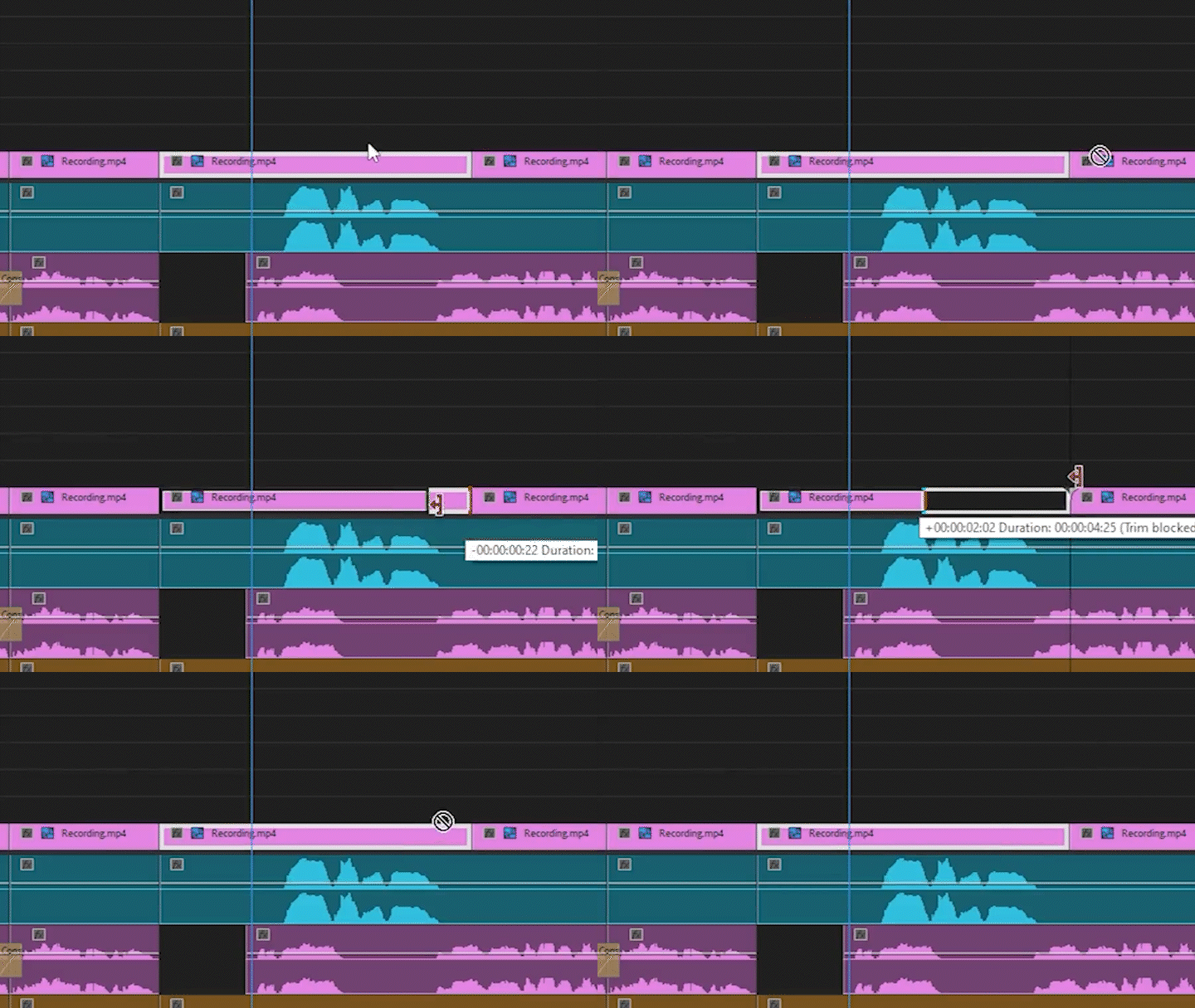
Cursor Becomes Error Symbol- Cannot drag ANYTHING

  • June 8, 2023
  • 1 reply
  • 1225 views

After having Premiere Pro 2023 open for seemingly random amounts of time, my cursor becomes this strange error symbol and prevents me from dragging ANYTHING in Premiere. I cannot drag clips on the timeline and I cannot drag effects onto the timeline or into the effects window. I haven't found a single other person that has encountered this issue before and its so incredibly frustrating to deal with every time it happens.


I've been dealing with this for well over a year now, despite clearing my cache, clearing my preferences, updates, and reinstalling the software entirely. The only solution is to restart the software, however, sometimes the issue will come up after merely 5 minutes of having the software open. 

Can anyone help me?
1 reply

Participating Frequently
February 2, 2025

the same is happening to me, did you find a solution?

MyerPj
Community Expert
Community Expert
February 2, 2025

Are you also using PP version 2023?

Check this: Info needed for a bug report

Participating Frequently
February 2, 2025

Hi, no, I'm using PP 2025 (25.1)
My system:

Intel i9 13900k

64Gb of RAM

Nvidia RTX A4000 (Driver 572.16)

2 Tb NVME Drive (2x1Tb Raid0)


What I CAN do: 

- Drag a video file from file explorer and place it into the project panel and into the timeline

- Create new sequences and subsequences

- Preview anything on the source monitor and the program monitor

- Add markers anywhere

- Change volumen

- Cut clips

- Extend or shorten any clip in the timeline

- Copy and paste any clip in the timeline (but I can't change the destination layer no matter the combination of track targeting / source patching that I make)

- Delete ripples

- Change any effect (position, scale, rotation, etc.)

And so on


What I CANT do:

- Drag the position of any clip in the timeline (cursor turns into a forbidden icon) nor left to right or into another layer

- Drag from the project panel or source monitor into the timeline (cursor turns into a forbidden icon)


What I've already tried to no avail:

- Check if my project exceds the 24hr limit

- Check Track targeting /source patching

- Resize PP window, and fullscreen mode

- Set audio hardware input to none

- Create a new project

- Create a new sequence

- Reset the workspace

- Delete media cache files

- Reset all preferences

- Reset load cache

- Disable third party add ins

- Uninstall PP

- Clean uninstall PP

- Install an older version (25.0)

- Install an even older version (24.5)

- Install another graphics driver


Now while I was writting this I came with a simple test that didn't even crossed my mind at the moment, change PP to use in the other monitors. So it happens that I have 3 monitors, 2 connected directly to the graphics card and 1 connected to the motherboard and lo an behold when I use PP at the motherboard monitor it works like a charm... so with this I just narrowed the problem to a compatibility issue with the graphics card, so now I'm going to make a lot or troubleshoot to see how can I make it work with the graphics card monitors since those are the "big ones". If I find anything usefull I'll post it.