
Inspiring
February 10, 2017
Answered

How to re-dock a Title Panel

  • February 10, 2017
  • 2 replies
  • 13473 views

I was having trouble with a Title, in that when I closed the Title panel, it didn't save my changes (no Save button?). This seemed to cure itself when I restated Premiere Pro

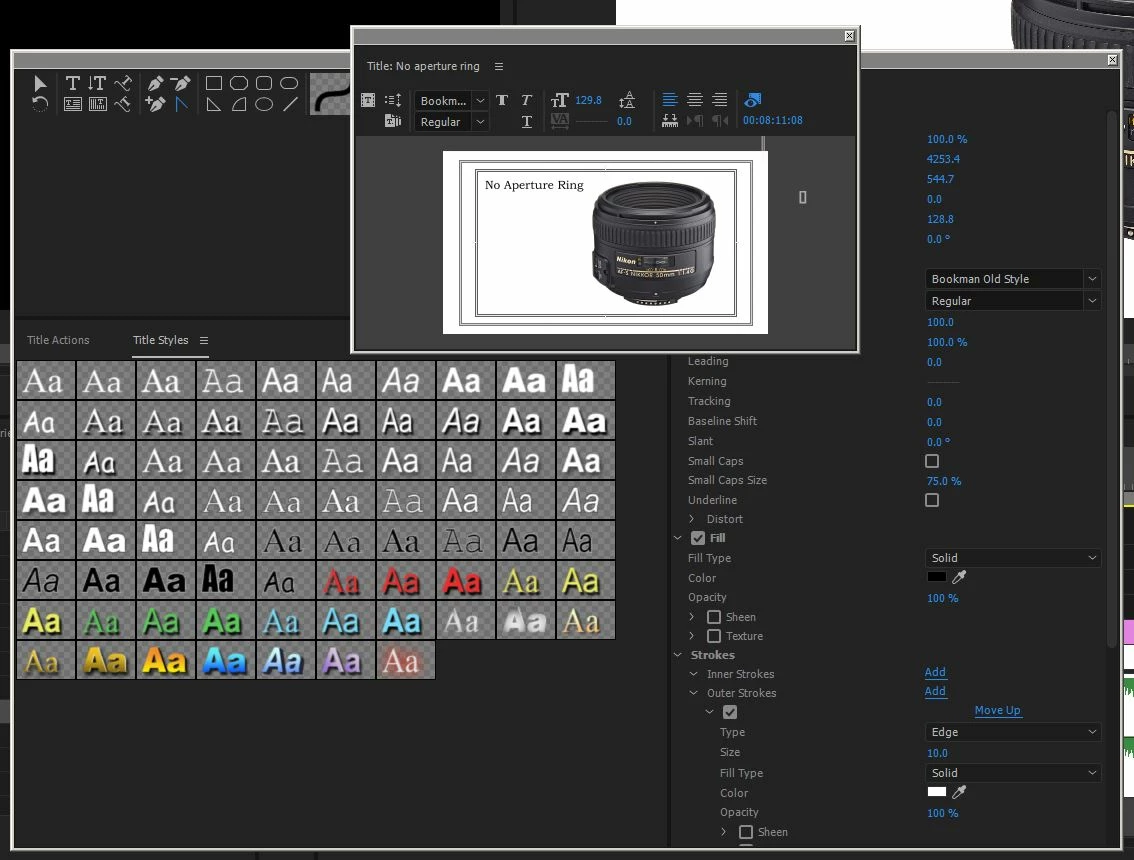
But while messing around with some settings, I inadvertently un-docked one of the Title panels, I've watched various tutorials and tried everything to get it re-docked, but nothing seems to be working. It doesn't 'snap' back anyway when I move it around, and there are no menu options I can see to re-dock it.
    This topic has been closed for replies.
    Correct answer Ann Bens

    2 replies

    OldDesertLizard
    Known Participant
    February 15, 2020

    While Ann's answer is technically correct... I still had a hard time getting it to work.  After figuring out everything that had to line up to make this work, I made a small (under 3 minutes) YouTube video that shows exactly how to do it.  Not getting the instruction here?  Watch my video.

    Ann Bens
    Community Expert
    Ann BensCommunity ExpertCorrect answer
    Community Expert
    February 10, 2017

    Inspiring
    February 10, 2017

    Got it, thanks Ann.

    elliewww
    Participating Frequently
    August 1, 2019

    Thank you!!! Great help