



Answered
PPRO Scripting: Custom Bezier Keyframe Interpolation
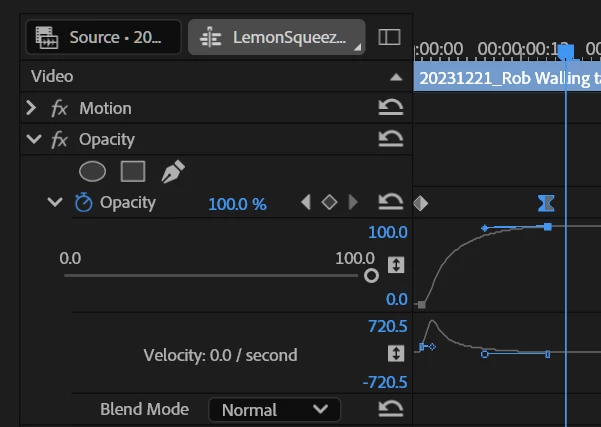
The PPro UI allows editing keyframe handles to set custom easing curves in Effect Controls Panel.
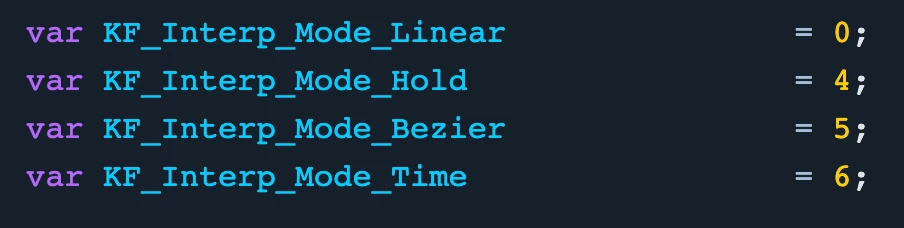
Currently, PPro scripting only allows Linear, Hold, and Bezier keyframes:
During migration to UXP, please add API support for custom bezier interpolation on keyframes. This would enable developers to build more robust presets, plugins, and extensions to automate keyframe creation & light motion graphics in PPro.
It would also allow devs to build custom easing panels, with easing presets, and a better curve editor. These products are extremely popular for After Effects: Flow, Ease Sync, After Ease, etc.
You could model the API after AE's KeyframeEase object.
Here are threads of people requesting this exact feature and related issues:
- https://community.adobe.com/t5/premiere-pro-discussions/premiere-pro-scripting-keyframe-interpolation/m-p/14329722#M486407
- https://community.adobe.com/t5/premiere-pro-ideas/make-keyframe-handles-pin-horizontally-upon-holding-shift/idi-p/14255176
- https://community.adobe.com/t5/premiere-pro-ideas/easy-ease-keyframe-interpolation/idi-p/15183340
- https://community.adobe.com/t5/premiere-pro-discussions/keyframe-controls/m-p/13042007
- https://community.adobe.com/t5/premiere-pro-ideas/edit-keyframe-velocity-numerically/idi-p/14015167
 AdChoices