Participant
August 29, 2018
Answered

Spikes on captions (Premiere Pro 14.9 and earlier)

  • August 29, 2018
  • 5 replies
  • 7519 views

Hi I'm having a strange problem with captions - certain letters have a spike which extends over the text edge. I can't get rid of it even if I try changing fonts


Does anyone know how to fix this? I've attached an image

This topic has been closed for replies.
Correct answer Ann Bens

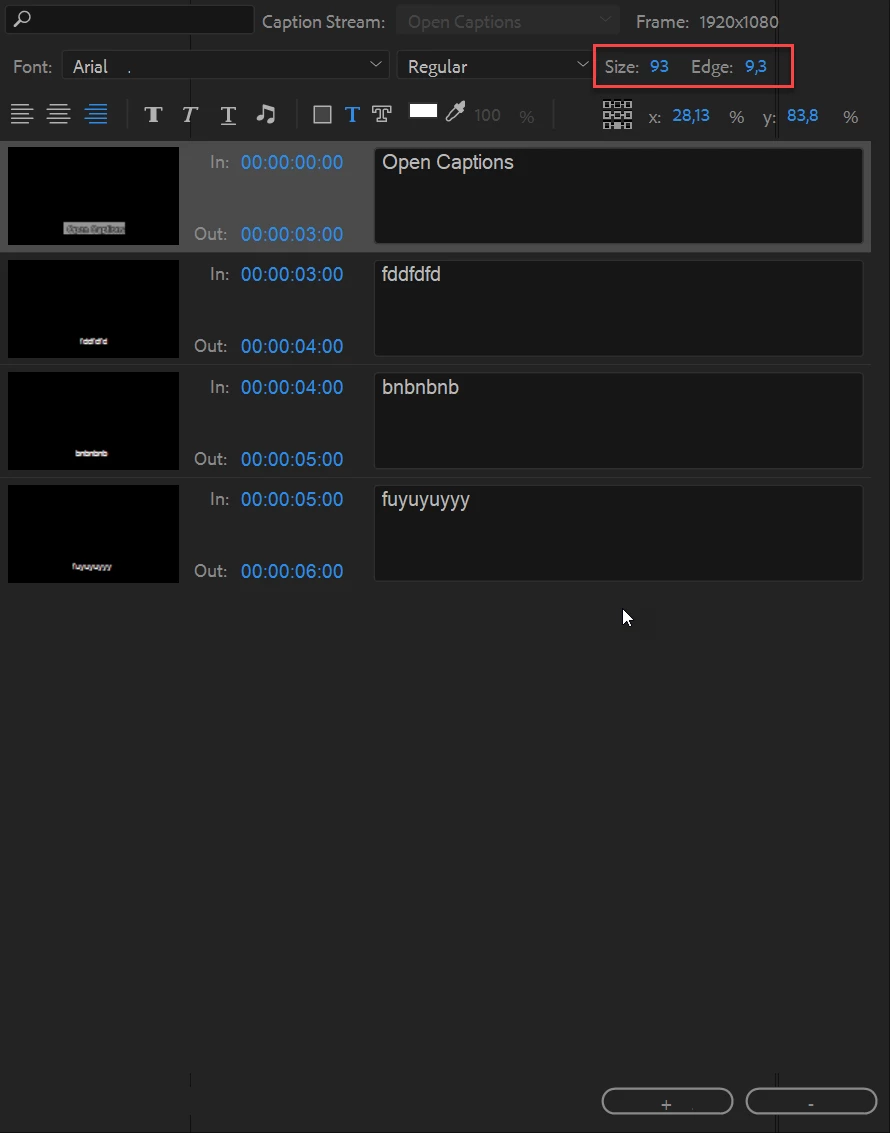
Sorry it's open captions


You can change the edge in Open Captions

5 replies

Participant
January 25, 2021

Turning down the edge doesn't solve the issue, as if you turn it to 0 you get horribly jagged lettering. 

The only way that I've found to sort this (and it's not ideal) while keeping the edge (set at 1), is to add a couple of spaces at the end of each line. As I say, not ideal, because it's empty space and if you are exporting the captions they will include this, but if you're burning captions into the video, it's the only way I've found to keep the edge setting (and therefore the nicely rounded, smooth lettering) and not have the lettering go off of the edge of the backdrop (which would then generally become indecipherable against the video itself)

Adobe really need to fix captions in Premiere. A modern tool shouldn't have such holes in the functionality when trying to achieve accessible video. 

Participant
February 10, 2020

This dosen't solve the problem with the edge of the captions but I found a workaround that really worked for me: I turned down the edge at 0 and after that, I applied a drop shadow on the captions layer. That also gives you a better control over the look and feel of the caption. I hope it helps.

gerardvila5
Participant
February 24, 2020
Thank you so much, this workaround is perfect! Easy and effective

--
Gerard Vila
Stan Jones
Community Expert
Community Expert
October 13, 2019

There is no solution yet. Staff report a few days ago that this is under review for a future release. Upvote here:

https://adobe-video.uservoice.com/forums/911233-premiere-pro/suggestions/34371019-edge-rendering-issue-on-close-captions


There was an improvement for some instances of this problem in 13.0.0 (shortly after the original post in this thread), but not all. The best you can do is a combination of font and edge. The last I tested it, I found for Arial, font size 44, spike is gone at edge = 2. Comic Sans, edge = 5.)


gerardvila5
Participant
October 13, 2019

I don't understand how this post is marked as solved. Turning down the width of the edge is not the solution, it will make the spike just smaller and at the same time the edge becomes almost inexistent. I've tried multiple fonts and in the basic ones (the ones we need to use) there's always these spikes. I've all the posts related to this and there's no solution, it's quite frustrating since those spikes are very unprofessional looking. I'm using open captions on premiere pro cc 2018. Anyone actually found the solution? Thanks

Participant
November 14, 2020

My mind is same like you. We tell about a bug they say close edge or lower it.. Really? Didnt we thought that??

Ann Bens
Community Expert
Community Expert
August 29, 2018

Might want to turn down the stroke.

Participant
August 29, 2018

Hey thanks for the response - how do I do that?

Participating Frequently
March 5, 2021

Foureyez,


The public Beta has a new caption workflow that is using the essential graphics engine. This elimates the "spikes" issue and many other problems with captions, in addition to adding new features. But because of those changes, I don't expect any changes in the current caption system.


Stan


I'll guess we have to wait it out. 
"Strange" advice to use a beta version in a production workflow. 🙂 That goes against all advice I got over the years: never switch versions mid production & never use beta versions in production.
Might be just me. 🙂