


- Home
- Premiere Pro
- Discussions
- Re: video static/noise in Source, Program, and ren...
- Re: video static/noise in Source, Program, and ren...

Copy link to clipboard
Copied
Hello,
I'm not sure what the technical terms are for this, but I'm getting a lot video static/noise in Source, Program, and rendered files all of a sudden, across multiple Premiere projects that are in different locations. See samples below.
The noise only happens in Premiere. When I open files in other programs such as Windows Movies and TV, they're fine.
I've tried uninstalling and re-installing Premiere. I've also tried uninstalling and reinstalling the display adapter (an Intel Iris Graphics 540). I've tried freeing up more file space, and did standard utilities (e.g. defrag, disk check).
I'm on a Windows 10 Pro system, a Dell XPS 13, 64 bit Operating System, x64-based processor, Intel Core i7-6560U @ 2.20GHz, and I've been able to edit in Premiere with no problems for the last year and half... until recently.
Any suggestions on what to try? I'm not sure what words would be used to describe this issue, so I haven't yet been successful in searching the Premiere Forums and the Internet in general to find stuff on this topic. 
Thanks!
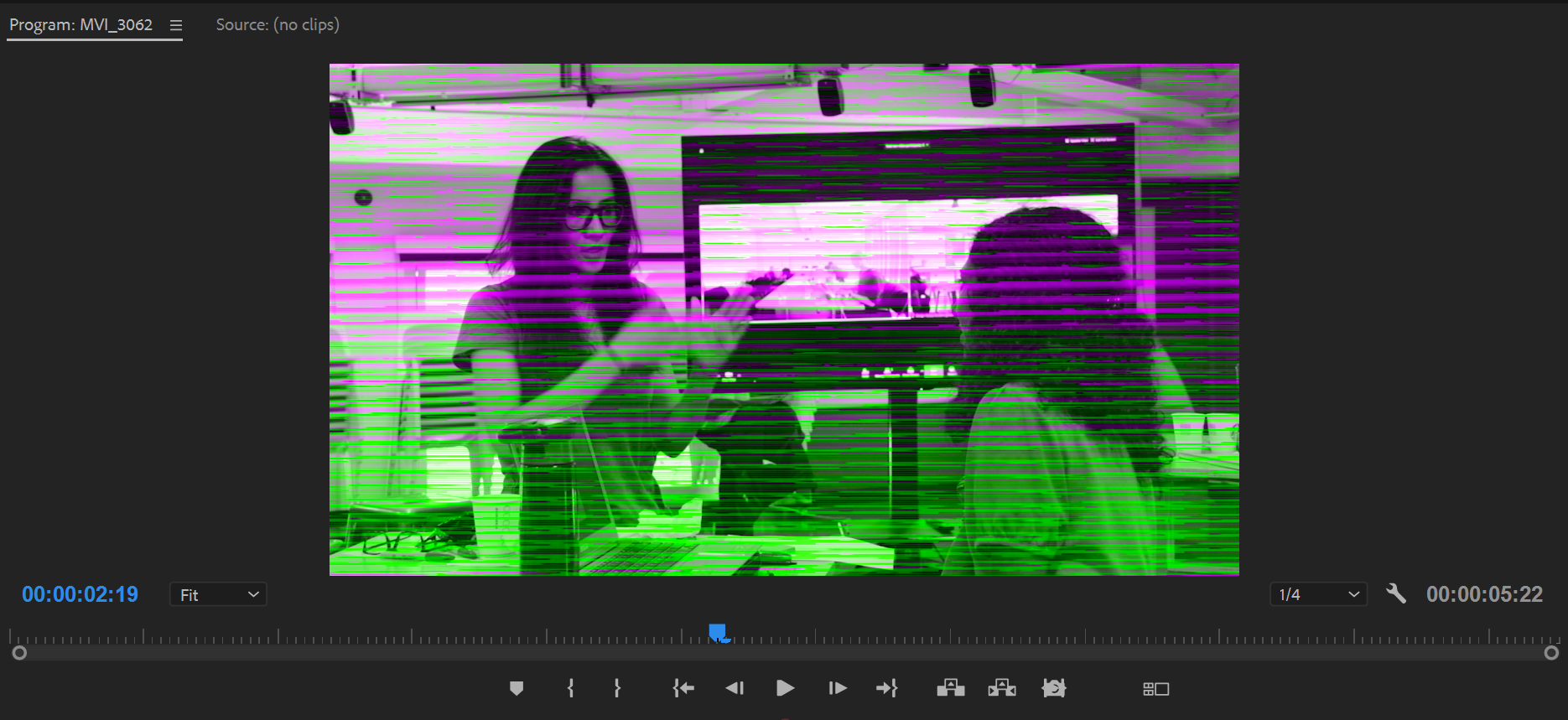
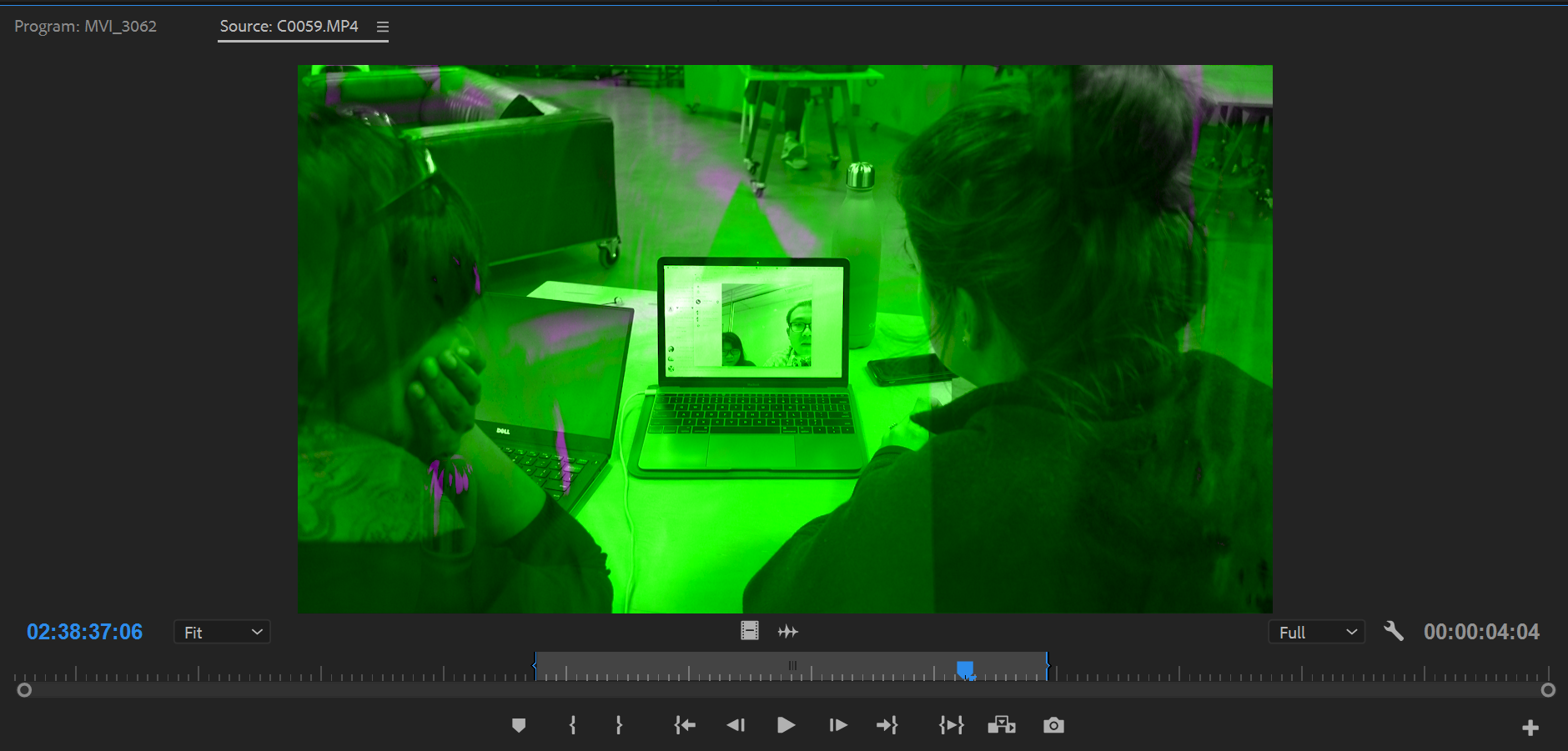

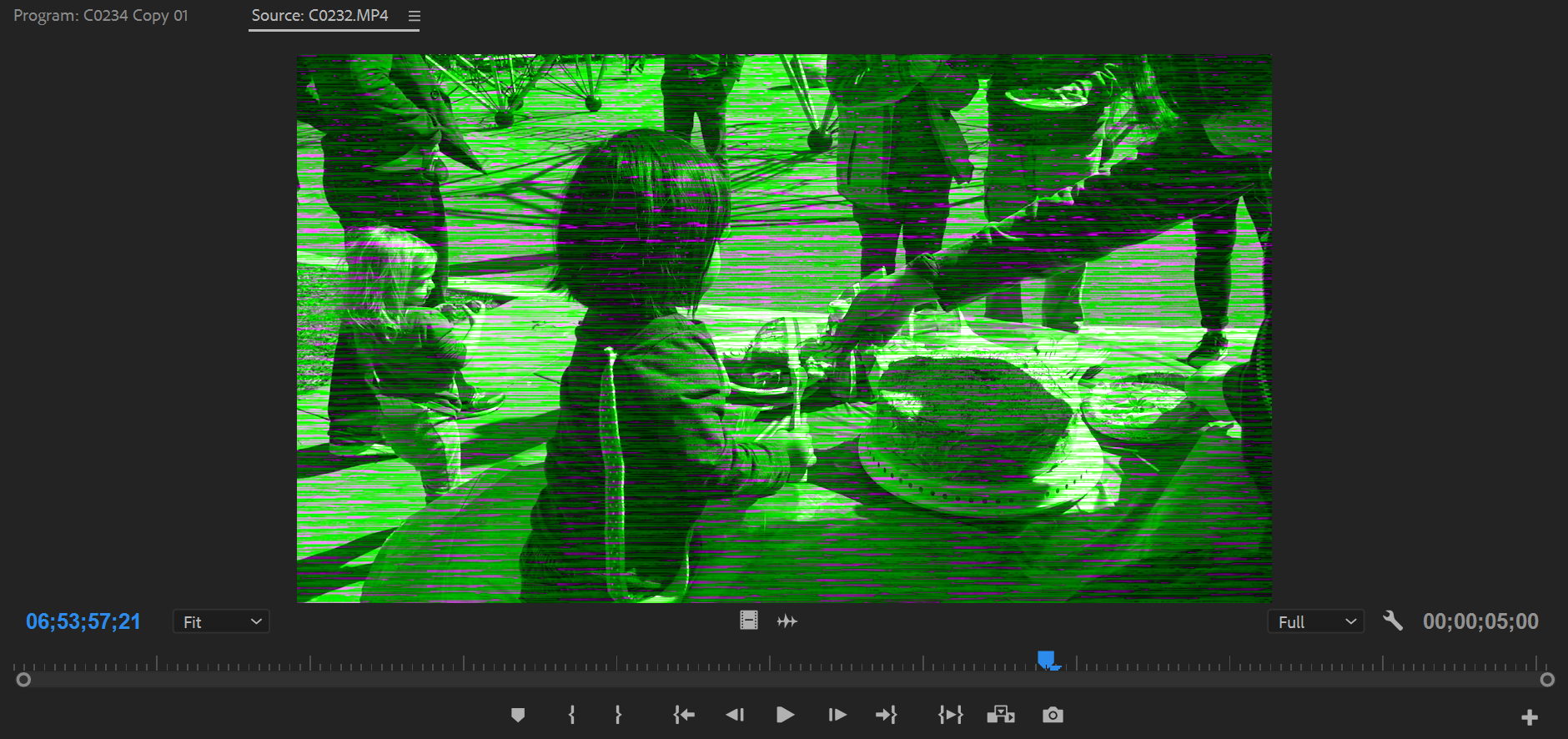


 1 Correct answer


Did you try both new and old video drivers?
For a Dell machine, you may have to go directly to Dell for the drivers.

 8
Replies
8
8
Replies
8

Copy link to clipboard
Copied
Did you try both new and old video drivers?
For a Dell machine, you may have to go directly to Dell for the drivers.
Copy link to clipboard
Copied
I went one version back on the video driver, and that fixed the problem - thanks!
Is it also worth logging a bug with Adobe (or Intel) on this driver incompatibility issue? For example, at Premiere Pro: Hot (1483 ideas) – Adobe video & audio apps . Or are the kinds of incompatibilities common?

Copy link to clipboard
Copied
In your Project settings, what option do you have selected for Renderer? Try OpenCL and then try Software only and see if the issue goes away. If Software works, you may have a video card issue.


Copy link to clipboard
Copied
I believe this is a problem with Intel graphics.
I recommend using a 1000 series video card in a desktop for video editing with Premiere Pro.

Copy link to clipboard
Copied
You have to use Mercury Playback Engine Software Only in Project Settings options, because your GPU it is faulty.
Regards!
Byron.
Copy link to clipboard
Copied
Thanks! I went back one version on the video driver (thank Peru Bob) and that fixed the issue, but I'm wondering byroncortezh based on that you and Jeff Bugbee said, is it better to:
1. Keep using the previous version of the video driver
OR
2. Use the most up to date video driver and use Mercury Playback Engine Software Only ?
Copy link to clipboard
Copied
If it worked for you with a previous driver, continue with that one. In any case you will have acceleration of the GPU while with Software Only you will not have it.
Byron.

Copy link to clipboard
Copied
I'm having this issue, too, on a brand new Dell Laptop - here are the specs:

Any ideas on what I should do, driver-wise? I can get video to play when I change the renderer to software, but it starts locking up.


Get ready! An upgraded Adobe Community experience is coming in January.
Learn more
 AdChoices