
Why I can't find Animated GIF option when exporting in Premier Pro CC?
I am a MAC user and have been trying to export a video clip of 3 seconds as Animated GIF. I have gone through too many tutorial and all I see is that the easiest way is to export as Web Legacy in Photoshop but I wish to do it in Premier Pro. However when I look for export options, I can't find Animated GIF option
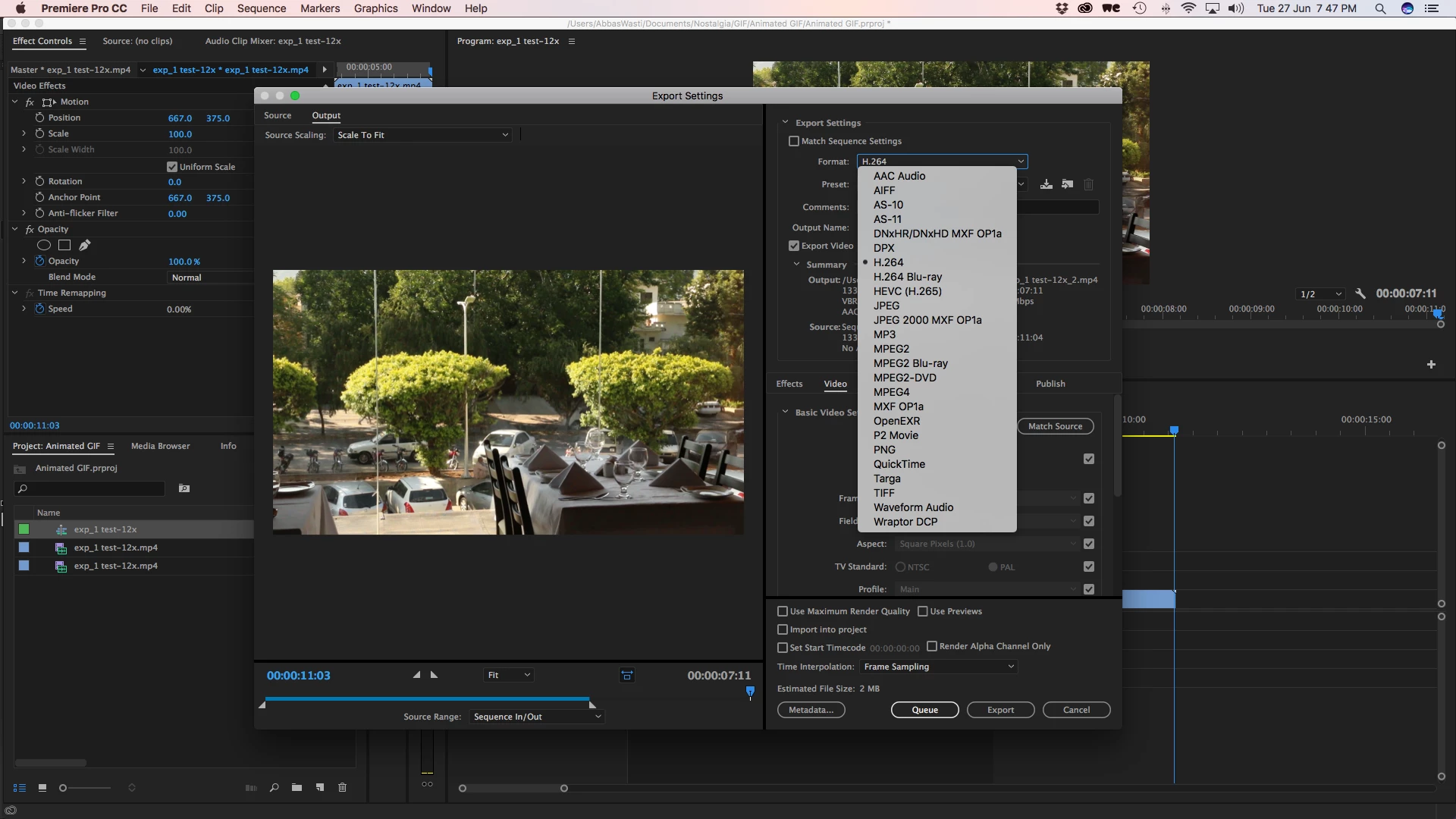
Its very frustrating to watch videos on youtube ( Making Gif file from Video in Adobe Premiere Pro - YouTube ) where I see Animated GIF option but its not available with me, although I have updated my app.
On various forums I have read that such option may not be available for MAC but only for WINDOWS? Is that true ? If that is true does Adobe expects me to switch to WINDOWS from MAC ?
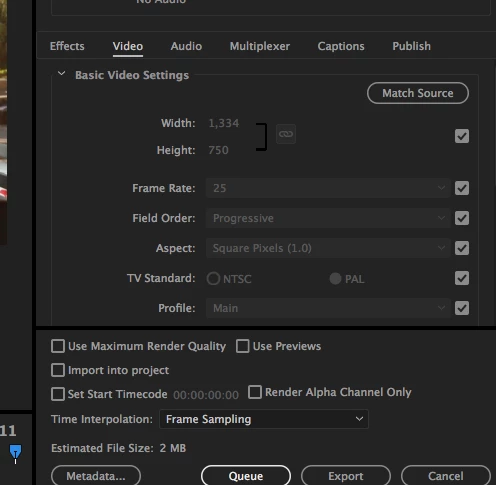
Further more I also do not see the video codec option in my Export Option:
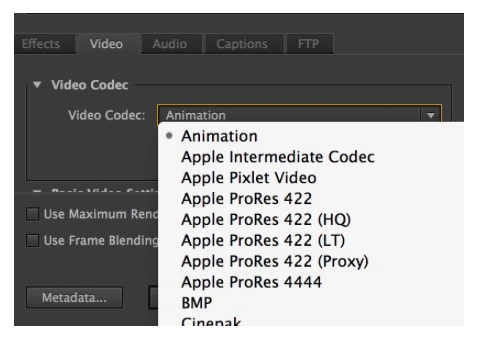
Where as on a discussion forum I see OTHER USERS sharing this option (below image)
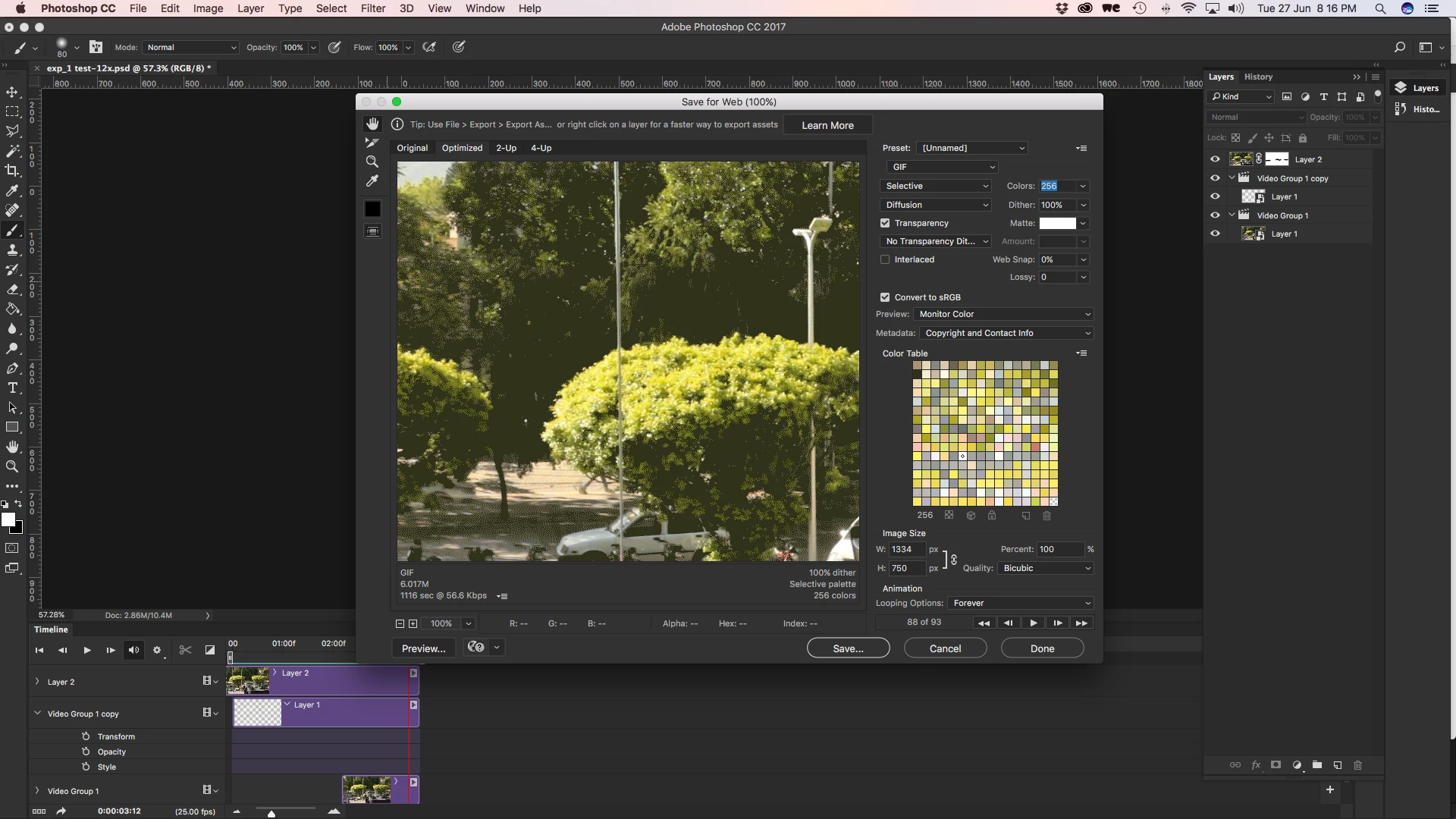 The dimensions are 1334px x 750px and the duration is 3 seconds. I keep hearing that GIF only supports 256 colors thats why it gives pixelated grains but I have seen numerous GIF without pixilation.So my question remains: Why I can't export Animated GIF in Adobe Premier Pro CC on my MACNOTE: Please dont just answer for the sake of points. Answer only if you can get me a solution exactly what I asked for.Thank you.
 AdChoices