



Why is this missing media graphic appearing with Essential Graphics template?!?
I can't wrap my head around what is going on that keeps causing this. There doesn't seem to be a clear pattern of actions that create this problem, nor does there seem to a clear solution. It's always a matter of luck on whether or not the problem happens, and if it gets fixed.
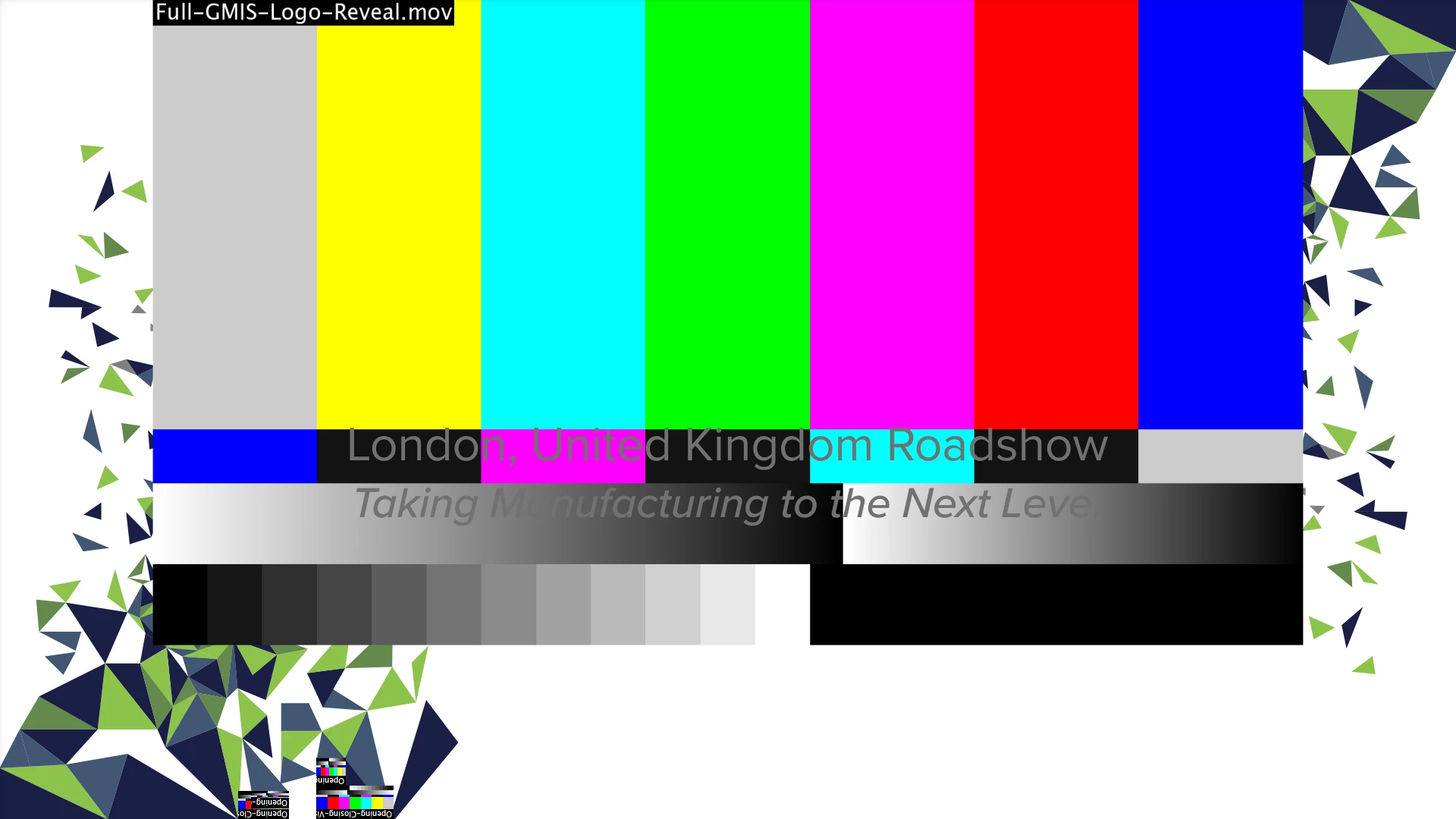
In this Essential Graphics template, all the triangles fall into place, and the company logo animates in the center. The animated logo is the massive color/contrast image display that is missing (even though everything is still there in the After Effects file). You can even see at the bottom left that some of the triangles are displaying the error. This has happened with other templates I've created as well, so this issue is not unique to this specific template
For some reason, when it's time to export any sequence using a custom Essential Graphics template that I've created, I get this (don't really know what it's called) media missing/color & contrast graphic indicating that (For some odd reason) it's offline or something? I'm familiar with the Media Offline graphic and how that works, how to link media, etc.
Obviously this is not a media offline graphic, and I don't understand what's causing it. There are times where everything looks perfectly normal in my sequence, but when exporting through media encoder, I see this problem while I'm watching the export thumbnail. Other times it is visible in my sequence. Sometimes it looks normal in my sequence but 5 minutes later this problem appears as well in my sequence. No clear reason for it.
The occurrence of this problem seems to just happen, without any sort of clear trigger, or clear problem for that matter. All the media is there in the original After Effects file, the file is linked & everything, I don't understand why it's happening.
The temporary fix I'm able to manage is closing premiere & opening the project again, but even this does not guarantee that this problem goes away. I've had many instances where I open the project up again, and a few minutes later this happens. Again, this whole issue seems to happen randomly, without any triggers.
Is there any reason for this? How can it be fixed?
 AdChoices