

Premiere Pro Community Digest — September 2020
 Premiere Pro Community Digest
Hey there Premiere Pro Community! Here are your community highlights for September 2020!
Premiere Pro 2020 (14.4) was launched on September 15, 2020. In this release, there are continued stability improvements, improved performance, and even a few new features. The September release is one that has a bit to offer for everyone. Good stuff. For details, see this article.
To recap, the release included 3 new key features:
- HDR
- Scene Edit Detection: This feature won a "Best of Show" award at the IBC Show from TV Technology Magazine.
- Export with Proxies
 Adobe Video World: Premiere Pro masters taught courses at Adobe Video World, from September 12-17. Nick Hauruz, Rich Harrington, Luisa Winters, Abba Shaprio, Jarle Leirpol, and Jeff Greenberg were the featured Premiere Pro presenters. It was the first time the conference has ever been held virtually.
More news on the After Effects Community Report here.
Premiere Pro Team Blog Posts: This month, there were some Premiere Pro Team blog posts you may have missed. Here are some links to the pertinent articles.
- Collaborative video editing in Adobe Premiere Pro
- Streamlined workflows that make storytelling easier
- Finding the message in the edit with star editor Taylor Tracy Walsh
 Top 3 Troubleshooting Threads
- Why can't I import an .mp4 file?
- How to clear your cache in Premiere Pro 2020
- How to reset (trash) preferences in Premiere Pro?
We remind you to delete media cache with all projects closed before beginning or updating your Premiere Pro 14.4 project. You can do this from Preferences > Media Cache. See the following video tutorial.
 Top 3 How-to Threads
FAQ: Why does audio or video not go to the track where I drop it?
Adjust Picture Size in Premiere Pro
How to Motion Track and Blur a Face in Premiere Pro (see video)
 Coming up next month: Adobe MAX: This year, the conference is virtual and totally free. Sign up for all your sessions now. Be sure to download the Creative Cloud mobile application to stay updated on the conference and to reference your sessions. For details, see this post. Register for the conference here.
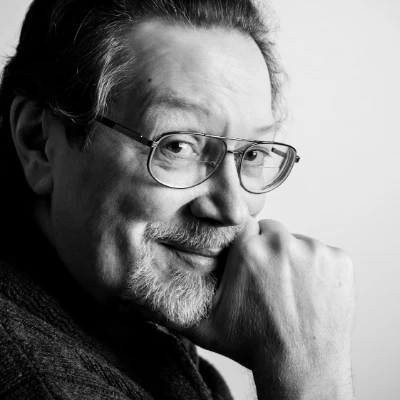 Featured ACP - R. Neil Haugen
Maybe you've noticed him helping others around the forum. Maybe he's helped you! Neil has been around the community for years now. I just wanted to give him a tremendous amount of credit for giving so much of his time assisting others, especially new editors.
First of all, who is Neil Haugen? Browsing Neil's profile page, you can see that Neil is a pro photographer with years of experience. Neil is very tuned into providing the best possible image for his clients, so naturally, color correction and color grading skills carried over quite well into the video realm.
Neil is a wellspring of knowledge when it comes to color. Neil was one of the original gunslingers when Iridas SpeedGrade was first ported over to Adobe. Neil currently writes and contributes content for Mixing Light, well-known in the colorists realm.
Motion graphics and titles is also an interest of Neil's and loves to help others with those things in the Essential Graphics panel. Personally, I am so glad Neil has taken this on as the feature set is fairly dense and requires a good deal of experience to master it. Neil has created this neat set of keyboard shortcuts you may find useful here.
Check out Neil's website for more helpful articles about Premiere Pro and color in the video realm here. This small article only scratches the surface for all Neil has done for the Premiere Pro community. Once again, thank you Neil, for all your help!


 AdChoices