




MAX 2025 - Adobe Express introduces AI Assistant (Beta)

Create smarter, edit faster with prompts!
Within Adobe Express, the AI Assistant combines generative AI with quick, easy design editing. You can now use prompts to explore ideas, create new content, or edit existing designs, all while keeping the parts you like intact.
AI Assistant is currently in limited beta and available for testing & feedback only on desktop devices. It's also not available on Free, Teams, Enterprise, or K12 Education plans.
Feature at a glance
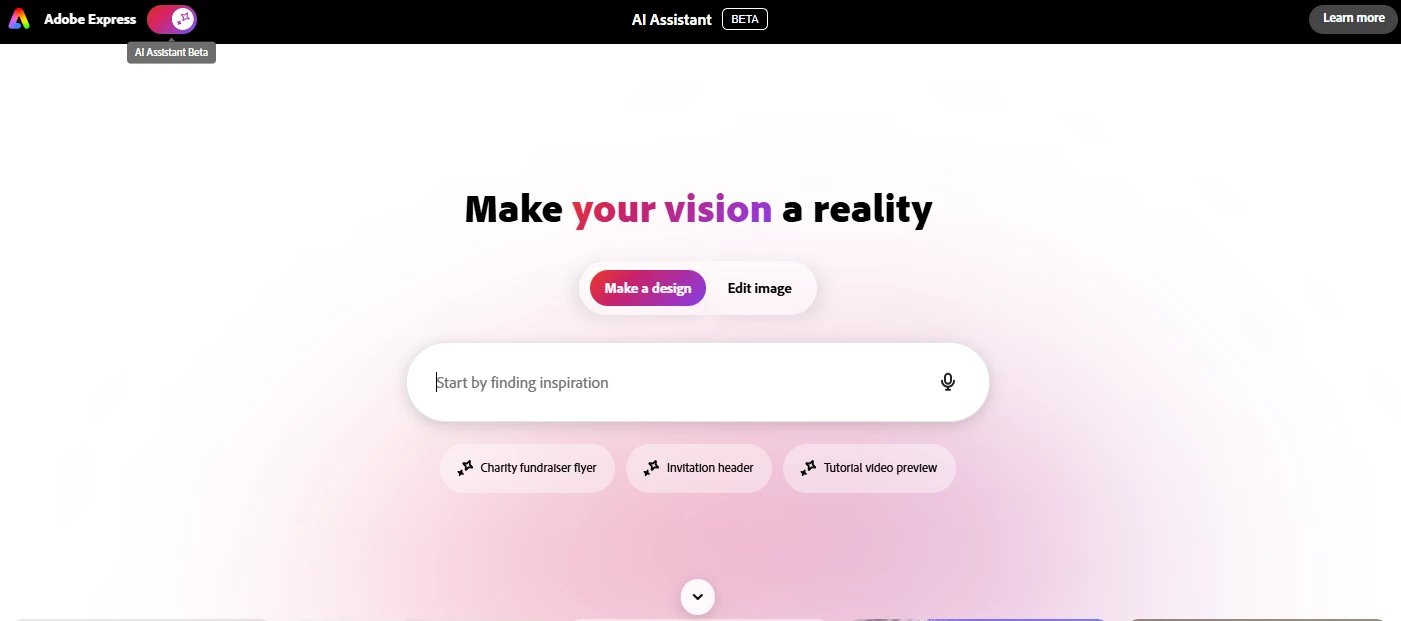
Use short text prompts in the Express AI assistant to:
- Add or replace objects, texts, images, or backgrounds
- Edit visuals, apply filters, or adjust brightness or opacity
- Generate or rewrite text in different tones and lengths.
- Manage layouts, resize, align, or organize elements
- Apply filters, themes, or color palettes to match design styles
AI Assistant runs on trusted models like Adobe Firefly, Gemini 2.5, and Flux.1 Kontext to produce quality results directly on the canvas. You can turn it on or off at any time for more control while designing.
Common Questions
How can I access the AI Assistant (Beta)?
Early access to the AI Assistant (Beta) is available for premium plan users. Free users can start a 20-day premium trial to check the feature.
Will my Generative Credits be affected by the AI assistant?
No, generative credits are only consumed if the Express AI Assistant is asked to generate an image.
Useful Links
 AdChoices