Participating Frequently
November 17, 2025

New "save to cloud" panel doesn't show existing files

  • November 17, 2025
  • 返信数 5.
  • 98 ビュー


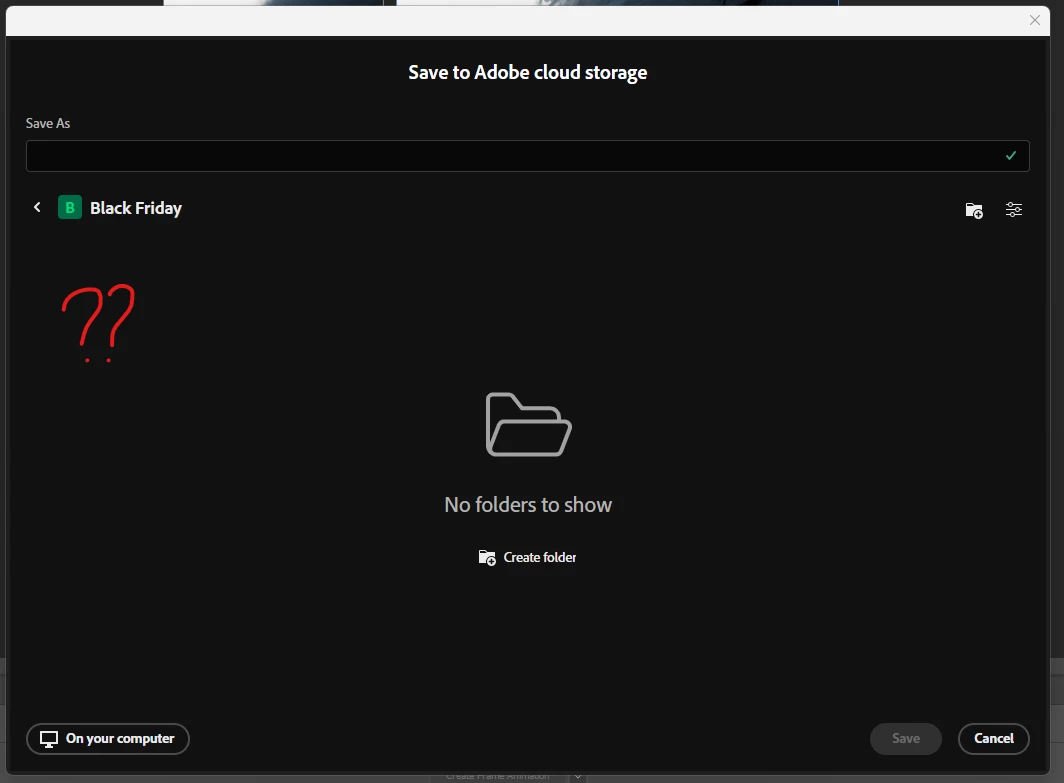
Hey, since the last update I can't see my saved files in the Save to Adobe Cloud Storage panel.


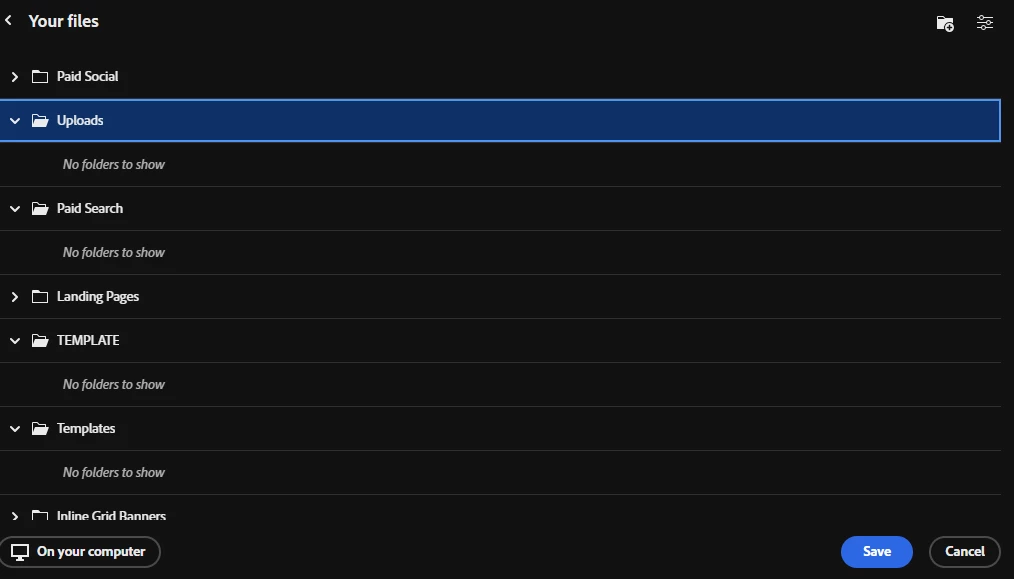
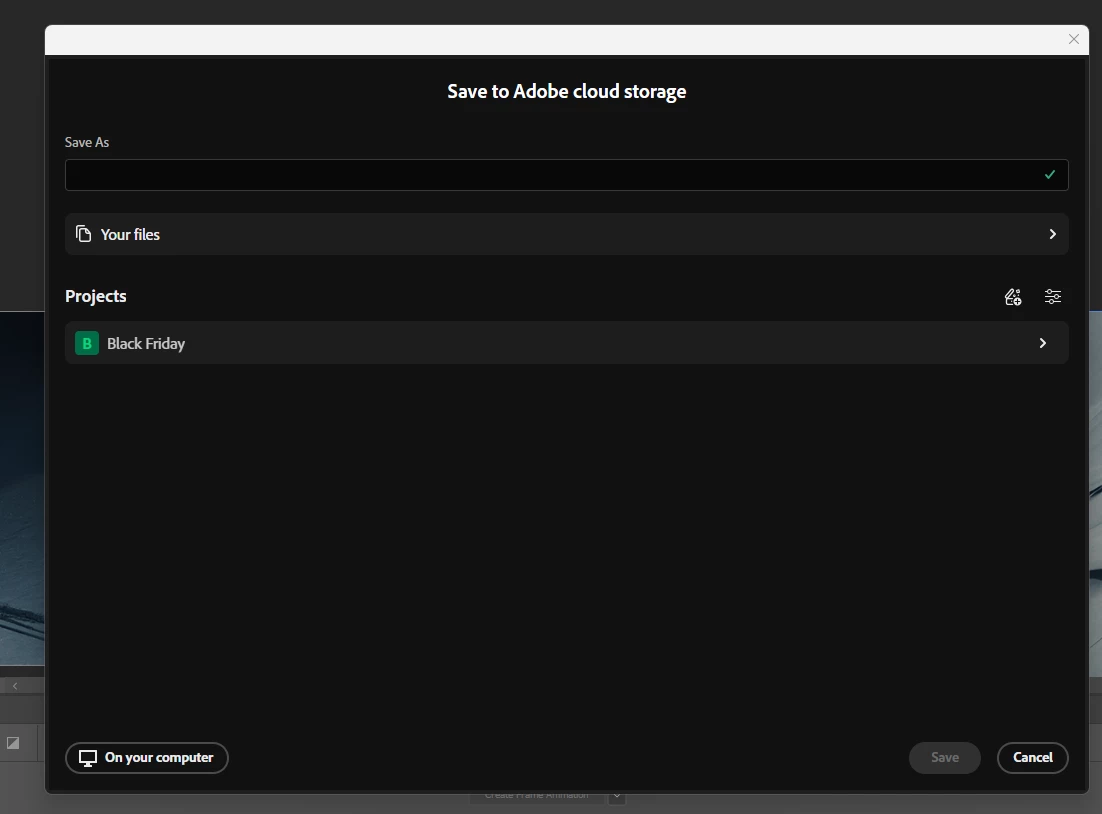
I can only see in "Your files" all my folders, but no files. Even the files which are not in folders are not visible. I tried to create a "New Project" (here - Black Friday) but when I save my file, I cannot see any of my files!!


i can see it when I open an existing file, in the PS homepage, or the open a file panel but I need to see it when I save. I only see folders, empty folders. It is very, VERY annoying to have to go back to the "Open a file" panel just to see it. Do I have to change something in my preferences or something? 


Thanks.


返信数 5

Community Manager
November 18, 2025

Thanks @Fny74 ,

Let I'll take this feedback to the team. For now I suggest you do the CMD+O for previwing content within a folder, that should solve for previwing of the exisitng content - but I understand it doesn't solve for the override. 

We will look to address some of your concerns in a future update.

Fny74作成者
Participating Frequently
November 18, 2025

Thanks for your suggestion! I’ve actually used Bridge in the past, but I don't like it at all. The “Save As” panel in Photoshop gives me an instant, file-explorer-like overview of all my files in just a fraction of a second, without leaving my workspace. Just by hitting CTRL SHIFT S. It’s also much easier when saving new versions. This speed and simplicity are essential for projects with dozens of PSD files, so switching to Bridge would slow me down rather than help. I would really appreciate the come back of the old interface, It would be only positive because the new interface has less features and we cannot see what files are in what project / folder. We don't have any preview anymore; how can we be sure if we have every files needed in a folder ? 

creative explorer
Community Expert
Community Expert
November 18, 2025

@Fny74 have you thought of using Adobe Bridge? Bridge is a digital asset manager that comes with your Creative Cloud subscription where you can manage, preview, rename, and version multiple PSD files without leaving your workspace! 

m
Fny74作成者
Participating Frequently
November 18, 2025

Hello, when I work on a project, I often need to create multiple variations in different formats. This panel allows me to get an overview of the overall rendering of all my files, track my progress (I press Ctrl + Shift + S and in a fraction of a second I have a preview of all my files without leaving my workspace, which helps me check compliance), and easily add a V2 by simply clicking on V1, with the name automatically filled in the field. These are workflows developed over several years that optimize productivity. Removing them takes away reference points and processes that are extremely useful to us, especially for highly visual people like me. I believe it is absolutely necessary for this panel to remain identical to the “Open a file” panel.
For my Black Friday project, I will end up handling around thirty PSD files, and even with just three files, I can already feel a negative difference in the process. It may sound minor when I write it, but I assure you it is not minor—the impact is considerable. We are three webdesigners in the office, and we all share the same very negative feeling.

Community Manager
November 17, 2025

Hi @Fny74 ,

We recently updated the experience to optimize for folder navigation when users are saving or moving files. We have heard similar feedback to the one you have provided and are discussing how to address it.

In order to bring more detailed feedback to the team, can you share what makes it helpful to see the files you already have in a folder while you are trying to save a new file?

Thanks.