Build better products with our product team
Hello Everyone, I think it whould be usefull to have an option to use pictures as reference material for the AI.
I think it could be nice to creatively merge up to four pictures in new results or to check two results that I like so they get processed in new results. Often I like more than two results but cant check out where it mitght lead to in further processing.
It might be great to give a follow-up prompt about the results. Like "More smiling" or "Less green" or something like this.
The quality of generated images from Adobe Firefly is so good, especially to generate images for businesses/companies. Because Adobe stock is already filled with a lot of stock photos/videos that focus on commercials, business, etc. Now, would've been great if this free Adobe Firefly become a subscription plan so users can use the generated images for commercial purposes. That's my idea, and hopefully I can see the update regarding my idea very soon.
Olá acho que seria interessante ter a opção de escolher um dos 4 cantos da imagem para ser aplicada a marca d'água do Adobe Firefly ainda na versão beta.
Hello, new user here. I'm learning my way around the Firefly software and practicing using text to speech for some scripts I'm writing. It appears there aren't any British or regional English accents to choose from.Although there are many voice options available, it would be great if British (English, Scottish, Welsh, N.Irish) voices could get implemented as a matter of priority or as soon as reasonably practical. Hope to hear your thoughts soon.Thanks :)
Adobe Firefly has an insufficient character limit for saving the requested prompt; for example, we cannot enter long JSON prompts. Because of this, I would like to cancel the application process. Please try disabling the character limit in the request section.
Typography is an important part of many animations. With the great amount of options designers have with OpenType-Fonts every aspect of a font should be accessible in a modern animation software.Please add all OpenType-Options as seen in the Photoshop Character Panel to be natively accessible in After Effects.
I am using a MacBook Pro 16-inch, Nov 2024 model, Apple M4 Max and currently on the updated Tahoe 26.4.1 MacOS. I like the resolution I have chosen for my inbuilt screen on my laptop, as I am doing design/photography work. I have my resolution set to 2624 x 1696. I gone into the Photoshop settings within the program, and into the Interface section, and changed the UI Font size to ‘Large’ and have ticked the box for ‘Scale UI To Font’. The ‘UI Scaling’ option with a dropdown box is greyed out for me and I cannot change this. I shouldn’t have to change the resolution on my device in order to view the text properly on Photoshop. That is currently the only solution I have been able to find for this issue. Which isn’t a viable solution for me. I have also gone into the Apple System Settings and used the display accessibility options to increase font size - which hasn’t helped with any of the Adobe software.
After loading a scene ALL texture sets are enabled/visible. This drives me nuts in big scenes as I create sometimes very sophisticated setups and have several variants of a design in a single file. I thought I can write a script doing that for me, but no chance as what I found out not even Substance Painter itself can “touch” the visibility of the texture sets in a scene. It is assumed that after loading the user always wants all of them to be enabled. That is really poor. Every property the user can modify while the application is running should be saved in the scene file and fully restored after a program restart (or a scene reload)!
J’ai un abonnement pro depuis avril 2022. Je règle cet abonnement tous les mois (78,65 euros actuellement). Le dernier paiement date du 1er mai 2026. Actuellement mon compte a été transformé en “abonnement gratuit” . En conséquence je ne peux plus rien faire. J’essaie de contacter l’aide Adobe mais j’ai toujours la même réponse “pas d’abonnement payant à votre adresse fr…...”. J’ai demandé à ce que l’on me rappelle : réponse “pas possible sans un abonnement payant”. Kafka est de retour.Quelqu’un peut-il m’aider ?
It would be nice for Adobe Media Encoder to have naming tokens just like within the After Effects Renderer, for example when exporting a composition named [projectName]-[width]x[height]-[YYYY-MM-DD] it will automatically name your export to the project name + size of the composition + the render date.
I would like to append a custom name to the end or beginning of a file name on export. Yes, I know you can select an option saying "Append preset name to filename on export", but I don't need this all the time. It would be much simpler if this was an option that is chosen within the preset itself. This would create much more flexibility when exporting.
Please add Tethering support for EOS R6 Mark III on Lightroom Classic Mac Tahoe . Thanks for your help and support.
Can't translate native speakers in Vietnamese without this.
In Text to Image, I tried adding the name of various artists to the prompts and Firefly struggled a lot with mimicking their styles. It would be amazing if Firefly could better mimick artist's styles. Here's a link to a page that shows examples of lots of different artistic styles: https://www.midlibrary.io/styles I'd like to be able to add something like "...in the style of Don Bluth" to a prompt and see a result that is similar to this style. Thanks for considering!
Make a image to imagen generation that would change any aspect of the image and then you can make minor adjustents to it. Like for example upload an image of a person, and can give it a cartoon style but then be able to change the color hair, the eyes, what that person is wearing, etc.
The end goal of generating images is to create a post or poster or mostly marketing content. So they have to download the image then upload to tool like Canvas. So I hope I can do that here
I think that it would be awesome to be able to upload images to Firefly and let it change the styles, add elements, etc. to your image.
I'm writing to request a new feature for your AI tool that would allow users to remove text from images with high accuracy, while also enabling the translation of text on images without altering the image design layout.As someone who works with images on a regular basis, I've found that removing text from images can be a time-consuming and often imprecise process. Similarly, translating text on images can be challenging, as it can involve altering the image's layout or design.Given the power of AI and machine learning, I believe that an AI-powered image editing tool like Firefly could be the perfect solution to these challenges. Using computer vision and natural language processing algorithms, Firefly could potentially identify text on images, remove or translate the text, and adjust the surrounding image layout as needed.I understand that developing a feature like this would require significant investment in research and development. However, I believe that it could be a game-changer for professionals and enthusiasts alike who work with images on a regular basis.Thank you for considering my request, and I look forward to hearing your thoughts on this matter.
I know this is in beta, but would be cool to see vehicles' males and models be generated better/more accurately!
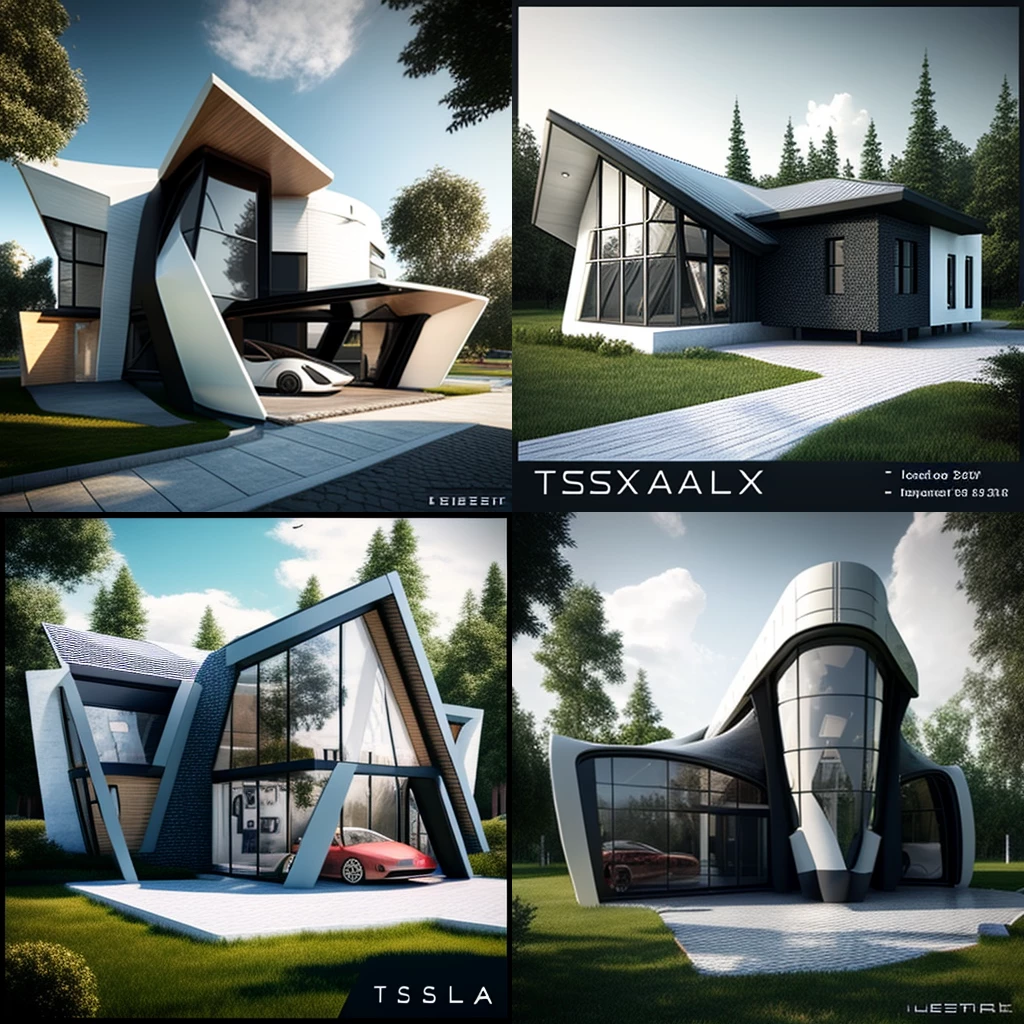
Would be nice to be able to create Presentation Board for "Architect and Designer".
Be able to write specific hex codes with a hashtag before perhaps so if you have 2 colour artwork you can just type in 2 hex codes nd it swaps the current 2 colours for the two you have typed. Or even better have an extra field for adding in hex codes
It would be nice if you could enter hex color code at the prompt of adobe firefly's recolor vectors function
Already have an account? Login
No account yet? Create an account
Enter your E-mail address. We'll send you an e-mail with instructions to reset your password.