

解決済み
Unable to sign in to my account on adobe reader
I have been trying to sign into my account at adobe reader. But, it is showing "No account is associated with the email address" Find the screenshot here to have a glance?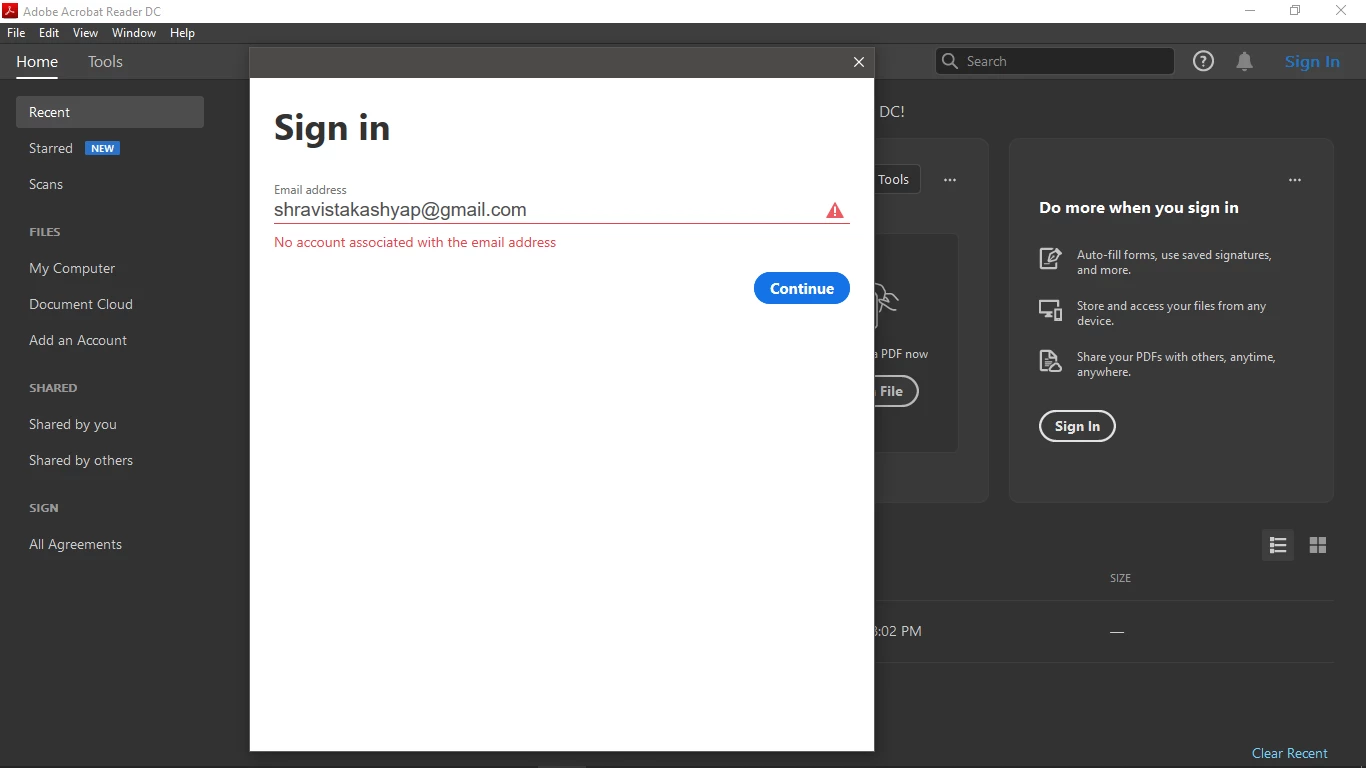

I have been trying to sign into my account at adobe reader. But, it is showing "No account is associated with the email address" Find the screenshot here to have a glance?
I am using windows 10.
1. As prescribed by the virtual assistant I have uninstalled the application and reinstalled the to check whether the problem will be solved.
2. currently I am subscribed to "Creative cloud-free membership" and "Document cloud-free membership"
3. The problem comes when I am trying to sign into my adobe account using the sign-in option.
4. I don't have multiple accounts that are associated with adobe account. Also, the email id shown above is also my adobe id, after a click on 'continue' button it shows whatever is there on that screenshot. It doesn't even take me to enter the "password".
Have you been able to login successfully to adobe.com with that AdobeID?
If you're able to login online but not from the Adobe Reader app, see Manage Account and identify if your free subscription are used in more than one computer device.
If you have more than one comouter devjce listed there, deactivate or remove those and only activate the device where you are currently trying to use your Reader DC .
I also forgot to ask if you have the creative cloud desktop app installed in your windows 10 and if you are able to login through the CC Desktop App.
And did you used to have this products installed in a different computer, OR, did you have windows7 in that computer with the CC free subscription and then upgraded to Windows10?
Are you able to use the Acribat Reader Mobile app from an Android or Apple mobile device and see if you get the same issue?
If you are abke to login from a mobile device using the Reader mobile app, maybe you should create a new user profile in Windows 10 and check if it works.
I will continue to post back more info as I keep finding more releveant work arounds. It seems like Adobe doesn't have a fix available for this issue but they do have a possible work around here:
https://helpx.adobe.com/acrobat/kb/no-account-associated-with-the-email-address.html
Enter your E-mail address. We'll send you an e-mail with instructions to reset your password.


 AdChoices