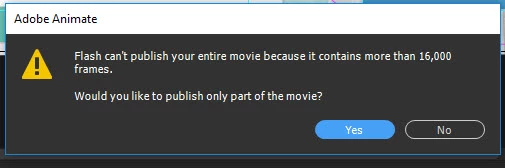
This is the Adobe official information on Frame and movie size limits. I know is is for CS6, but I don't believe anything has changed regarding these limits.
Looks like you may have to create seperate .fla files. Find a natural transitions in your animation and split it into two, or more seperate files, and use, Premier, or AfterEffects to combine them.
I was going to suggest using Scenes in the animation, but apparently the Frame limit of 16,000 is for a singular .fla file, including, Scenes, Movie clips and Animated Symbols.
Perhaps you can try and optimise movie clips and and scenes, by removing frames that are not required.
You can run into issues if you reach multiple limits like for frames, layers, loaded movies, so you might want to make sure you don't reach these others, too Movie size limit | Flash CS6






 AdChoices