


Participant
August 9, 2017
Answered

Tearing my hair out .. "Failure" defaults to "Success" style

  • August 9, 2017
  • 1 reply
  • 304 views

Hi,

For some reason, when I add a simple click box to a blank project (no theme applied), the Success / Failure / Hint captions all default to the Success style. Now I realise I can change them manually to "Failure" / "Hint", but I'm frustrated wondering why this is happening and to know that this sort of thing isn't going to cause further problems in the future.

Since this is happening from a completely blank project, I'm guessing the problem is how I set up my global preferences in Captivate. But I don't remember changing anything like this (I only bought Captivate 2017 a few days ago) and the Defaults seem to be correct (see screenshot).
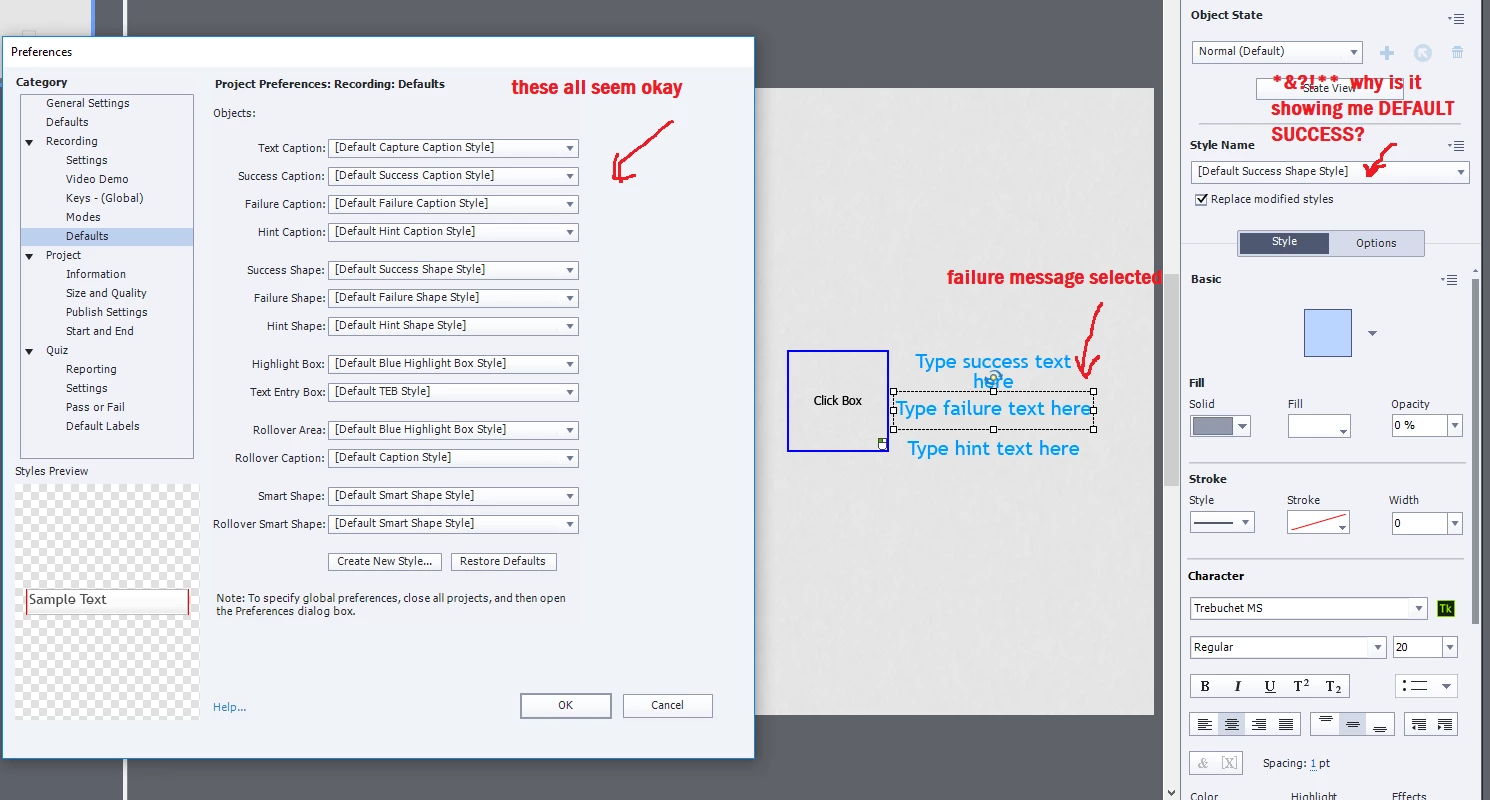
I've also attached the project to see if someone can tell me what I'm doing wrong! Can't see how to attach the project itself, but happy to send it to anyone who thinks it might help!

Many thanks

Richie
    This topic has been closed for replies.
    Correct answer Lilybiri

    First of all, you ALWAYS use a theme, you cannot escape it. Maybe these articles will clarify things:

    Challenges for Starters - Captivate blog

    What's in a Theme - a Template? - Captivate blog

    Secondly: you are using the White theme, which is the default theme. You are not using Captions for feedback, but shapes which is the default choice in Preferences.

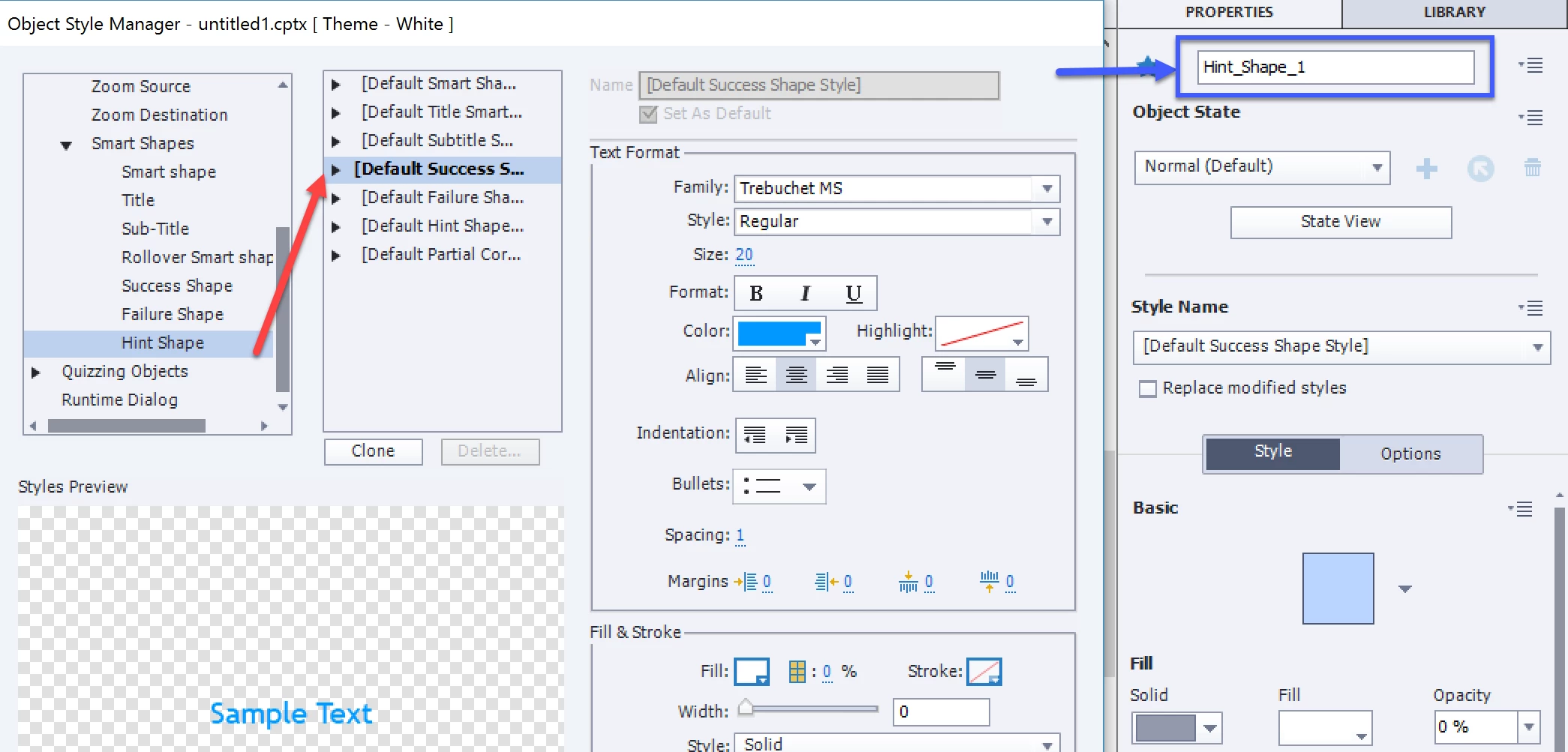
    Third: there is a bug in this theme, where the three types of shape feedback messages do all use the Success style:

    Solution: change the object styles for the White theme both for the Hint and Failure shape. Then save the theme, if you want to keep it as the default theme.

    BTW this bug is not typical for the White theme, it is the case for most included themes. Contrary to CP9 where those shapes didn't use the Theme colors but had always the same colors, in this version they do use the Theme colors palette (which is an improvement), but they forgot to create correct styles for Hint and Failure. For the captions 3 different styles are available (all using the Theme colors palette).

    1 reply

    Lilybiri
    LilybiriCorrect answer
    Legend
    August 9, 2017

    First of all, you ALWAYS use a theme, you cannot escape it. Maybe these articles will clarify things:

    Challenges for Starters - Captivate blog

    What's in a Theme - a Template? - Captivate blog

    Secondly: you are using the White theme, which is the default theme. You are not using Captions for feedback, but shapes which is the default choice in Preferences.

    Third: there is a bug in this theme, where the three types of shape feedback messages do all use the Success style:

    Solution: change the object styles for the White theme both for the Hint and Failure shape. Then save the theme, if you want to keep it as the default theme.

    BTW this bug is not typical for the White theme, it is the case for most included themes. Contrary to CP9 where those shapes didn't use the Theme colors but had always the same colors, in this version they do use the Theme colors palette (which is an improvement), but they forgot to create correct styles for Hint and Failure. For the captions 3 different styles are available (all using the Theme colors palette).

    Participant
    August 9, 2017

    Thanks for the prompt reply, and kudos on your site / blogs. They've solved many-a-problem in the past!

    I should have said I don't have a specific theme applied. But you're right, I'm using the default "White" theme and the theme I created for the actual project I'm creating is based on this - so all its properties have been carried over. Also, you're quite right that I'm using shapes rather than captions!

    However, I change the hint / failure object styles for the White theme for and saved it as a new theme (you don't appear to be able to overwrite the white theme). I then applied this new theme. But when I add a click-box, it still applies the success style to all 3 shapes. If this is just a bug then that's fine, but am I missing something?

    Lilybiri
    Legend
    August 9, 2017

    I plan to write a blog post about this problem,  have to check it out and will keep you informed.  Just logged a bug about it, however I suspect themes are created by the eLearning Brothers and they often are bit confused, think they forgot that shapes are now the default choice.